AIChatControl.HideLoadingIndicatorAsync() Method
Hides the loading indicator in the chat message area.
Namespace: DevExpress.AIIntegration.Wpf.Chat
Assembly: DevExpress.AIIntegration.Wpf.Chat.v26.1.dll
NuGet Package: DevExpress.AIIntegration.Wpf.Chat
Declaration
Returns
| Type | Description |
|---|---|
| Task | A task that represents the asynchronous operation. |
Remarks
Use the following methods to display a loading indicator while the application performs a long-running operation, such as preparing additional context before sending a request to the AI service:
- ShowLoadingIndicatorAsync(string) – Displays the loading indicator with an optional caption.
HideLoadingIndicatorAsync()– Hides the loading indicator.
Example
The following example displays the indicator with a custom caption when the user sends a message and hides it after the operation completes:
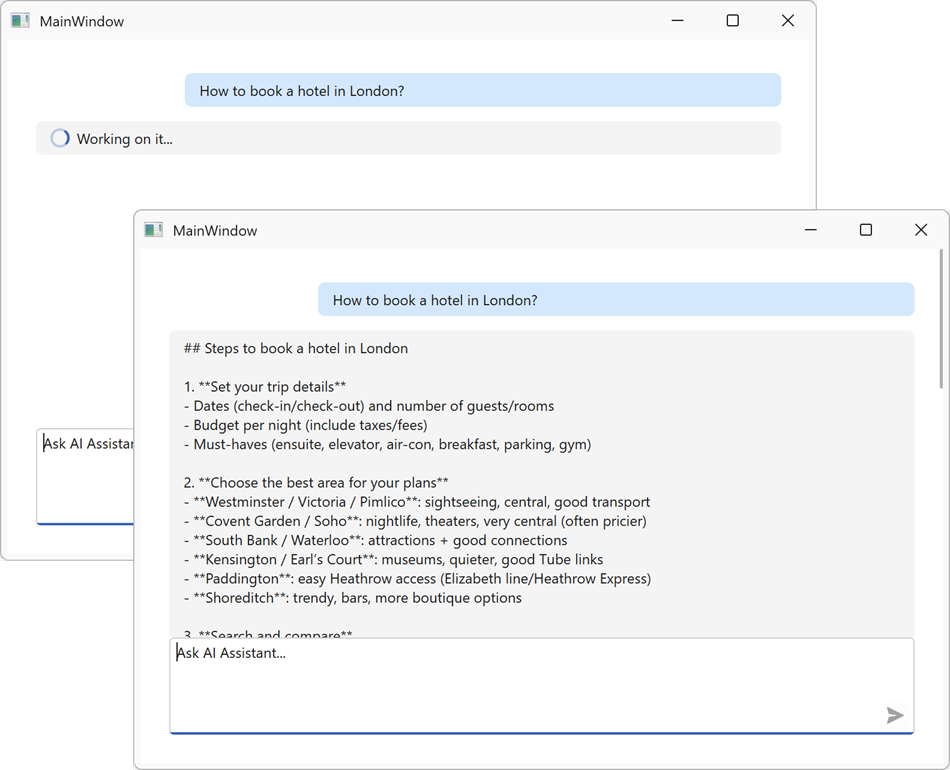
async void AiChatControl_MessageSending(object sender, AIChatControlMessageSendingEventArgs e)
{
    await aiChatControl.ShowLoadingIndicatorAsync("Working on it...");
    // Perform a long-running operation (load data, call an external API, etc.).
    await PrepareContextAsync();
    await aiChatControl.HideLoadingIndicatorAsync();
}
Refer to the following help topic for additional information: AI Chat Control
See Also