VCL Dashboards: Getting Started
- 2 minutes to read
Review the following tutorials to get started with the TdxDashboardControl component.
Prerequisites
Ensure that your development environment meets ExpressDashboards and ExpressReports prerequisites:
- Microsoft Windows 10 or newer.
- Embarcadero RAD Studio IDE 12.3 or newer (Community Edition IDEs are not supported).
- DevExpress VCL v25.2.x. (You must own a VCL Subscription+ license or DevExpress VCL and Universal licenses).
- The EdgeView2 SDK package installed from the GetIt package manager.
Tutorials
- Create a Dashboard Using the Designer Dialog
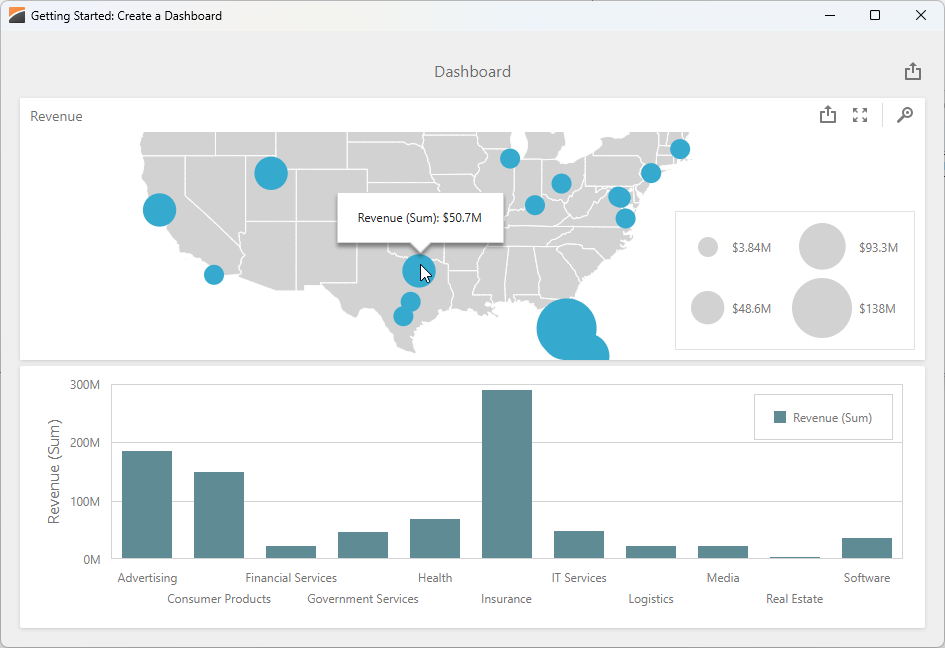
Follow this tutorial to create a simple dashboard application: set up a memory-based data source, load JSON data, create Bubble Map and Chart dashboard items, and bind them to data.
Sample GitHub Projects
This section lists all public GitHub repositories (DevExpress-Examples) that demonstrate the primary usage scenarios for VCL Dashboards:
Store Dashboard Layouts
- This example stores a dashboard layout in a BLOB field of a memory-based dataset (TdxMemData).
Filter Dashboard Data
- This example demonstrates a dashboard that displays sales data for a selected country. The selected country is passed to the underlying SQL query as a hidden dashboard parameter. This sample project uses the TdxCustomDashboardControl.Parameters property to access and modify the target dashboard parameter.
Generate & Export Dashboard Content Without User Interaction
This example bypasses the DevExpress Dashboard Viewer dialog and generates a dashboard using the DevExpress Dashboards backend. You can use the demonstrated technique to implement REST/Web API backends, Windows Services, workflows, and scheduled jobs for the following usage scenarios:
- Bulk export dashboards to PDF, DOCX, image, and other formats.
- Share, email, and print dashboard documents without user interaction.
- Implement custom dashboard management UIs.
Related Compiled Demo
To see the TdxDashboardControl component in action, run the BI Dashboards Designer/Viewer demo in the VCL Demo Center installed with compiled DevExpress VCL demos. Click different items in the sidebar on the left to switch between demo features.
Tip
You can find full source code for the installed compiled Report demo in the following folder:
%PUBLIC%\Documents\DevExpress VCL Demos\MegaDemos\Product Demos\ExpressDashboards\