TdxComponentPrinter Class
A component printer.
Declaration
TdxComponentPrinter = class(
    TCustomdxComponentPrinter
)
Remarks
A component printer is a non-visual component designed to print content of any control in your application. This component manages a list of print links (TBasedxReportLink class descendant instances) that import information from printed components.
Tip
The core print-related APIs are designed for simple document generation scenarios and print/content export operations available for the majority of DevExpress VCL Controls (shipped as part of ExpressQuantum Pack, VCL Subscription, and VCL Subscription+).
For most advanced report generation and BI/data analytics usage scenarios, we recommend that you use our ExpressReports and ExpressDashboards Suites (available as part of the VCL Subscription +). These advanced solutions include both the powerful report generator and customizable print preview, BI dashboard designer and viewer for data analytics (available both at design- and runtime), smart/AI functions, non-GUI/service-based document generation, and much more.
Component Printer and Print Links
While TdxComponentPrinter is the main component required to print any control or export its content, you need to create print links to associate the component with all controls you need to print.
Design-Time Functionality
Double-click the component to display the Report Links editor dialog.
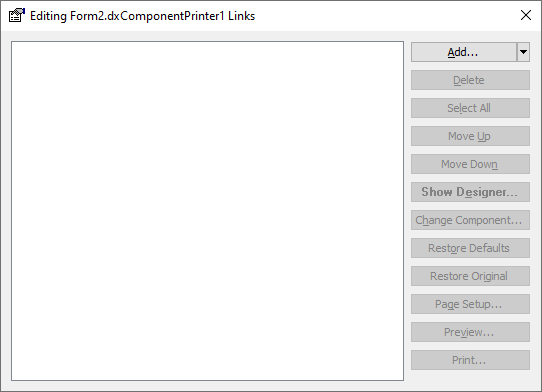
This dialog allows you to manage all print links in your application. Click the Add… button to open the Add Link dialog.
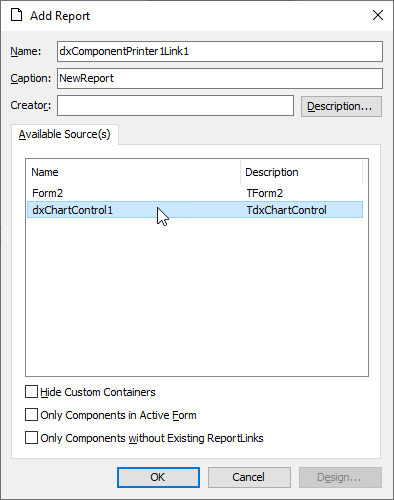
The Available Source(s) box lists all controls for which you can create a print link. For example, you can select a Chart control and click the OK button to create a print link (a TdxChartControlReportLink class instance) for the control.
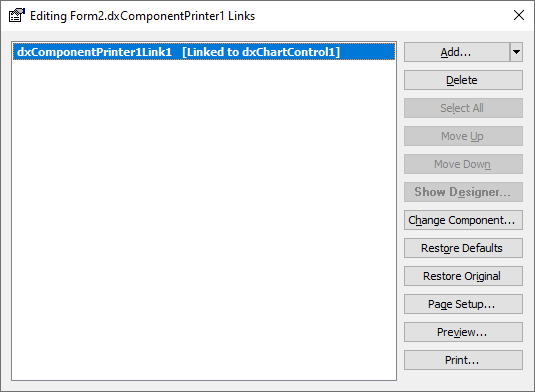
Close the Report Links dialog. You can now use print link and component printer APIs to print Chart control content and display the Print Preview dialog for the control.
Manage Print Links in Code
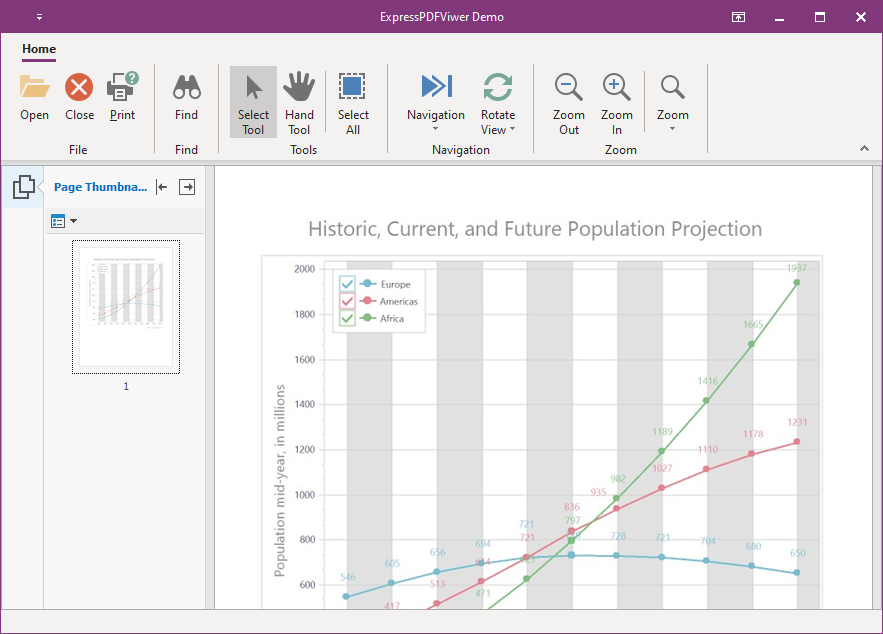
The following code example creates a report link for an existing Chart control, customizes report link settings, exports control content to a PDF document file, and deletes the created report link:
uses
  dxPSdxChartControlLnk;  // Declares the TdxChartControlReportLink class
// ...
var
  AReportLink: TBasedxReportLink;
begin
  // Creates a Chart control report link
  AReportLink := dxComponentPrinter1.AddEmptyLinkEx(TdxChartControlReportLink, dxChartControl1);
  AReportLink.Component := dxChartControl1;  // Associates the created report link with the source control
  try
    AReportLink.PDFExportOptions.JPEGQuality := 80;  // Adjusts the JPEG compression rate for export
    AReportLink.PDFExportOptions.OpenDocumentAfterExport := True; // Opens the resulting document after export
    AReportLink.ExportToPDF;  // Displays "PDF Export Options" and "Save As" dialogs
  finally
    dxComponentPrinter1.DeleteLink(AReportLink.Index); // Deletes the report link after export
  end;
end;
Main API Members
The list below outlines key members of the TdxComponentPrinter class. These members allow you to manage print links and print content of different controls in your application.
Component Settings
- DateFormat | TimeFormat
- Specify date and time formats.
- LoadFromFile | LoadFromStream
- Load component printer and print link settings from a file or stream.
- LoadFromIniFile | LoadFromRegistry
- Load format settings from an INI file or the system registry.
- Options
- Allows you to disable or enable individual component printer behavior options.
- OverwriteExistingFiles
- Specifies if the component printer overwrites existing report image files.
- SaveToIniFile | SaveToRegistry
- Save the current format settings to an INI file or the system registry.
- SaveToFile | SaveToStream
- Save the current component printer and print link settings to a file or stream.
Print Link Management
- AddLink | AddLinkEx | AddEmptyLink | AddEmptyLinkEx
- Create new print links.
- AssignReportLinks
- Copies print links between component printers.
- CurrentLink | CurrentLinkIndex
- Allow you to change the active print link.
- DeleteLink | DeleteAllLinks
- Delete existing print links.
- ReportLink
- Provides indexed access to all print links in the component printer.
Print and Export Functionality
- EnumPagesAsImages | SavePagesAsImagesToDisk
- Allow you to export report content in bitmap formats.
- ExportToPDF
- Exports report content to PDF.
- OnExportProgress
- Allows you to track export progress.
- Print | PrintEx | PrintPages | PrintPagesEx
- Allow you to print a report.
End-User Dialog APIs
- PageSetup | PageSetupEx
- Display the Page Setup dialog.
- PreviewOptions
- Allows you to customize the Print Preview dialog.
- ShowCustomizeDlg
- Displays the Edit Reports dialog.