TcxPageControlProperties Class
Stores Page Control settings.
Declaration
TcxPageControlProperties = class(
    TcxCustomTabControlProperties
)
Remarks
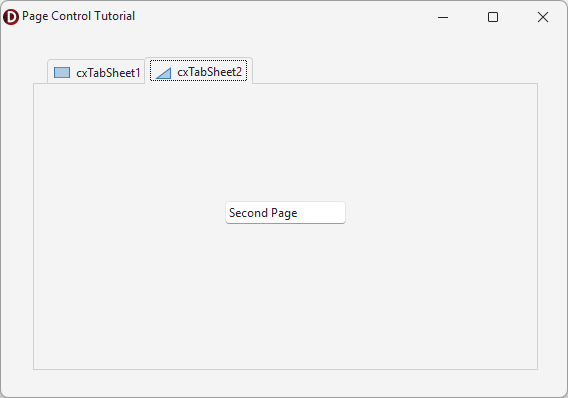
The TcxPageControl component is designed to display different sets of UI elements on different pages. Users can click tabs to switch between corresponding pages.
In this topic…
Getting Started
- This tutorial creates a form that displays different UI elements on two tabs using the TcxPageControl component.
Main API Members
The list below outlines key members of the TcxPageControlProperties class.
Appearance Settings
- Images | HotImages
- Specifies source image lists for tab glyphs in normal and hot-tracked states.
- ShowFrame
- Specifies if page borders are visible.
- TabCaptionAlignment
- Specifies tab caption alignment.
User Interaction Options
- ActivateFocusedTab
- Specifies if the focused tab automatically becomes active.
- AllowTabDragDrop
- Specifies if users can drag-and-drop tabs.
- Automation
Provides access to UI Automation and accessibility-related settings.
Tip
Use the Automation.Name and Automation.Description properties, along with other API members, to specify information exposed to third-party assistive tools as UIA node properties.
- CloseTabWithMiddleClick
- Specifies if users can middle-click tabs to close them.
- MultiSelect
- Specifies if users can select multiple tabs simultaneously.
- ShowButtonHints | ShowTabHints
- Specify if button and tab hints are enabled.
- TabIndex
- Specifies the selected tab index.
Page-Related APIs
- ActivePage
- Specifies the active page.
- FindNextPage
- Returns the next or previous page depending on specified parameters.
- PageCount
- Returns the number of pages.
- Pages
- Provides indexed access to all pages.
UI Element Settings
- CloseButtonMode
- Allows you to switch between Close Tab button display modes.
- HideTabs
- Specifies if the tab panel is hidden.
- NavigatorPosition
- Specifies the navigator bar position.
- NewButtonMode
- Specifies if the New Tab button is visible.
- TabsScroll
- Specifies if tab navigation buttons are visible when the total tab width exceeds the tab control width.
Tab Layout Settings
- MultiLine
- Specifies if tabs can be arranged into multiple rows.
- MultiLineTabCaptions
- Specifies if tab captions can occupy multiple lines.
- Rotate
- Specifies if tabs are arranged horizontally or vertically.
- RotatedTabsMaxWidth
- Allows you to limit the maximum width for rotated tabs.
- TabPosition
- Specifies tab panel position and orientation.
- Tabs
- Provides access to the tab collection.
- TabWidth | TabHeight
- Specify tab dimensions in pixels.
General-Purpose API Members
- Assign
- Copies compatible settings between TcxPageControl and TcxTabControl components.
- BeginUpdate | CancelUpdate | EndUpdate
- Allow you to avoid excessive redraw operations during batch setting changes.
Direct TcxPageControlProperties Class Reference
The TcxPageControl.Properties property references a TcxPageControlProperties object.
Inheritance
TObject
TPersistent
TcxOwnedPersistent
TcxCustomTabControlProperties
TcxPageControlProperties
See Also