Intelligent Mail Package (IMpb)
- 2 minutes to read
Intelligent Mail Package Barcode (IMpb) is a one-dimensional barcode symbology used by the United States Postal Service (USPS) to identify, track, and route parcels and shipping containers. The symbology combines a postal routing code with package-specific information and supports end-to-end package tracking throughout the delivery process.
IMpb is based on the Code 128 symbology and encodes data according to USPS specifications (including service type information, mailer identifiers, and tracking numbers).
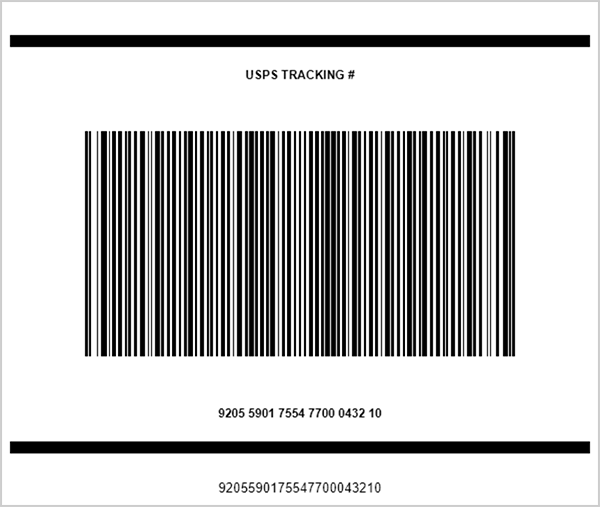
Configure Intelligent Mail Package Settings
Use the IntelligentMailPackageOptions class to configure Intelligent Mail Package barcode settings.
The following code snippet creates the Intelligent Mail barcode and customizes its options:
using DevExpress.Docs.Barcode;
using DevExpress.Drawing;
using System.Drawing;

var impOptions = new IntelligentMailPackageOptions();
impOptions.BackColor = Color.LightGray;
impOptions.ShowText = false;
impOptions.Padding = new Padding(5);
impOptions.BorderWidth = 1;
impOptions.BorderColor = Color.Blue;

using var impOptionsStream = new FileStream(Path.Combine(outDir, "barcode_symbology_intelligent_mail_package.png"), FileMode.Create, FileAccess.Write);
using var impOptionsGenerator = new BarcodeGenerator(impOptions);
impOptionsGenerator.Export("9212391234567812345671", impOptionsStream, DXImageFormat.Png);
Fluent API
Use the IntelligentMailPackageOptionsBuilder class to configure Intelligent Mail Package barcode settings with the Fluent API.
The following code snippet creates the Intelligent Mail Package barcode and customizes its options:
using DevExpress.Docs.Barcode;
using DevExpress.Drawing;
using System.Drawing;

var mailCodeOptions = IntelligentMailPackageOptionsBuilder.Create()
    .WithBackColor(Color.LightGray)
    .WithShowText(false)
    .WithPadding(5)
    .WithBorderWidth(1)
    .WithBorderColor(Color.Blue)
    .Build();

var filePath = Path.GetFullPath("intelligent_mail_barcode.png");

using var stream = new FileStream(filePath, FileMode.Create);
using var generator = new BarcodeGenerator(mailCodeOptions);
generator.Export("9212391234567812345671", stream, DXImageFormat.Png);