Create Your First App with DevExpress Mobile UI for .NET MAUI (JetBrains Rider)
- 2 minutes to read
The DevExpress Template Kit for JetBrains Rider allows you to create new projects based on predefined templates.
Prerequisites
- JetBrains Rider
- .NET 9
.NET MAUI workload
Use the command below in a terminal to install the .NET MAUI workload:
dotnet workload install maui
Install Plugin
Install the DevExpress Template Kit plugin for JetBrains Rider from the JetBrains Marketplace: DevExpress Template Kit.
Create a Project
To create a new project using the DevExpress Template Kit, follow the steps below:
In the JetBrains Rider, open the Projects tab and click New Solution.
In the New Solution dialog, select DevExpress Template Kit, specify the solution name and location, and click Create.
Once the Project Wizard appears, select .NET MAUI to proceed:
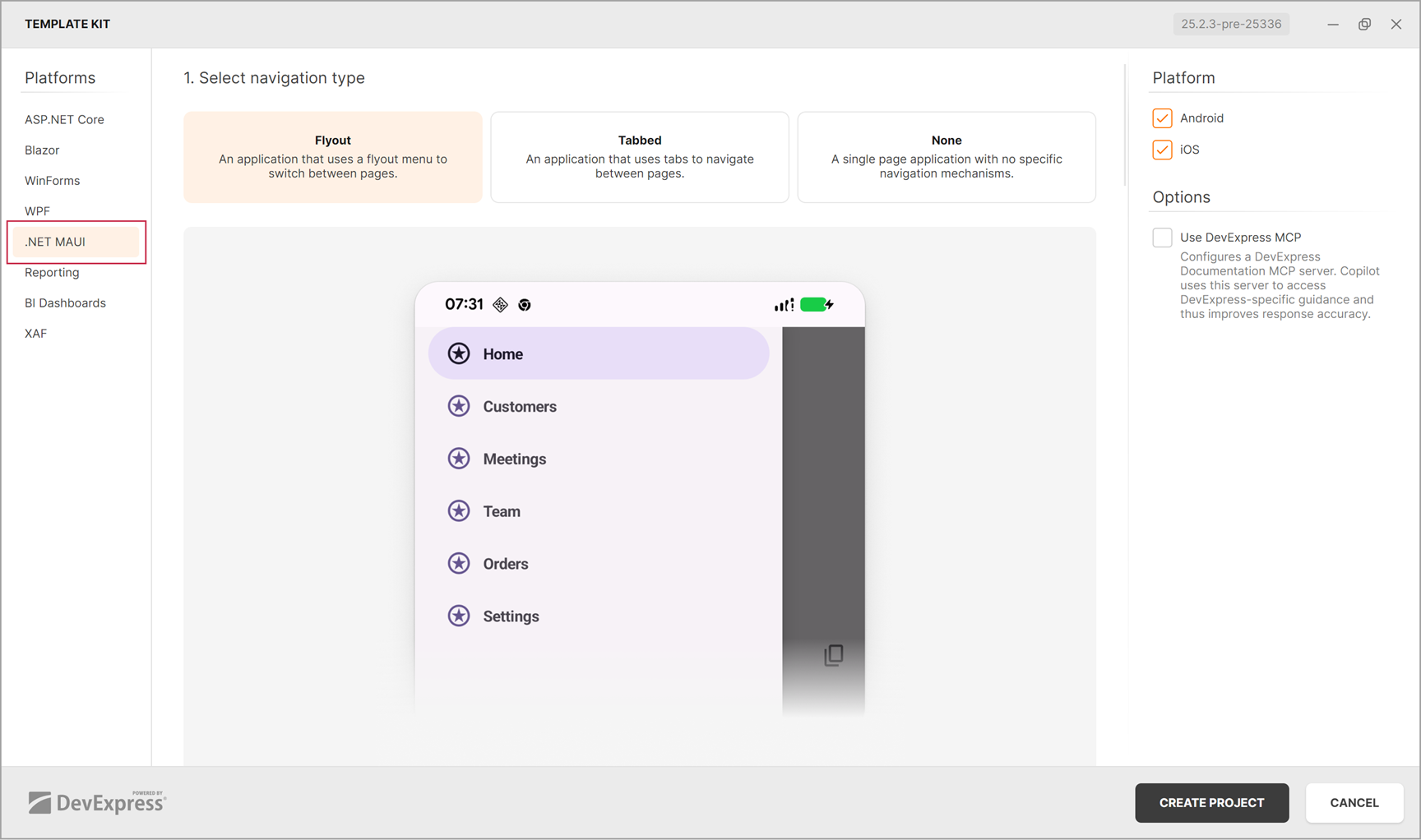
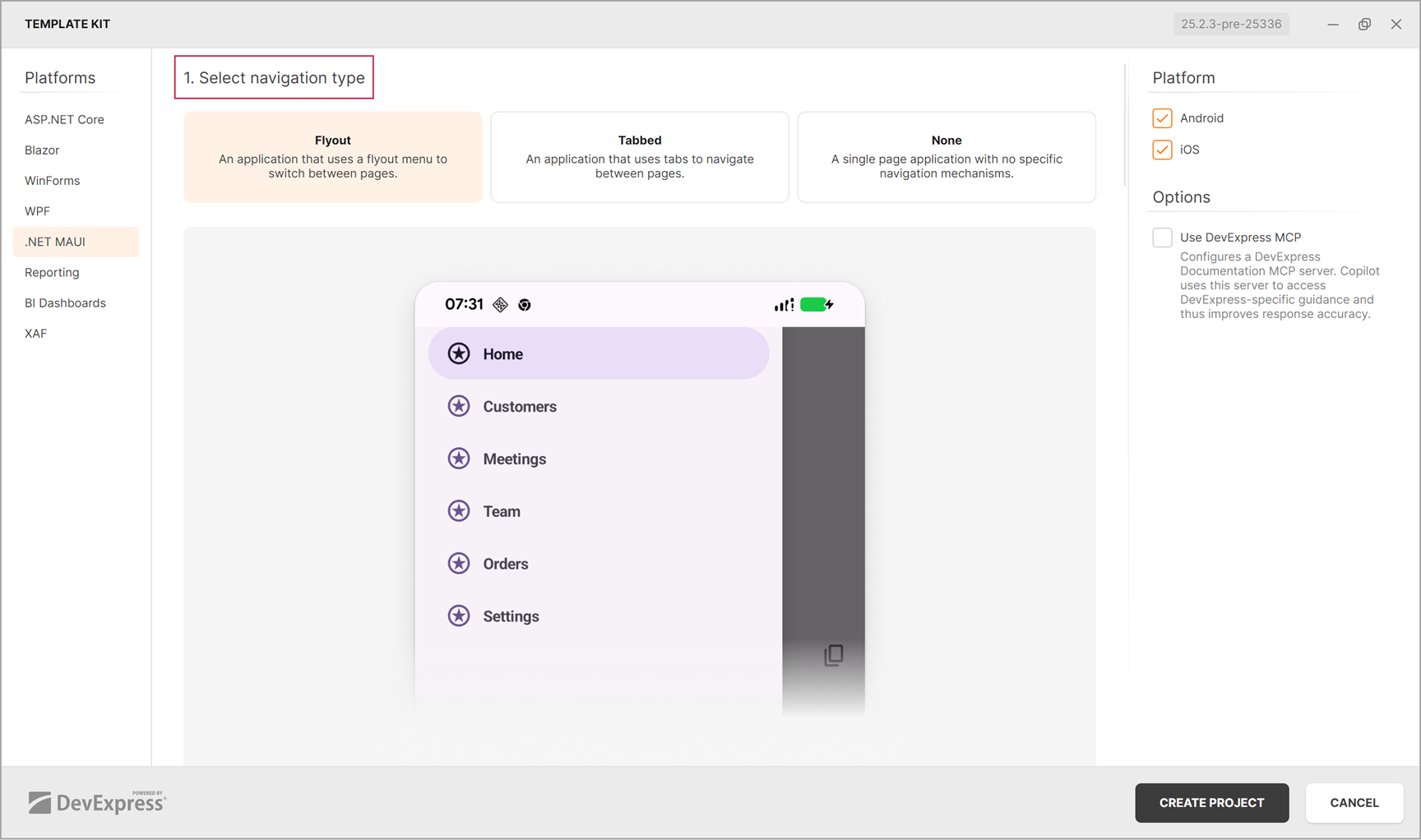
The Project Wizard will guide your through three project creation stages:
- 1. Select navigation type
Select the project navigation type and target platform.
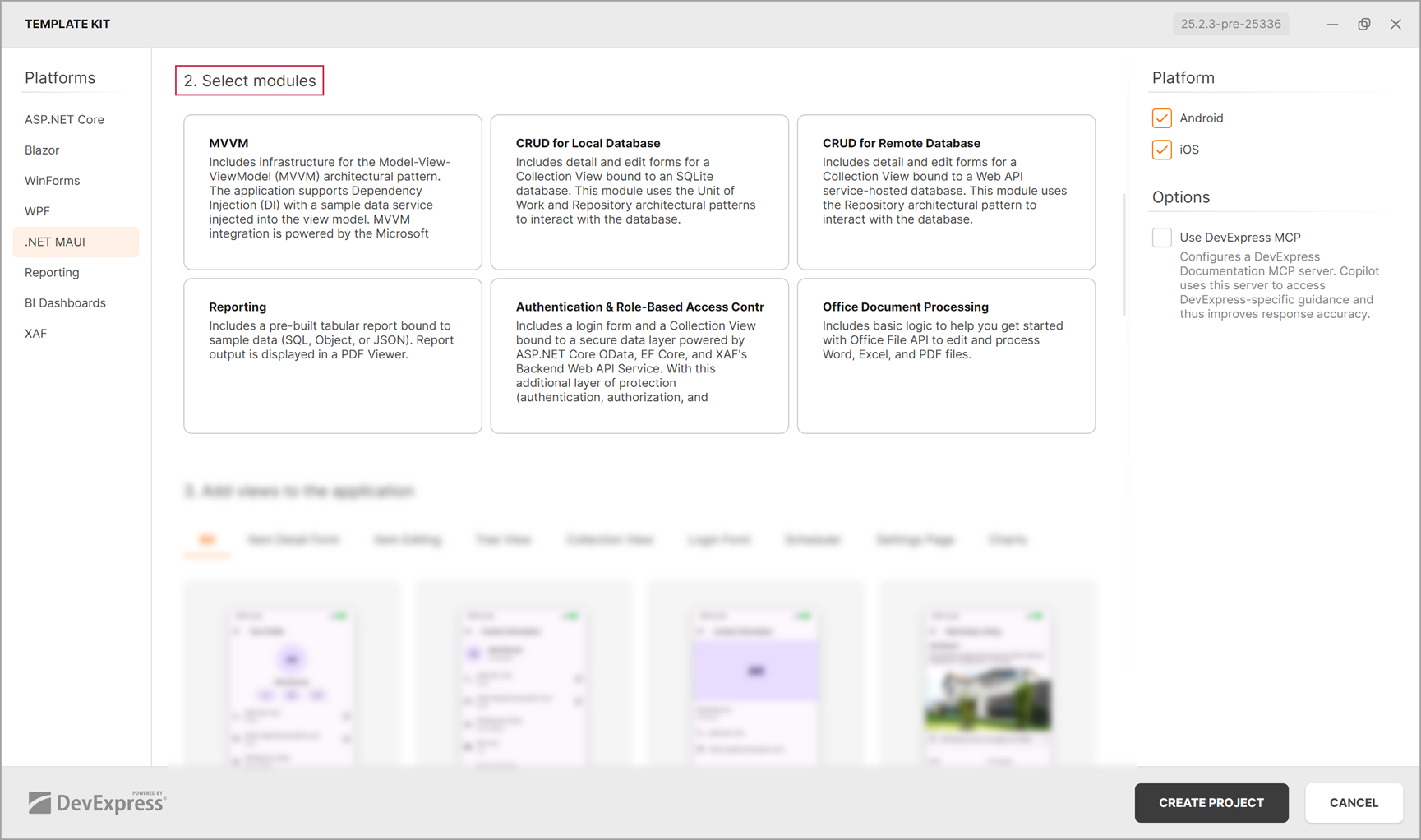
- 2. Select modules
Select modules to add to the app. Each independent module contains a predefined solution to implement one of popular usage scenario.
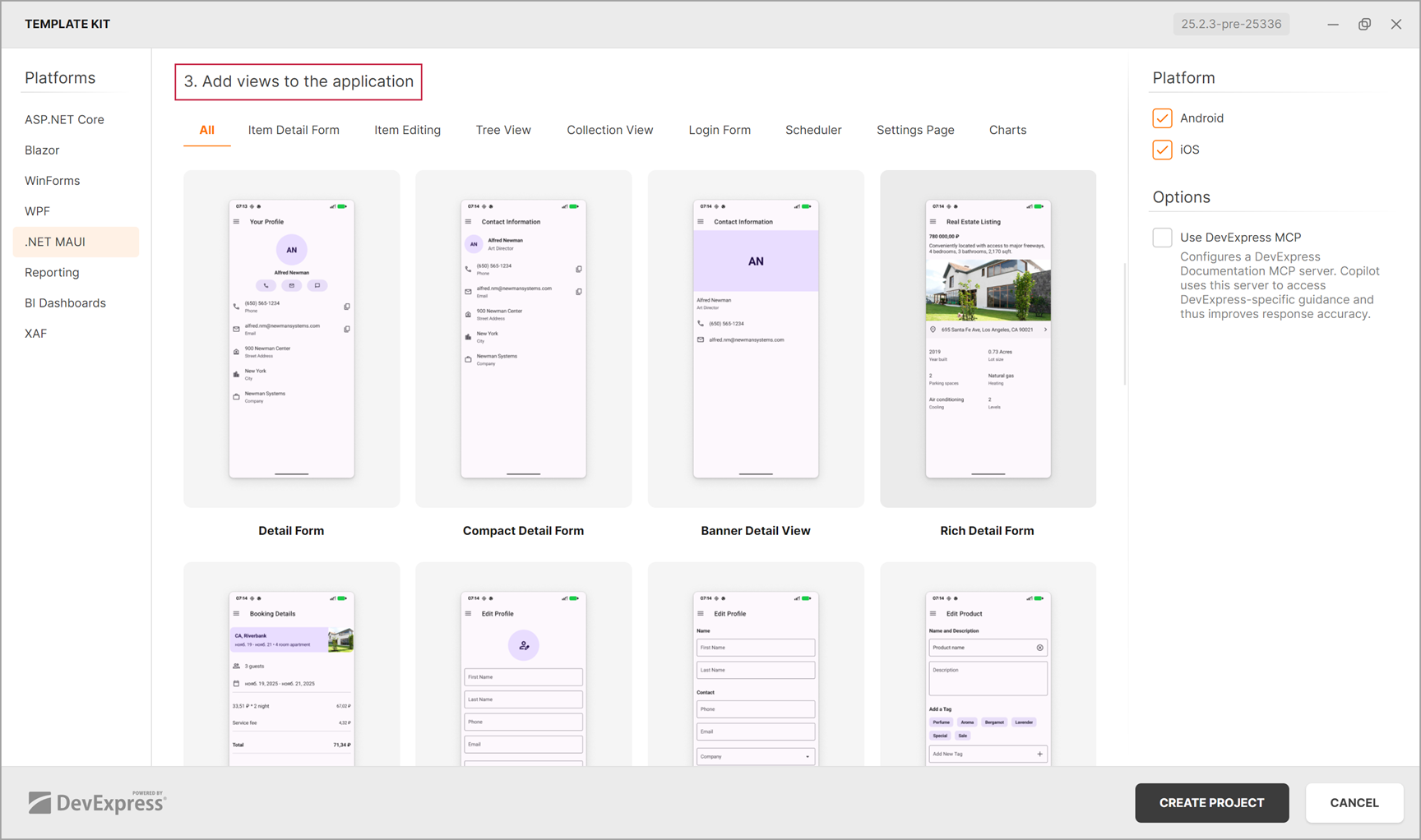
- 3. Add views to the application
Add one or multiple predefined views to the app and click CREATE PROJECT to finish the project creation.
Use CLI Project Templates
You can install DevExpress project templates from the command line. Run the following command in a terminal:
dotnet new install DevExpress.Maui.ProjectTemplates
After installation, click New Solution in Rider, navigate to the Custom Templates section, and select the DevExpress v26.1 MAUI Mobile Application template.

Specify the project name, solution directory, and other settings. You can include predefined project modules and pages in the “Advanced Settings” category.

For more information about custom project templates in Rider, refer to the following page: Create and install custom project templates. For details on CLI usage and command-line parameters, see the following help topic: CLI Project Templates.
Build and Run the Project
Refer to the following help topic for more information: Run and debug MAUI applications.