DevExpress Data Grid for .NET MAUI
- 3 minutes to read
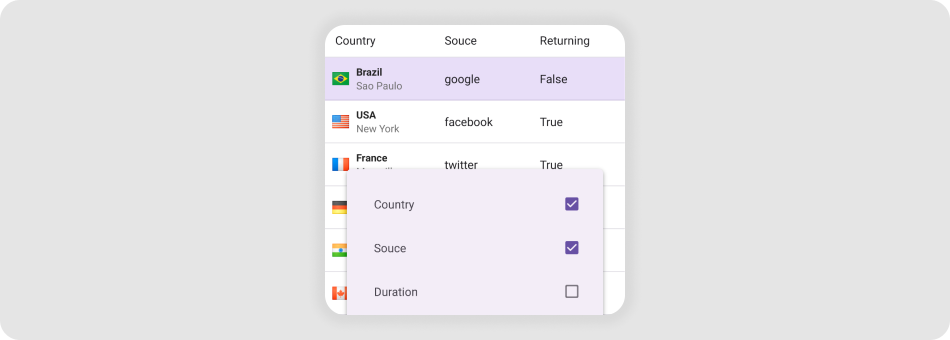
The DataGridView is a data-aware control designed to display and manage data in a tabular format.

Add a Data Grid to a Page
Download and install the
DevExpress.Maui.DataGridpackage to obtain the DataGridView component.Refer to the following help topics for more information:
Declare the
xmlns:dx="http://schemas.devexpress.com/maui"XAML namespace in a page.Add a DataGridView instance to the page.
To bind the DataGridView to a data source, use the DataGridView.ItemsSource property. Then add columns.
<ContentPage ...
             xmlns:dx="http://schemas.devexpress.com/maui"
             xmlns:local="clr-namespace:DataGridExample">
    <ContentPage.BindingContext>
        <local:EmployeeDataViewModel/>
    </ContentPage.BindingContext>
    <dx:DataGridView ItemsSource="{Binding Items}">
        <dx:DataGridView.Columns>
            <dx:TextColumn FieldName="Name"/>
            <!-- Other columns -->
        </dx:DataGridView.Columns>
    </dx:DataGridView>
</ContentPage>
For a step-by-step guide on how to create a .NET MAUI app with the DataGridView control, refer to the following help topic: Get Started with DataGridView.
Next Steps
- Get Started with DataGridView
- This step-by-step tutorial guides you through creating an app with a DataGridView.
- Bind to Data
- Describes how to populate DataGridView cells with data.
- Columns and Rows
- This topic explains columns and rows in a DataGridView.
- Create-Read-Update-Delete (CRUD) Operations
- Topics in this section describe how to incorporate CRUD operations in a .NET MAUI app with a DataGridView.
- Data Validation
- This topic explains how to validate new data grid values, indicate errors and prevent saving invalid data to the data source.
- Drag and Drop Operations
- This topic explains how to enable drag and drop operations to allow users to reorder rows.
- Edit Cell Values in In-Place Mode
- This topic explains how to allow users to use in-place editors to display and edit DataGridView cell values.
- Export
- This topic shows how to export a DataGridView in different formats (PDF, XLSX, HTML and more).
- Filter rows
- This topic lists different ways to filter DataGridView rows: filtering UI, filter row and filtering API.
- Sort rows
- This topic explains how to sort DataGridView rows.
- Group rows
- This topic explains how to group DataGridView rows.
- Summaries
- You can calculate summaries for row groups or for an entire DataGridView.
- Pull to refresh
- Users can request content updates with pull-down gestures.
- Load more
- This topic explains how to load a set of new data items to the end of the grid once a user scrolls to the bottom of the grid.
- Swipe gestures
- This topic explains how to show swipe elements when a user swipes a DataGridView item and perform custom actions on tap.
- Multi-row column layout
- This article explains how you can position grid columns into multi-row groups to be shown within data rows.
- Customize appearance
- Lists API members that you can use the appearance and layout of the DataGridView control and its elements.
- Examples
- Lists task-based solutions with the DataGridView control.
Related Scenarios
Data Grid Column Chooser
Use Office File API to Import Excel Data

Data Grid Search Bar

Replicate a Single-Column Kanban View

See Also