DxAIChat.ChatResponseProviderServiceKey Property
Associates the chat component with the specific AI service.
Namespace: DevExpress.AIIntegration.Blazor.Chat
Assembly: DevExpress.AIIntegration.Blazor.Chat.v26.1.dll
NuGet Package: DevExpress.AIIntegration.Blazor.Chat
Declaration
[Parameter]
public string ChatResponseProviderServiceKey { get; set; }
Property Value
| Type | Description |
|---|---|
| String | The unique identifier of the |
Remarks
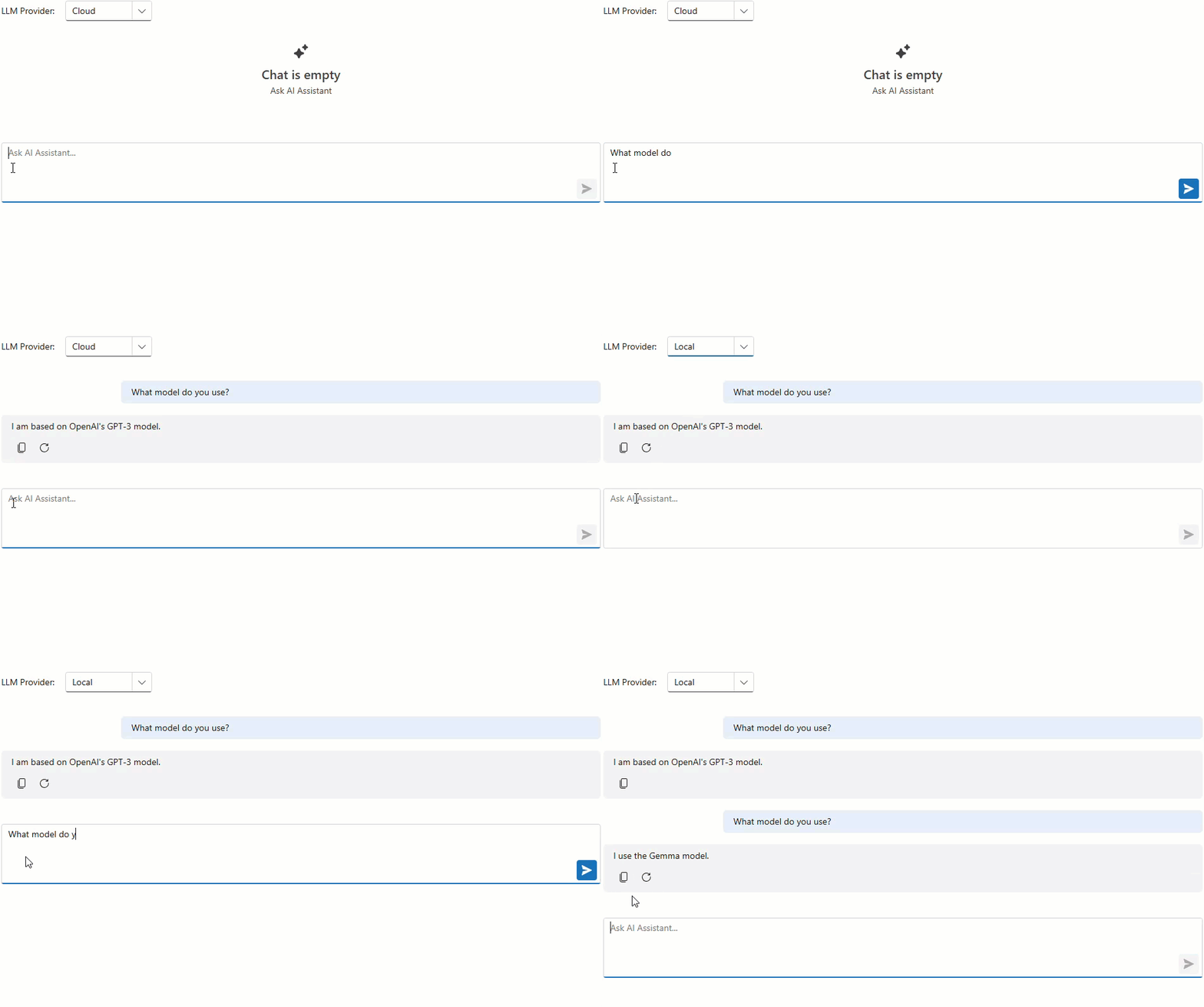
Use the ChatResponseProviderServiceKey property to dynamically bind the DevExpress Blazor AI Chat component to a specific AI service at runtime. You can offer users a choice of AI models, or programmatically select the most appropriate model for a task. For example, you can use a powerful, “thinking” model for complex queries and a faster, more cost-effective model for simpler interactions.
In a typical setup, DevExpress Blazor AI Chat uses a single IChatResponseProvider. To choose between AI providers, tenants, or different models from the same provider, use the AddKeyedScoped method to register multiple IChatResponseProvider implementations under unique string keys.
Once the AI service is registered, you can dynamically bind it to the AI chat component by specifying its string identifier in the ChatResponseProviderServiceKey property.
Note
You can combine keyed and non-keyed IChatResponseProvider services. The AI Chat components that do not specify ChatResponseProviderServiceKey will continue to function with the primary client.
<DxFormLayout>
    <DxFormLayoutItem Caption="LLM Provider:">
        <DxComboBox Data="chatResponseProviders"
                    TextFieldName="Value"
                    ValueFieldName="Key"
                    @bind-Value="chatResponseProviderServiceKey" />
    </DxFormLayoutItem>
</DxFormLayout>

<DxAIChat ChatResponseProviderServiceKey="@chatResponseProviderServiceKey" />

@code {
    Dictionary<string, string> chatResponseProviders = new()
    {
        { "azureAiProviderServiceKey", "Cloud" },
        { "ollamaAiProviderServiceKey", "Local" }
    };

    string chatResponseProviderServiceKey = "";

    protected override void OnInitialized()
    {
        chatResponseProviderServiceKey = chatResponseProviders.First().Key;
        base.OnInitialized();
    }
}