DxAIChat.Resources Property
Specifies AI Chat resources that a user can reference during a chat session.
Namespace: DevExpress.AIIntegration.Blazor.Chat
Assembly: DevExpress.AIIntegration.Blazor.Chat.v26.1.dll
NuGet Package: DevExpress.AIIntegration.Blazor.Chat
Declaration
[Parameter]
public IEnumerable<AIChatResource> Resources { get; set; }
Property Value
| Type | Description |
|---|---|
| IEnumerable<AIChatResource> | A collection of AIChatResource objects. |
Remarks
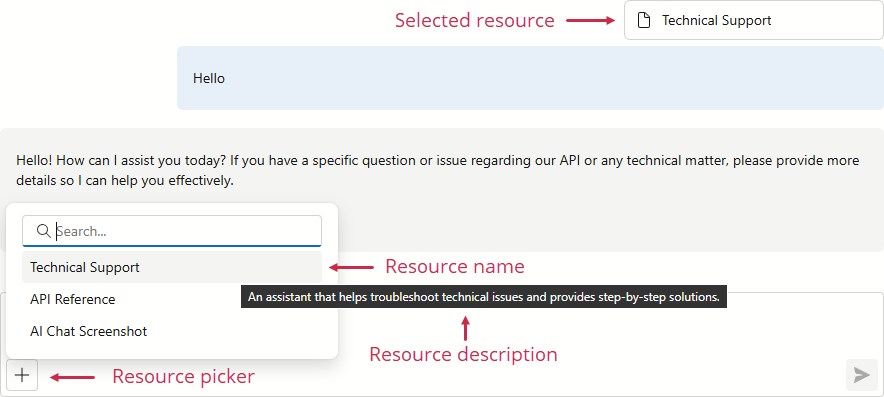
Use the Resources property to specify files, instructions, and data sources that users can add to a chat session. These contexts (AI resources) help the AI model produce precise, grounded answers and reduce hallucinations.
Each AI resource is defined as an AIChatResource object. When at least one resource is added to Resources, the chat input box displays a picker button.
Note
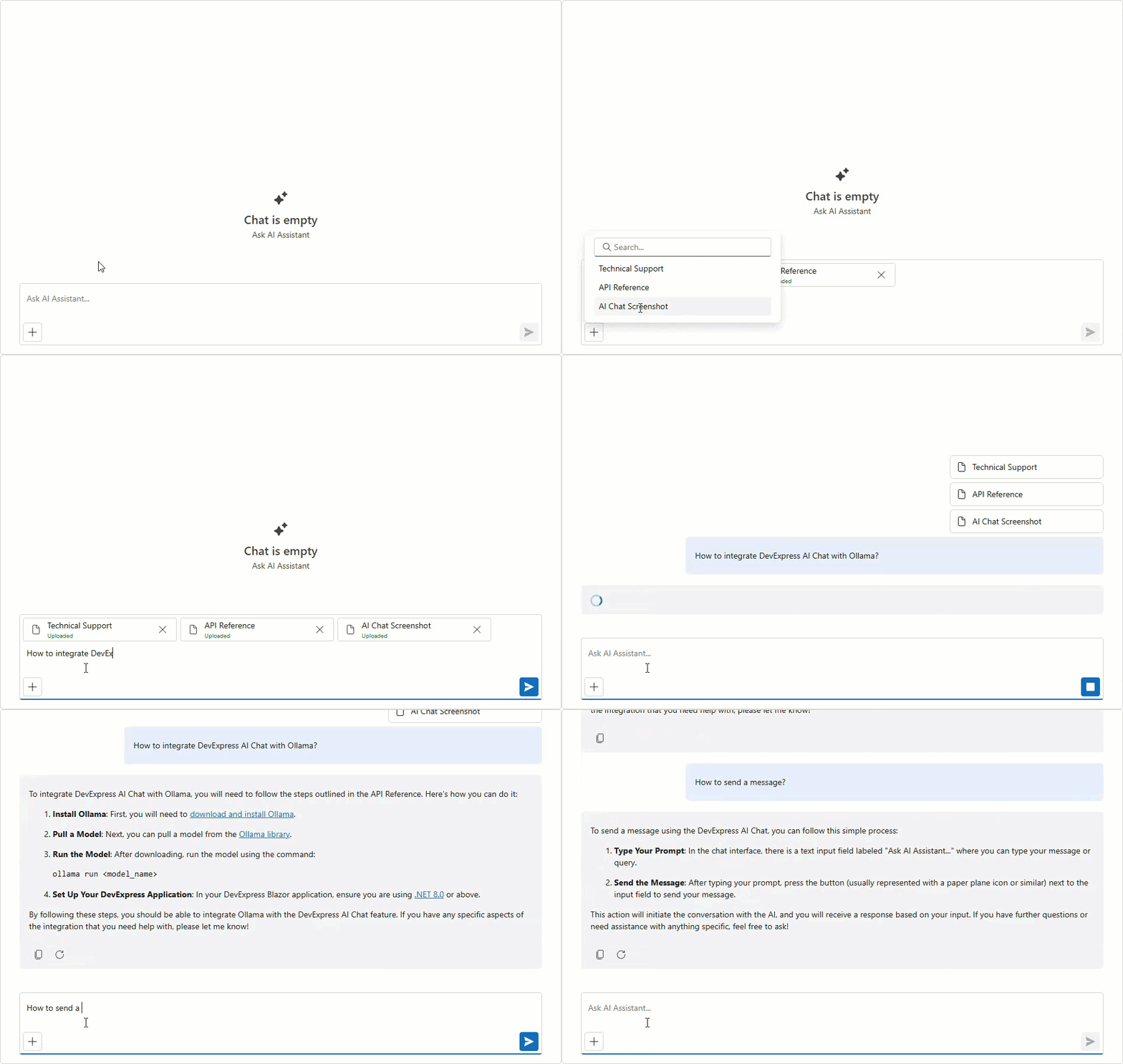
AI resources are not used automatically. Users must select resources in the picker to attach them to the active chat session.
The following code snippet binds three files in different formats as AI Chat resources:
<DxAIChat Resources="Resources" />

@code {
    List<AIChatResource> Resources { get; set; } = [];

    protected override async Task OnInitializedAsync() {
        AIChatResource instructions = await FileResourceProvider.GetTextResourceAsync("instructions",
            "Technical Support",
            "An assistant that helps troubleshoot technical issues and provides step-by-step solutions.");
        AIChatResource documentation = await FileResourceProvider.GetTextResourceAsync("ai-chat-doc.md",
            "API Reference",
            "DevExpress Blazor AI Chat API Reference.");
        AIChatResource screenshot = await FileResourceProvider.GetBinaryResourceAsync("ai-chat-image.png",
            "AI Chat Screenshot",
            "An annotated screenshot of the AI Chat component.",
            "image/png");
        Resources.Add(instructions);
        Resources.Add(documentation);
        Resources.Add(screenshot);
        await base.OnInitializedAsync();
    }
}
Combine AI Resources with File Upload
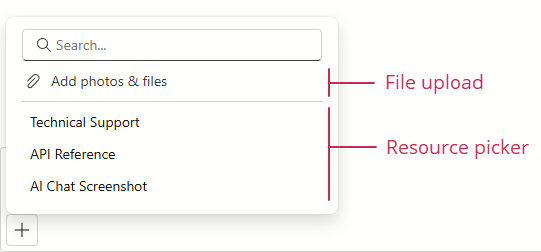
An AI resource is a predefined, curated AI Chat context. When the FileUploadEnabled property is set to true, a user can also attach any files to a conversation to supply ad‑hoc evidence. Combine both approaches for maximum flexibility.
When Resources is set and FileUploadEnabled is true, the chat input box displays a single control for both a resource picker and file upload.