WinApplication.UseLightStyle Property
Enables the Light Style in a WinForms application.
Namespace: DevExpress.ExpressApp.Win
Assembly: DevExpress.ExpressApp.Win.v25.2.dll
NuGet Packages: DevExpress.ExpressApp.Win, DevExpress.ExpressApp.Win.Design
Declaration
Property Value
| Type | Description |
|---|---|
| Boolean | true, if the Light Style is enabled for a WinForms application; otherwise, false. |
Remarks
The UseLightStyle property is bound to DockingViewStyle.
| UseLightStyle value | WindowsFormsSettings.DockingViewStyle value |
|---|---|
| true | DockingViewStyle.Light |
| false | DockingViewStyle.Default |
The Template Kit enables the Light Style for all new XAF WinForms applications. For this purpose, the kit generates new projects with the FrameworkSettings.DefaultSettingsCompatibilityMode property set to Latest.
The Light Style uses the following templates:
- LightStyleMainForm - in applications with the Standard UI;
- LightStyleMainRibbonForm - in applications with the Ribbon UI.
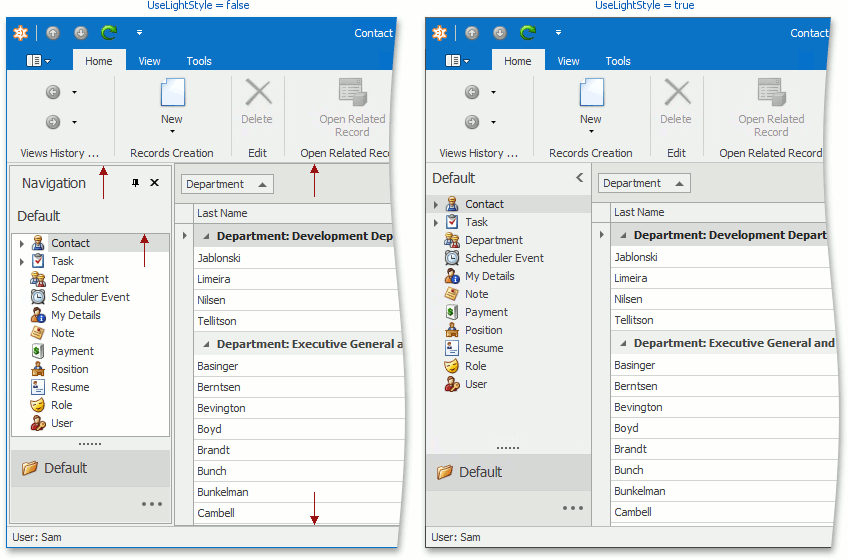
The image below demonstrates the difference between a Layout with enabled and disabled Light Style:
The UseLightStyle property affects which built-in Controller XAF uses: the ChooseSkinController or the ConfigureSkinController.
| UseLightStyle value | Built-in Controller |
|---|---|
| true | ConfigureSkinController |
| false | ChooseSkinController |
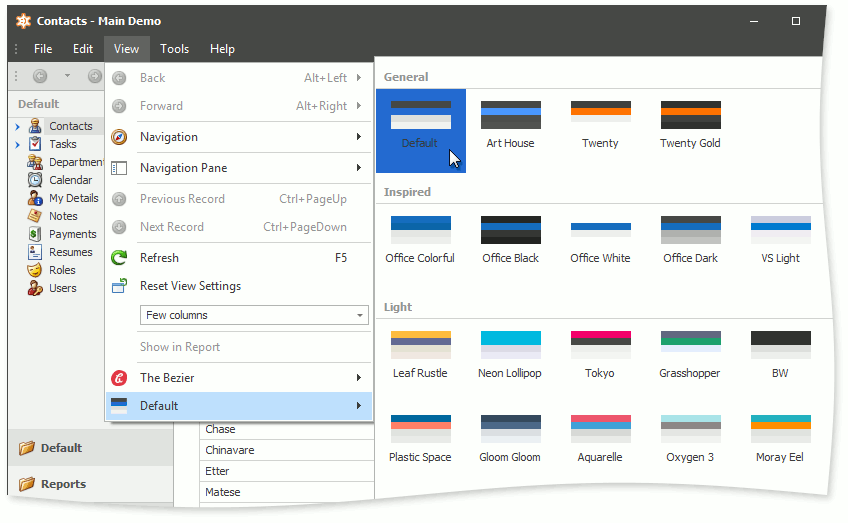
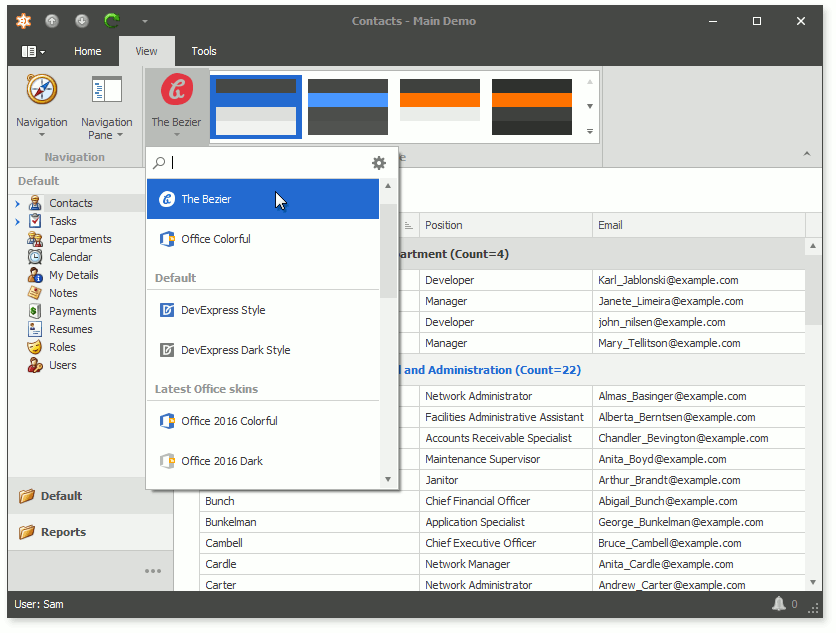
The ConfigureSkinController provides new WinForms skin and palette runtime skin selectors for Bar UI and Ribbon UI.
| WinForms UI | Skin selector | Palette selector |
|---|---|---|
| Bar UI | SkinDropDownButtonItem | BarButtonItem with a Dropdown Gallery |
| Ribbon UI | SkinDropDownButtonItem | SkinPaletteRibbonGalleryBarItem |
Bar UI
Ribbon UI
If you want to enable the Light Style for an existing application, refer to the How to migrate a WinForms application to use the Light Style KB article.