DxRichEdit.ScrollToPageAsync(Int32, CancellationToken) Method
Scrolls the document to the specified page.
Namespace: DevExpress.Blazor.RichEdit
Assembly: DevExpress.Blazor.RichEdit.v26.1.dll
NuGet Package: DevExpress.Blazor.RichEdit
Declaration
public ValueTask ScrollToPageAsync(
    int index,
    CancellationToken cancellationToken = default(CancellationToken)
)
Parameters
| Name | Type | Description |
|---|---|---|
| index | Int32 | The page index. |
Optional Parameters
| Name | Type | Default | Description |
|---|---|---|---|
| cancellationToken | CancellationToken | null | An object that propagates a cancellation notification. |
Returns
| Type | Description |
|---|---|
| ValueTask | A structure that stores an awaitable result of an asynchronous operation. |
Remarks
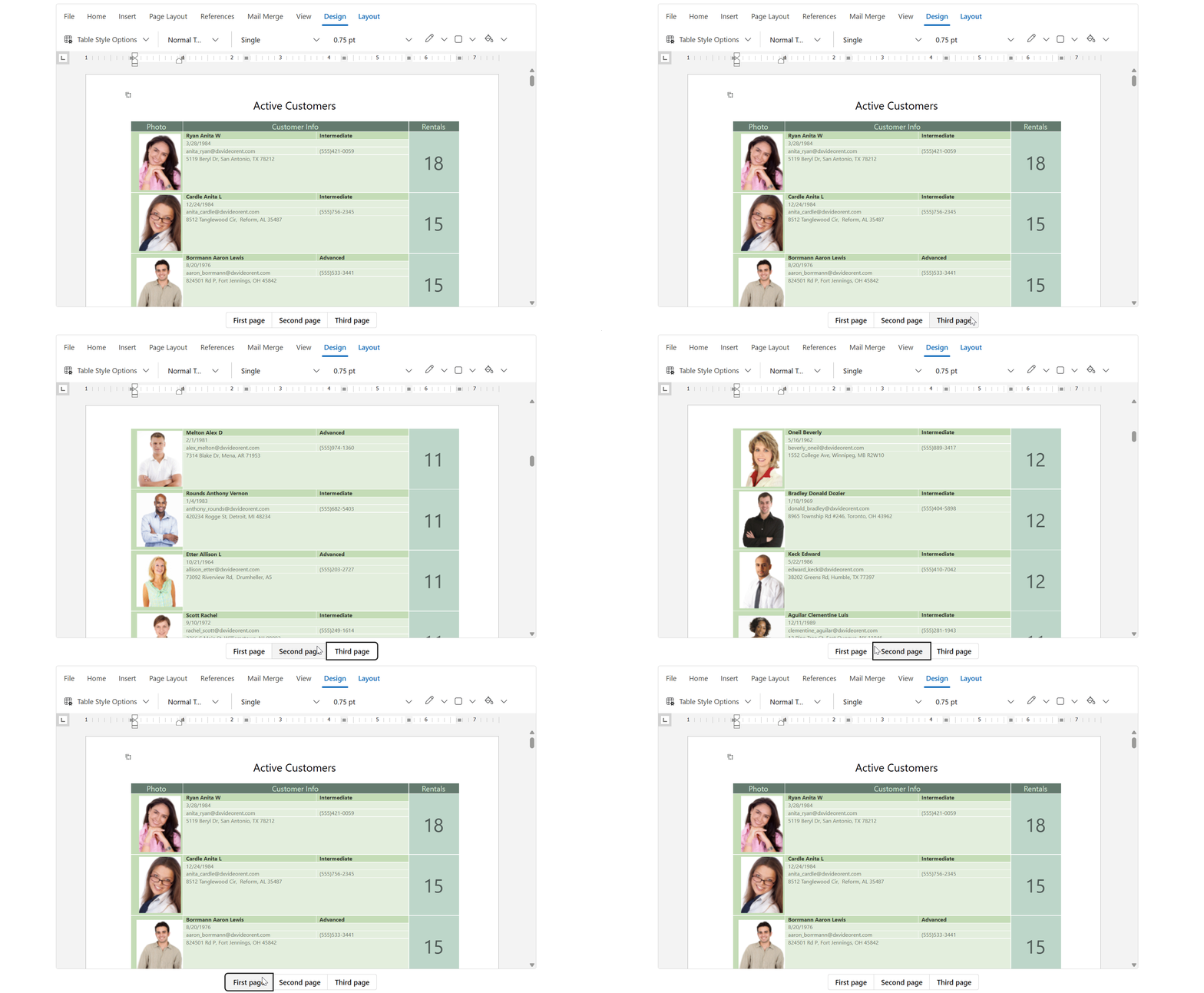
Call the ScrollToPageAsync method to scroll the document to the top of the specified page. If you need to scroll to a specific position in the document, call the ScrollToPositionAsync method.
The following code snippet scrolls the document to specific pages on button clicks:
<div class="rich-container">
    <DxRichEdit @bind-DocumentContent="@documentContent" @ref="richEdit" />
    <div class="btn-group">
        <DxButtonGroup RenderStyle="ButtonRenderStyle.Secondary">
            <Items>
                <DxButtonGroupItem Text="First page" Click="@ScrollToFirstPage" />
                <DxButtonGroupItem Text="Second page" Click="@ScrollToSecondPage" />
                <DxButtonGroupItem Text="Third page" Click="@ScrollToThirdPage" />
            </Items>
        </DxButtonGroup>
    </div>
</div>

@code {
    DxRichEdit richEdit;
    byte[] documentContent;
    string filePath = "C:\\Users\\Public\\example.docx";

    protected override async Task OnInitializedAsync() {
        documentContent = await File.ReadAllBytesAsync(filePath);
        await base.OnInitializedAsync();
    }

    async Task ScrollToFirstPage() {
        await richEdit.ScrollToPageAsync(0);
    }
    async Task ScrollToSecondPage() {
        await richEdit.ScrollToPageAsync(1);
    }
    async Task ScrollToThirdPage() {
        await richEdit.ScrollToPageAsync(2);
    }
}
See Also