DxRichEdit.AllowZoom Property
Specifies whether users can zoom the document.
Namespace: DevExpress.Blazor.RichEdit
Assembly: DevExpress.Blazor.RichEdit.v26.1.dll
NuGet Package: DevExpress.Blazor.RichEdit
Declaration
[DefaultValue(true)]
[Parameter]
public bool AllowZoom { get; set; }
Property Value
| Type | Default | Description |
|---|---|---|
| Boolean | true |
|
Remarks
Our Blazor Rich Text Editor allows you to zoom in and out of documents both in UI and code. Users can change the document’s zoom level in the corresponding drop-down menu in the View ribbon tab. Available levels range from 50% to 200%.
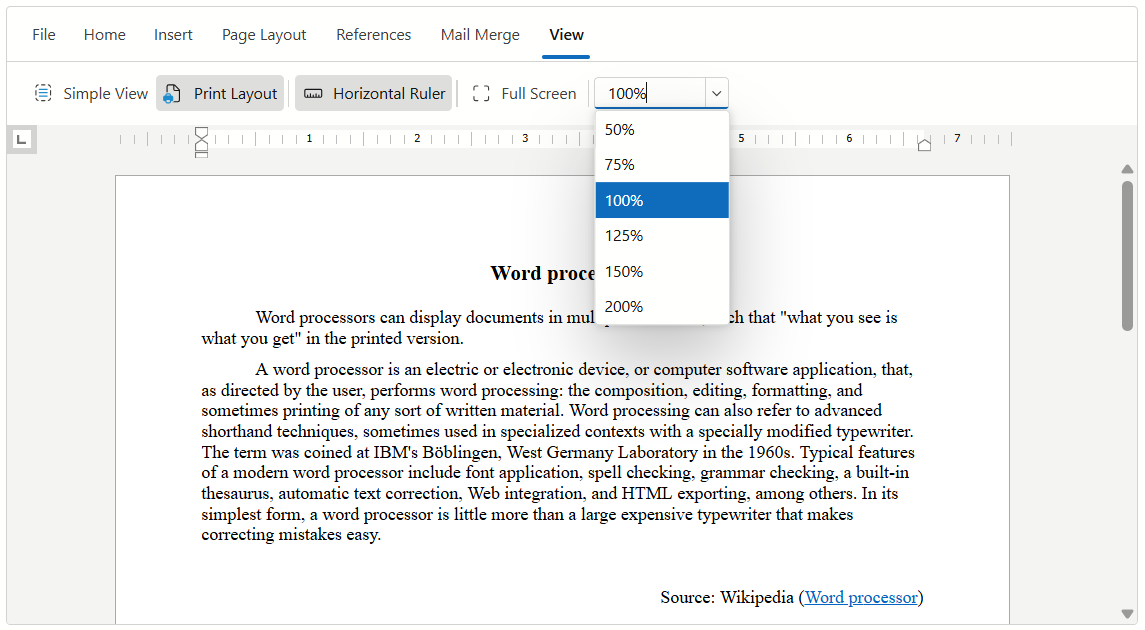
Set the AllowZoom property to false to hide the drop-down Zoom Level menu and disable zoom functionality for users.
<DxRichEdit AllowZoom="false" />
Regardless of the AllowZoom property value, you can use the ZoomLevel property to zoom the document at runtime.
See Also