Table.Effects Property
Gets or sets the effects applied to the table.
Namespace: DevExpress.Docs.Presentation
Assembly: DevExpress.Docs.Presentation.v26.1.dll
NuGet Package: DevExpress.Docs.Presentation
Declaration
Property Value
| Type | Description |
|---|---|
| TableEffectProperties | Contains the effects applied to the table. |
Remarks
The following code snippets adds an outer shadow effect to a table:
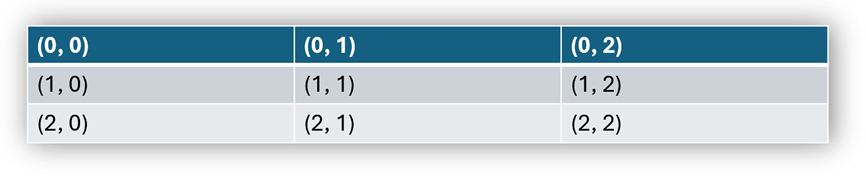
using DevExpress.Docs;
using DevExpress.Docs.Presentation;
using System.Drawing;

namespace PresentationApiSample;

public class Program {
    public static void Main(string[] _) {
        // Create an in-memory Presentation document
        Presentation presentation = new Presentation(File.ReadAllBytes(@"..\..\..\data\Presentation2.pptx"));

        // Add a blank slide to the presentation
        Slide slide = new Slide(SlideLayoutType.Blank);
        presentation.Slides.Add(slide);

        // Create a 3x3 table (rows x columns) and add it as a shape to the slide
        Table table = new Table(3, 3);
        table.X = 100;
        table.Y = 100;
        table.Width = 2500;
        table.Height = 2000;
        slide.Shapes.Add(table);

        // Populate table cells with text
        for (int row = 0; row < 3; row++) {
            for (int column = 0; column < 3; column++) {
                table[row, column].TextArea.Text = $"({row}, {column})";
            }
        }

        // Apply an outer shadow effect to the table
        TableEffectProperties effectProperties = new TableEffectProperties();
        effectProperties.OuterShadow = new OuterShadowEffect { Angle = 45, Color = new OfficeColor(Color.Gray), BlurRadius = 100, Distance = 10 };
        table.Effects = effectProperties;

    }
}
See Also