DxAIChat.SendMessageAsync(String, List<IAIChatMessageContextItem>, CancellationToken) Method
Sends a message to the AI service.
Namespace: DevExpress.AIIntegration.Blazor.Chat
Assembly: DevExpress.AIIntegration.Blazor.Chat.v26.1.dll
NuGet Package: DevExpress.AIIntegration.Blazor.Chat
Declaration
public Task SendMessageAsync(
    string messageContent,
    List<IAIChatMessageContextItem> contexts = null,
    CancellationToken cancellationToken = default(CancellationToken)
)
Parameters
| Name | Type | Description |
|---|---|---|
| messageContent | String | The message text. |
Optional Parameters
| Name | Type | Default | Description |
|---|---|---|---|
| contexts | List<IAIChatMessageContextItem> | null | A collection of context items associated with the message. |
| cancellationToken | CancellationToken | null | A cancellation token that cancels the message sending operation. |
Returns
| Type | Description |
|---|---|
| Task | A task that completes when the message is sent. |
Remarks
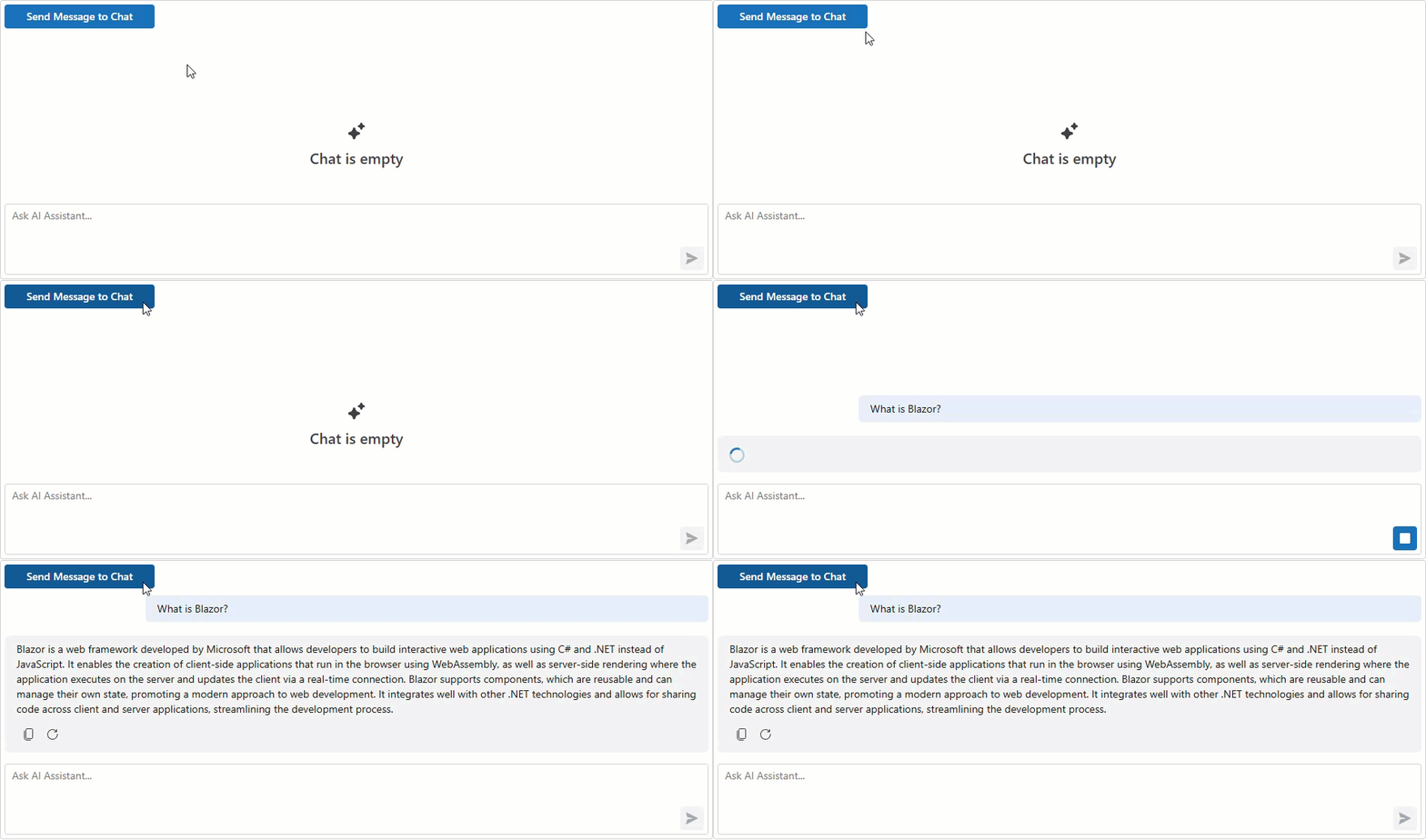
Call the SendMessageAsync method to send a user message to the AI service.
The following code snippet sends a predefined message to the AI chat when a button is clicked:
<DxButton Text="Send Message to Chat"
          Click="SendSampleMessage" />

<DxAIChat @ref="Chat" />

@code {
    DxAIChat Chat { get; set; }

    public async Task SendSampleMessage() {
        string messageText = "What is Blazor?";
        await Chat.SendMessageAsync(messageText);
    }
}
To add a message to the chat history without sending it to the AI service, use the AppendMessageAsync method.
See Also