DxAIChat.ShowLoadingIndicatorAsync(String) Method
Displays a loading indicator in the chat message area.
Namespace: DevExpress.AIIntegration.Blazor.Chat
Assembly: DevExpress.AIIntegration.Blazor.Chat.v26.1.dll
NuGet Package: DevExpress.AIIntegration.Blazor.Chat
Declaration
public Task ShowLoadingIndicatorAsync(
    string message = null
)
Optional Parameters
| Name | Type | Default | Description |
|---|---|---|---|
| message | String | null | The text displayed next to the loading indicator. If null, no text is displayed. |
Returns
| Type | Description |
|---|---|
| Task | A task that completes when the loading indicator appears. |
Remarks
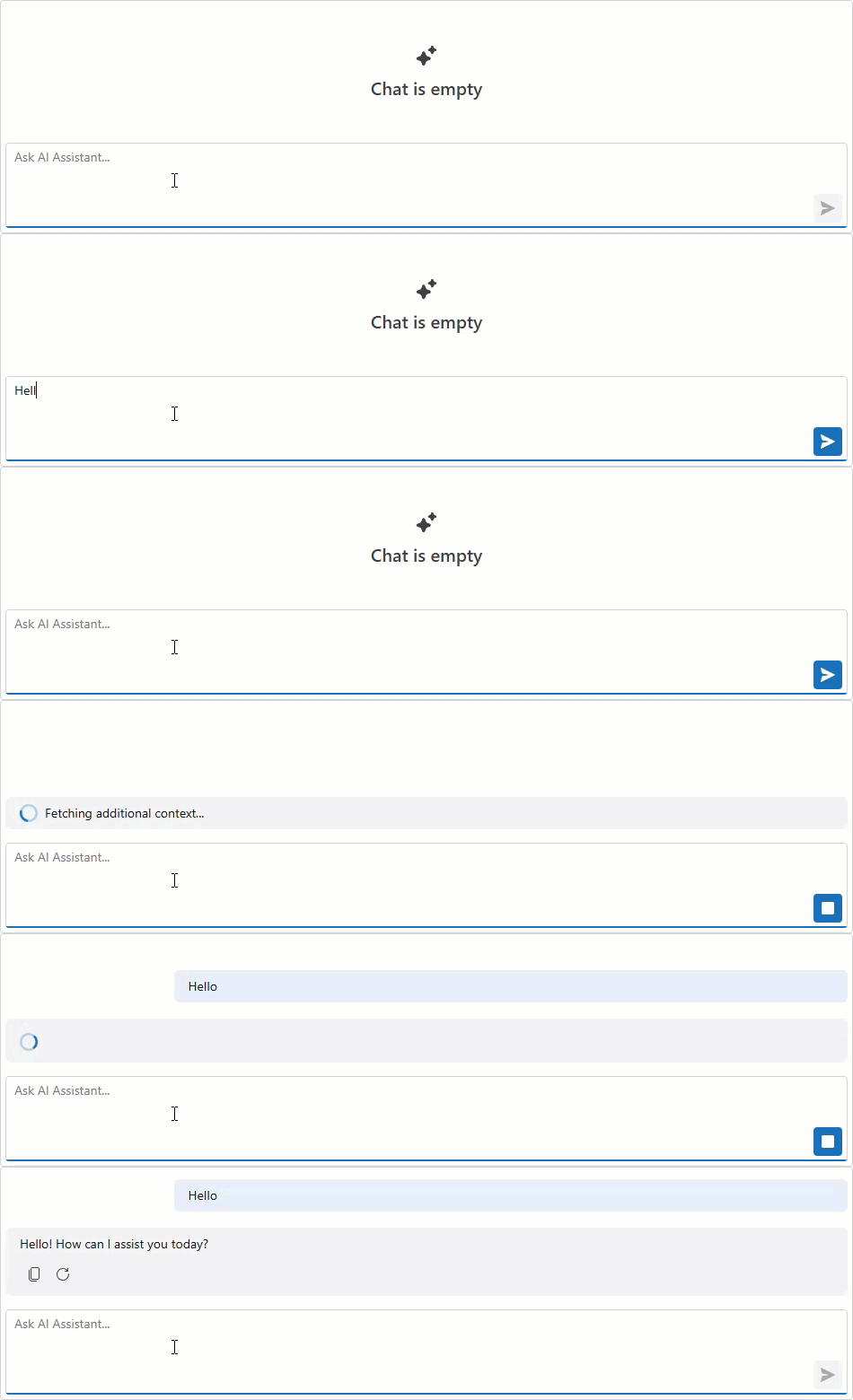
Call the ShowLoadingIndicatorAsync method to display a loading indicator in the chat message area. This method is useful when you perform long asynchronous operations in the MessageSending event handler before the AI service receives a message.
If a loading indicator is already visible, this method has no effect.
To remove the loading indicator, call the HideLoadingIndicatorAsync method.
Note
While the loading indicator is displayed, the SendMessageAsync method has no effect. Call HideLoadingIndicatorAsync to allow new messages to be sent.
The following code snippet displays a loading indicator while fetching additional context in the MessageSending event handler:
<DxAIChat MessageSending="OnMessageSending" />

@code {
    async Task OnMessageSending(MessageSendingEventArgs args) {
        await args.Chat.ShowLoadingIndicatorAsync("Fetching additional context...");
        await Task.Delay(2000);
        await args.Chat.HideLoadingIndicatorAsync();
    }
}