SchedulerListEditor Class
Implements the Scheduling List Editor used in the XAF Windows Forms applications.
Namespace: DevExpress.ExpressApp.Scheduler.Win
Assembly: DevExpress.ExpressApp.Scheduler.Win.v26.1.dll
NuGet Package: DevExpress.ExpressApp.Scheduler.Win
Declaration
public class SchedulerListEditor :
    SchedulerListEditorBase,
    IExportable,
ISupportBorderStyleRemarks
List Views use List Editors to display object collections in a UI. SchedulerListEditor ships with the Scheduler module. It displays and manages scheduling information:
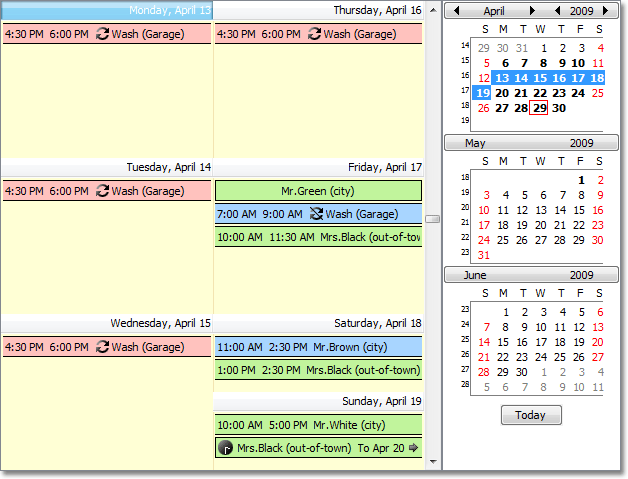
To display object collections, XafSchedulerControl is used as the underlying control. XafSchedulerControl is a descendant of the SchedulerControl class.
SchedulerListEditor supports a range of features out of the box:
This List Editor has a Date Navigator which provides a quick and easy way to change the dates in the scheduling area:

The Date Navigator can be accessed using the SchedulerListEditor.DateNavigator property.
Implements the IExportable interface - can be exported with the ExportController and printed using the PrintingController:


As a descendant of the SchedulerListEditorBase,
SchedulerListEditorimplements theIControlOrderProviderinterface and supports the RecordsNavigationController‘s PreviousObject and NextObject Actions: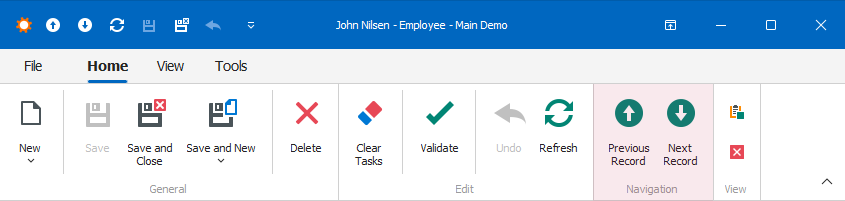
- Supports Resources and Recurring Events.
XAF uses SchedulerListEditor for objects that implement the IEvent interface from the Business Class Library.
For a thorough explanation of SchedulerListEditor, refer to the following topic: Scheduler Module.
Note
SchedulerListEditor does not support Server, ServerView, InstantFeedback, and InstantFeedbackView mode (CollectionSourceBase.DataAccessMode).
Tip
XAF Core does not let you create objects directly from a nested List View for many-to-many related objects. This restriction affects the Scheduler. When you try to edit an occurrence in a series using the Scheduler Control of a Resource, you cannot create the object if the Resource Detail View opens through an Event Detail View and you have not edited the occurrence before.
The system stores information about an exception from a recurring event in a separate IEvent object. When you click “Edit this occurrence” for the first time, the system creates a new object.
The internal code in SchedulerListEditor calls NewObjectViewController.NewObjectAction to create the object. This action does not appear in the UI in the case described in this note.