Themes in Blazor Report Viewer
- 2 minutes to read
Blazor Report Viewer supports DevExpress Classic and DevExpress Fluent themes.
For more information on themes and appearance customization for DevExpress Blazor components, refer to the following help topic: Styling and Themes.
Apply a Fluent Theme
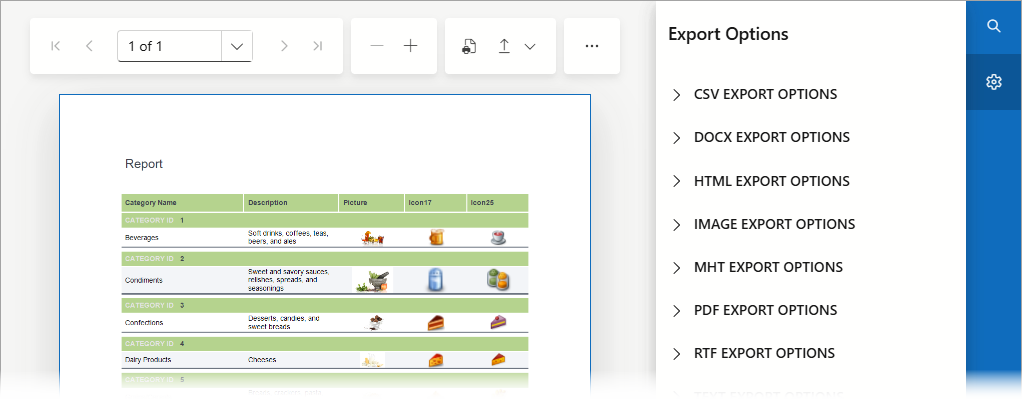
The following code snippets apply the Fluent Light Blue Theme to the Report Viewer.
You can use the RegisterTheme method to apply the specified theme to an application:
@DxResourceManager.RegisterTheme(Themes.Fluent)
In Blazor Hybrid applications, add the following code snippet to the App.razor file or the ReportViewer.razor page:
@page "/reportviewer/"

@using DevExpress.Blazor.Reporting
@using DevExpress.XtraReports.UI
@using BlazorReportViewer.PredefinedReports

<link href="_content/DevExpress.Blazor.Themes.Fluent/core.min.css" rel="stylesheet" />
<link href="_content/DevExpress.Blazor.Themes.Fluent/global.min.css" rel="stylesheet" />
<link href="_content/DevExpress.Blazor.Themes.Fluent/modes/light.min.css" rel="stylesheet" />
<link href="_content/DevExpress.Blazor.Themes.Fluent/accents/blue.min.css" rel="stylesheet" />

<DxReportViewer @ref="reportViewer" Report="Report" />

@code {
    DxReportViewer reportViewer;
    XtraReport Report = new TestReport();
}
The image below shows the Report Viewer with the applied theme:
Apply a Classic Theme
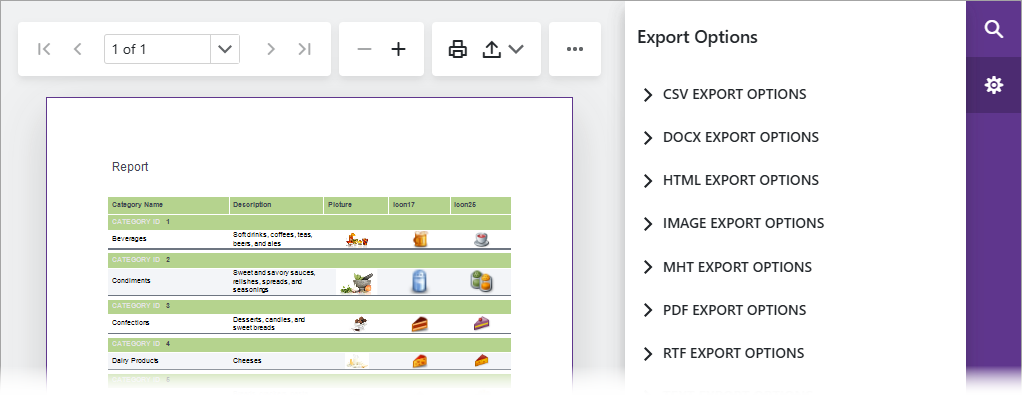
The following code snippets apply the Classic Blazing Berry Theme to the Report Viewer.
You can use the RegisterTheme method to apply the specified theme to an application. The Report Viewer’s stylesheet is referenced separately:
@DxResourceManager.RegisterTheme(Themes.BlazingBerry)
In Blazor Hybrid applications, add the following code snippet to the App.razor file or the ReportViewer.razor page:
@page "/reportviewer/"

@using DevExpress.Blazor.Reporting
@using DevExpress.XtraReports.UI
@using BlazorReportViewer.PredefinedReports

<link href="_content/DevExpress.Blazor.Themes/blazing-berry.bs5.min.css" rel="stylesheet" />

<DxReportViewer @ref="reportViewer" Report="Report" />

@code {
    DxReportViewer reportViewer;
    XtraReport Report = new TestReport();
}
The image below shows the Report Viewer with the applied theme: