Pharmacode
- 2 minutes to read
Pharmacode is a one-dimensional barcode symbology used primarily in the pharmaceutical industry. It encodes a single integer value that can be represented in binary form. The Pharmacode symbology is highly compact and optimized for reliable printing and machine verification in production environments.
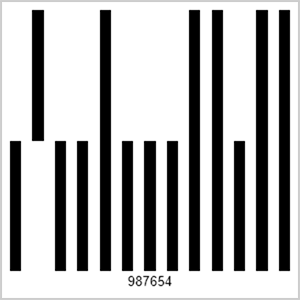
Refer to the following page for additional information: https://en.wikipedia.org/wiki/Pharmacode
Configure Pharmacode Settings
Use the PharmacodeOptions class to configure Pharmacode barcode settings.
| Method | Description |
|---|---|
| setPharmacodeType(PharmacodeType value) | Sets the Pharmacode type. |
The following code snippet creates a two-track Pharmacode barcode and customizes its encoding parameters:
import com.devexpress.drawing.*;
import com.devexpress.docs.barcode.*;
import com.devexpress.system.drawing.*;
import com.devexpress.docs.Padding;

import java.io.*;
import java.nio.file.*;

public class Main {
    public static void main(String[] args) throws Exception {

        PharmacodeOptions options = new PharmacodeOptions();
        options.setPharmacodeType(PharmacodeType.TWO_TRACK);
        options.setPadding(new Padding(10));
        options.setShowText(true);
        options.setWidth(300);
        options.setHeight(300);

        Path outputDir = Path.of("output");
        Files.createDirectories(outputDir);

        try (FileOutputStream fileStream = new FileOutputStream(
                outputDir.resolve("pharmacode.png").toFile());
                BarcodeGenerator barcodeGenerator = new BarcodeGenerator(options)) {
                    barcodeGenerator.export(
                            "987654",
                            fileStream,
                            DXImageFormat.getPng());
        }
    }
}
Fluent API
Use the PharmacodeOptionsBuilder class to configure Pharmacode barcode settings with the Fluent API.
The following code snippet creates a two-track Pharmacode barcode and customizes its encoding parameters with the Fluent API:
import com.devexpress.drawing.*;
import com.devexpress.docs.barcode.*;
import com.devexpress.system.drawing.*;
import com.devexpress.docs.Padding;

import java.io.*;
import java.nio.file.*;

public class Main {
    public static void main(String[] args) throws Exception {

        PharmacodeOptions options = PharmacodeOptionsBuilder.create()
            .withPharmacodeType(PharmacodeType.TWO_TRACK)
            .withPadding(new Padding(10))
            .withShowText(true)
            .withWidth(300)
            .withHeight(300)
            .build();

        Path outputDir = Path.of("output");
        Files.createDirectories(outputDir);

        try (FileOutputStream fileStream = new FileOutputStream(
                outputDir.resolve("pharmacode.png").toFile());
                BarcodeGenerator barcodeGenerator = new BarcodeGenerator(options)) {
                    barcodeGenerator.export(
                            "987654",
                            fileStream,
                            DXImageFormat.getPng());
        }
    }
}