MSI/Plessey
- 2 minutes to read
MSI (Modified Plessey) is a continuous, numeric-only barcode symbology primarily used for retail inventory control and warehouse tracking. It is often implemented as a fixed-length code to ensure consistency across systems and simplify validation.
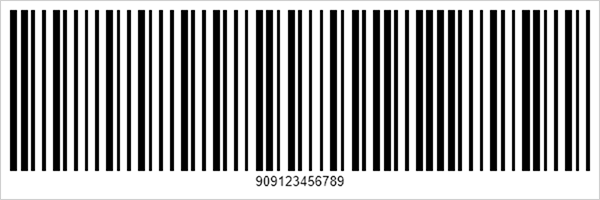
Refer to the following page for additional information: https://en.wikipedia.org/wiki/MSI_Barcode
Configure MSI - Plessey Settings
Use the CodeMSIOptions class to configure MSI barcode settings.
| Method | Description |
|---|---|
| setChecksum(MSIChecksum value) | Sets the checksum type for MSI barcodes. Only the Mod 10 (Luhn) checksum algorithm is supported. |
The following code snippet creates an MSI Plessey barcode and customizes its encoding parameters:
import com.devexpress.drawing.*;
import com.devexpress.docs.barcode.*;
import com.devexpress.system.drawing.*;
import com.devexpress.docs.Padding;

import java.io.*;
import java.nio.file.*;

public class Main {
    public static void main(String[] args) throws Exception {

        CodeMSIOptions options = new CodeMSIOptions();
        options.setChecksum(MSIChecksum.MODULO_10);
        options.setPadding(new Padding(10));
        options.setShowText(true);
        options.setWidth(600);
        options.setHeight(200);

        Path outputDir = Path.of("output");
        Files.createDirectories(outputDir);

        try (FileOutputStream fileStream = new FileOutputStream(
                outputDir.resolve("msi.png").toFile());
                BarcodeGenerator barcodeGenerator = new BarcodeGenerator(options)) {
                    barcodeGenerator.export(
                            "909123456789",
                            fileStream,
                            DXImageFormat.getPng());
        }
    }
}
Fluent API
Use the CodeMSIOptionsBuilder class to configure MSI barcode settings with the Fluent API.
The following code snippet creates an MSI Plessey barcode and customizes its encoding parameters with the Fluent API:
import com.devexpress.drawing.*;
import com.devexpress.docs.barcode.*;
import com.devexpress.system.drawing.*;
import com.devexpress.docs.Padding;

import java.io.*;
import java.nio.file.*;

public class Main {
    public static void main(String[] args) throws Exception {

        CodeMSIOptions options = CodeMSIOptionsBuilder.create()
            .withPadding(new Padding(10))
            .withShowText(true)
            .withWidth(600)
            .withHeight(200)
            .build();

        Path outputDir = Path.of("output");
        Files.createDirectories(outputDir);

        try (FileOutputStream fileStream = new FileOutputStream(
                outputDir.resolve("msi.png").toFile());
                BarcodeGenerator barcodeGenerator = new BarcodeGenerator(options)) {
                    barcodeGenerator.export(
                            "909123456789",
                            fileStream,
                            DXImageFormat.getPng());
        }
    }
}
See Also