Aztec Code
- 2 minutes to read
Aztec Code is a two-dimensional matrix barcode that can encode large amounts of data in a compact area. Unlike most matrix barcodes, Aztec Code does not require a mandatory surrounding quiet zone, which makes it suitable for applications where available space is limited.
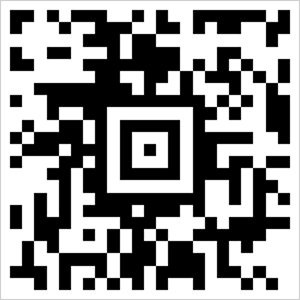
Aztec codes are commonly used for:
- transport tickets and boarding passes;
- railway and airline ticketing systems;
- logistics labels;
- identity documents;
- document management workflows.
Refer to the following page for additional information: https://en.wikipedia.org/wiki/Aztec_Code
Configure Aztec Code Settings
Use the AztecCodeOptions class to configure Aztec Code-specific settings.
| Method | Description |
|---|---|
| setCompactionMode(AztecCodeCompactionMode value) | Specifies how the barcode encodes data. |
| setErrorCorrectionLevel(AztecCodeErrorCorrectionLevel value) | Specifies the amount of redundancy added to the barcode. Higher error-correction levels improve readability when the barcode is damaged or partially obscured but increase the barcode size. |
| setVersion(AztecCodeVersion value) | Specifies the Aztec Code version and therefore the maximum amount of data that the barcode can store. Use AUTO_VERSION to allow the API to choose the smallest version that fits the encoded data. |
The following code snippet creates an Aztec Code barcode and customizes its encoding parameters:
import com.devexpress.drawing.*;
import com.devexpress.docs.barcode.*;
import com.devexpress.system.drawing.*;
import com.devexpress.docs.Padding;

import java.io.*;
import java.nio.file.*;

public class Main {
    public static void main(String[] args) throws Exception {

        AztecCodeOptions options = new AztecCodeOptions();
        options.setCompactionMode(AztecCodeCompactionMode.TEXT);
        options.setErrorCorrectionLevel(AztecCodeErrorCorrectionLevel.LEVEL_2);
        options.setVersion(AztecCodeVersion.AUTO_VERSION);
        options.setModuleSize(5);
        options.setShowText(false);

        Path outputDir = Path.of("output");
        Files.createDirectories(outputDir);

        try (FileOutputStream fileStream = new FileOutputStream(
                outputDir.resolve("aztec.png").toFile());
                BarcodeGenerator barcodeGenerator = new BarcodeGenerator(options)) {
                    barcodeGenerator.export(
                            "https://www.devexpress.com/try",
                            fileStream,
                            DXImageFormat.getPng());
        }
    }
}
Fluent API
Use the AztecCodeOptionsBuilder class to configure Aztec barcode settings with the Fluent API.
The following code snippet creates an Aztec Code barcode and customizes its encoding parameters with the Fluent API:
import com.devexpress.drawing.*;
import com.devexpress.docs.barcode.*;
import com.devexpress.system.drawing.*;
import com.devexpress.docs.Padding;

import java.io.*;
import java.nio.file.*;

public class Main {
    public static void main(String[] args) throws Exception {

        AztecCodeOptions options = AztecCodeOptionsBuilder.create()
            .withCompactionMode(AztecCodeCompactionMode.TEXT)
            .withErrorCorrectionLevel(AztecCodeErrorCorrectionLevel.LEVEL_2)
            .withVersion(AztecCodeVersion.AUTO_VERSION)
            .withModuleSize(5)
            .withShowText(false)
            .build();

        Path outputDir = Path.of("output");
        Files.createDirectories(outputDir);

        try (FileOutputStream fileStream = new FileOutputStream(
                outputDir.resolve("aztec.png").toFile());
                BarcodeGenerator barcodeGenerator = new BarcodeGenerator(options)) {
            barcodeGenerator.export(
                    "https://www.devexpress.com/try",
                    fileStream,
                    DXImageFormat.getPng());
        }
    }
}