EAN-128 (GS1-128 / UCC-128)
- 2 minutes to read
GS1-128 (commonly referred to as EAN-128 or UCC-128) is a variable-length linear barcode based on the Code 128 symbology. It is designed for structured data exchange in supply chain systems and uses GS1 Application Identifiers (AIs) to define the meaning of each encoded field (for example, batch number, expiration date, serial number).
Unlike standard retail barcodes, GS1-128 can encode multiple data elements in a single symbol with clearly defined semantics.
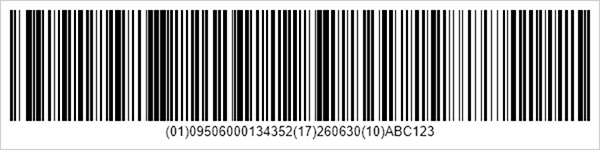
Refer to the following page for additional information: https://en.wikipedia.org/wiki/GS1
Configure EAN-128 (UCC) Settings
Use the EAN128Options class to configure EAN-128 barcode settings.
| Method | Description |
|---|---|
| setCharset(Code128CharacterSet value) | Specifies the character set used for encoding (A, B, or C). |
| setFNC1Substitute(String value) | Specifies the substitute character used to represent the FNC1 separator in input data. |
| setHumanReadableText(boolean value) | Specifies whether to display the human-readable text below the barcode. |
The following code snippet creates an EAN-128 (UCC) barcode and customizes its encoding parameters.
import com.devexpress.drawing.*;
import com.devexpress.docs.barcode.*;
import com.devexpress.system.drawing.*;
import com.devexpress.docs.Padding;

import java.io.*;
import java.nio.file.*;

public class Main {
    public static void main(String[] args) throws Exception {

        EAN128Options options = new EAN128Options();
        options.setPadding(new Padding(10));
        options.setShowText(true);
        options.setWidth(600);

        Path outputDir = Path.of("output");
        Files.createDirectories(outputDir);

        try (FileOutputStream fileStream = new FileOutputStream(
                outputDir.resolve("ean128.png").toFile());
                BarcodeGenerator barcodeGenerator = new BarcodeGenerator(options)) {
                    barcodeGenerator.export(
                            "(01)09506000134352(17)260630(10)ABC123",
                            fileStream,
                            DXImageFormat.getPng());
        }
    }
}
Fluent API
Use the EAN128OptionsBuilder class to configure EAN-128 barcode settings with the Fluent API.
The following code snippet creates an EAN-128 (UCC) barcode and customizes its encoding parameters with the Fluent API:
import com.devexpress.drawing.*;
import com.devexpress.docs.barcode.*;
import com.devexpress.system.drawing.*;
import com.devexpress.docs.Padding;

import java.io.*;
import java.nio.file.*;

public class Main {
    public static void main(String[] args) throws Exception {

        EAN128Options options = EAN128OptionsBuilder.create()
            .withPadding(new Padding(10))
            .withShowText(true)
            .withWidth(600)
            .build();

        Path outputDir = Path.of("output");
        Files.createDirectories(outputDir);

        try (FileOutputStream fileStream = new FileOutputStream(
                outputDir.resolve("ean128.png").toFile());
                BarcodeGenerator barcodeGenerator = new BarcodeGenerator(options)) {
                    barcodeGenerator.export(
                            "(01)09506000134352(17)260630(10)ABC123",
                            fileStream,
                            DXImageFormat.getPng());
        }
    }
}