QR Code
- 2 minutes to read
A QR Code (QR stands for Quick Response) is a two-dimensional matrix barcode that can be read by dedicated QR scanners, mobile phones, and smartphones equipped with a camera. QR Codes can encode textual, numeric, alphanumeric, and binary data.
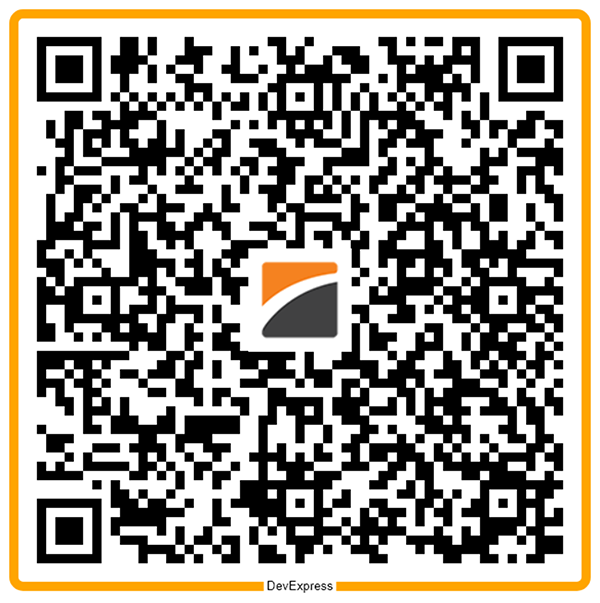
Refer to the following page for additional information: https://en.wikipedia.org/wiki/QR_code
Configure QR Code Settings
Use the QRCodeOptions class to configure QR Code settings.
| Method | Description |
|---|---|
| setCompactionMode(QRCodeCompactionMode value) | Sets the compaction mode for the QR code. |
| setErrorCorrectionLevel(QRCodeErrorCorrectionLevel value) | Sets the error correction level for the QR code. |
| setFrameOptions(QRFrameOptions value) | Specifies frame options for the QR code. |
| setIncludeQuietZone(boolean value) | Specifies whether to include a quiet zone (a margin of empty space) around the code. |
| setLogo(DXImage value) | Sets the logo image for the QR code. |
| setVersion(QRCodeVersion value) | Sets the QR code version. |
The following code snippet creates a QR Code barcode and customizes its encoding parameters:
import com.devexpress.drawing.*;
import com.devexpress.docs.barcode.*;
import com.devexpress.system.drawing.*;
import com.devexpress.docs.Padding;

import java.io.*;
import java.nio.file.*;

public class Main {
    public static void main(String[] args) throws Exception {

        byte[] logoBytes = Files.readAllBytes(Path.of("images/devexpress-logo.png"));

        try (DXImage logo = DXImage.fromStream(new ByteArrayInputStream(logoBytes))) {

            // Customize QR Code parameters.
            QRCodeOptions options = new QRCodeOptions();
            options.setErrorCorrectionLevel(QRCodeErrorCorrectionLevel.H);
            options.setCompactionMode(QRCodeCompactionMode.AUTO);
            options.setVersion(QRCodeVersion.VERSION_10);
            options.setIncludeQuietZone(true);
            options.setLogo(logo);
            options.setPadding(new Padding(10));
            options.setModuleSize(10);
            options.setShowText(false);

            // Customize QR Code frame parameters.
            RectangleQRFrameOptions frameOptions = new RectangleQRFrameOptions();
            frameOptions.setPadding(new Padding(10));
            frameOptions.setFrameColor(Color.getOrange());
            frameOptions.setFrameWidth(10);
            frameOptions.setText("DevExpress");
            frameOptions.setCornerRadius(10);
            frameOptions.setTextAlignment(QRFrameTextAlignment.CENTER);
            frameOptions.setTextColor(Color.getBlack());
            frameOptions.setTextPosition(QRFrameTextPosition.BOTTOM);

            options.setFrameOptions(frameOptions);

            Path outputDir = Path.of("output");
            Files.createDirectories(outputDir);

            try (FileOutputStream fileStream = new FileOutputStream(
                    outputDir.resolve("qrcode.png").toFile());
                    BarcodeGenerator barcodeGenerator = new BarcodeGenerator(options)) {
                        barcodeGenerator.export(
                                "https://www.devexpress.com",
                                fileStream,
                                DXImageFormat.getPng());
            }
        }
    }
}
Fluent API
Use the QRCodeOptionsBuilder class to configure QR Code settings with the Fluent API.
The following code snippet creates a QR Code barcode and customizes its encoding parameters with the Fluent API:
import com.devexpress.drawing.*;
import com.devexpress.docs.barcode.*;
import com.devexpress.system.drawing.*;
import com.devexpress.docs.Padding;

import java.io.*;
import java.nio.file.*;

public class Main {
    public static void main(String[] args) throws Exception {

        byte[] logoBytes = Files.readAllBytes(Path.of("images/devexpress-logo.png"));

        try (DXImage logo = DXImage.fromStream(new ByteArrayInputStream(logoBytes))) {
            // Customize QR Code frame parameters.
            RectangleQRFrameOptions frameOptions = new RectangleQRFrameOptions();
            frameOptions.setPadding(new Padding(10));
            frameOptions.setFrameColor(Color.getOrange());
            frameOptions.setFrameWidth(10);
            frameOptions.setText("DevExpress");
            frameOptions.setCornerRadius(10);
            frameOptions.setTextAlignment(QRFrameTextAlignment.CENTER);
            frameOptions.setTextColor(Color.getBlack());
            frameOptions.setTextPosition(QRFrameTextPosition.BOTTOM);

            // Customize QR Code parameters.
            QRCodeOptions options = QRCodeOptionsBuilder.create()
                .withErrorCorrectionLevel(QRCodeErrorCorrectionLevel.H)
                .withCompactionMode(QRCodeCompactionMode.AUTO)
                .withVersion(QRCodeVersion.VERSION_10)
                .withIncludeQuietZone(true)
                .withFrameOptions(frameOptions)
                .withLogo(logo)
                .withPadding(new Padding(10))
                .withModuleSize(10)
                .withShowText(false)
                .build();

            Path outputDir = Path.of("output");
            Files.createDirectories(outputDir);

            try (FileOutputStream fileStream = new FileOutputStream(
                    outputDir.resolve("qrcode.png").toFile());
                    BarcodeGenerator barcodeGenerator = new BarcodeGenerator(options)) {
                        barcodeGenerator.export(
                                "https://www.devexpress.com",
                                fileStream,
                                DXImageFormat.getPng());
            }
        }
    }
}
See Also