Code 39 Extended
- 2 minutes to read
Code 39 Extended, also known as Full ASCII Code 39, extends the standard Code 39 symbology to support all 128 ASCII characters.
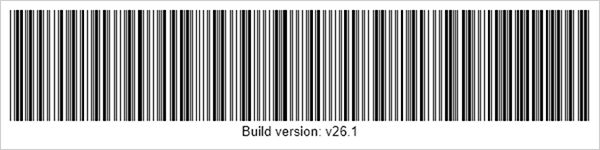
To represent characters that are not available in standard Code 39, the symbology uses the $, /, %, and + symbols as shift characters. These characters are combined with the following character to encode a Full ASCII value.
Use Code 39 Extended when you need to encode:
- lowercase letters;
- punctuation characters;
- control characters;
- mixed text that cannot be encoded with standard Code 39.
Refer to the following page for additional information: https://en.wikipedia.org/wiki/Code_39
Configure Code 39 Extended Settings
Use the Code39ExtendedOptions class to configure code 39 extended barcode settings.
| Method | Description |
|---|---|
| setCalculateChecksum(boolean value) | Specifies whether to calculate and append a Modulo-43 check character. |
| setWideNarrowRatio(float value) | Specifies the ratio between wide and narrow bars and spaces in the barcode. |
The following code snippet creates a Code 39 Extended barcode and customizes its encoding parameters.
import com.devexpress.drawing.*;
import com.devexpress.docs.barcode.*;
import com.devexpress.system.drawing.*;
import com.devexpress.docs.Padding;

import java.io.*;
import java.nio.file.*;

public class Main {
    public static void main(String[] args) throws Exception {

        Code39ExtendedOptions options = new Code39ExtendedOptions();
        options.setShowText(true);
        options.setPadding(new Padding(10));
        options.setWideNarrowRatio(3.0f);
        options.setCalculateChecksum(true);
        options.setWidth(600);
        options.setHeight(150);

        Path outputDir = Path.of("output");
        Files.createDirectories(outputDir);

        try (FileOutputStream fileStream = new FileOutputStream(
                outputDir.resolve("code39extended.png").toFile());
                BarcodeGenerator barcodeGenerator = new BarcodeGenerator(options)) {
            barcodeGenerator.export(
                    "Build version: v26.1",
                    fileStream,
                    DXImageFormat.getPng());
        }
    }
}
Fluent API
Use the Code39ExtendedOptionsBuilder class to configure code 39 extended barcode settings with the Fluent API.
The following code snippet creates a Code 39 Extended barcode and customizes its encoding parameters with the Fluent API:
import com.devexpress.drawing.*;
import com.devexpress.docs.barcode.*;
import com.devexpress.system.drawing.*;
import com.devexpress.docs.Padding;

import java.io.*;
import java.nio.file.*;

public class Main {
    public static void main(String[] args) throws Exception {
        Code39ExtendedOptions options = Code39ExtendedOptionsBuilder.create()
            .withShowText(true)
            .withPadding(new Padding(10))
            .withWideNarrowRatio(3.0f)
            .withCalculateChecksum(true)
            .withWidth(600)
            .withHeight(150)
            .build();

        Path outputDir = Path.of("output");
        Files.createDirectories(outputDir);

        try (FileOutputStream fileStream = new FileOutputStream(
                outputDir.resolve("code39extended.png").toFile());
                BarcodeGenerator barcodeGenerator = new BarcodeGenerator(options)) {
            barcodeGenerator.export(
                    "Build version: v26.1",
                    fileStream,
                    DXImageFormat.getPng());
        }
    }
}