PDF417
- 2 minutes to read
PDF417 (Portable Data File 417) is a stacked linear 2D barcode symbology used for encoding large amounts of structured data. The symbol consists of multiple stacked rows of codewords, typically ranging from 3 to 90 rows.
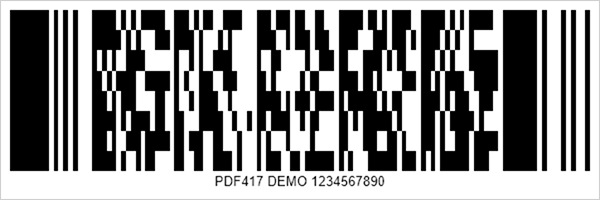
Refer to the following page for additional information: https://en.wikipedia.org/wiki/PDF417
Configure PDF417 Settings
Use the PDF417Options class to configure PDF417 barcode settings.
| Method | Description |
|---|---|
| setCompactionMode(PDF417CompactionMode value) | Specifies how input data is compacted (text, numeric, or byte mode). |
| setErrorCorrectionLevel() | Specifies the error correction level. |
| setRows(int value) | Specifies the number of rows in the symbol. |
| setColumns(int value) | Specifies the number of columns in the symbol. |
| setTruncateSymbol(boolean value) | Specifies whether to truncate the right-hand side of the symbol. |
| setYToXRatio(float value) | Specifies the height-to-width ratio of barcode elements for print optimization. |
The following code snippet creates a PDF417 barcode and customizes its encoding parameters:
import com.devexpress.drawing.*;
import com.devexpress.docs.barcode.*;
import com.devexpress.system.drawing.*;
import com.devexpress.docs.Padding;

import java.io.*;
import java.nio.file.*;

public class Main {
    public static void main(String[] args) throws Exception {

        PDF417Options options = new PDF417Options();
        options.setColumns(3);
        options.setTruncateSymbol(false);
        options.setErrorCorrectionLevel(PDF417ErrorCorrectionLevel.LEVEL_2);
        options.setCompactionMode(PDF417CompactionMode.TEXT);
        options.setPadding(new Padding(10));
        options.setShowText(true);
        options.setWidth(600);
        options.setHeight(200);

        Path outputDir = Path.of("output");
        Files.createDirectories(outputDir);

        try (FileOutputStream fileStream = new FileOutputStream(
                outputDir.resolve("pdf417 .png").toFile());
                BarcodeGenerator barcodeGenerator = new BarcodeGenerator(options)) {
                    barcodeGenerator.export(
                            "PDF417 DEMO 1234567890",
                            fileStream,
                            DXImageFormat.getPng());
        }
    }
}
Fluent API
Use the PDF417OptionsBuilder class to configure PDF417 barcode settings with the Fluent API.
The following code snippet creates a PDF417 barcode and customizes its encoding parameters with the Fluent API:
import com.devexpress.drawing.*;
import com.devexpress.docs.barcode.*;
import com.devexpress.system.drawing.*;
import com.devexpress.docs.Padding;

import java.io.*;
import java.nio.file.*;

public class Main {
    public static void main(String[] args) throws Exception {

        PDF417Options options = PDF417OptionsBuilder.create()
            .withColumns(3)
            .withTruncateSymbol(false)
            .withErrorCorrectionLevel(PDF417ErrorCorrectionLevel.LEVEL_2)
            .withCompactionMode(PDF417CompactionMode.TEXT)
            .withPadding(new Padding(10))
            .withShowText(true)
            .withWidth(600)
            .withHeight(200)
            .build();

        Path outputDir = Path.of("output");
        Files.createDirectories(outputDir);

        try (FileOutputStream fileStream = new FileOutputStream(
                outputDir.resolve("pdf417 .png").toFile());
                BarcodeGenerator barcodeGenerator = new BarcodeGenerator(options)) {
                    barcodeGenerator.export(
                            "PDF417 DEMO 1234567890",
                            fileStream,
                            DXImageFormat.getPng());
        }
    }
}
See Also