DxEditorComponentBase.SizeMode Property
Specifies the component’s size.
Namespace: DevExpress.Blazor.Base
Assembly: DevExpress.Blazor.v26.1.dll
NuGet Package: DevExpress.Blazor
Declaration
[DefaultValue(null)]
[Parameter]
public SizeMode? SizeMode { get; set; }
Property Value
| Type | Default | Description |
|---|---|---|
| Nullable<SizeMode> | null | The size mode. If the property is not specified (the value is |
Available values:
| Name | Description |
|---|---|
| Small | Small size. |
| Medium | Medium size. |
| Large | Large size. |
Remarks
Use the SizeMode property to specify the size mode for data editors.
The following code snippet applies the Large mode to the List Box component:
@using BlazorApp.Data

<DxListBox Data="@Staff.DataSource"
           @bind-Values="@Values"
           TextFieldName="@nameof(Person.Text)"
           SelectionMode="ListBoxSelectionMode.Multiple"
           ShowCheckboxes="true"
           SizeMode="SizeMode.Large">
</DxListBox>

@code {
    IEnumerable<Person> Values { get; set; } = Staff.DataSource.Take(1);
}
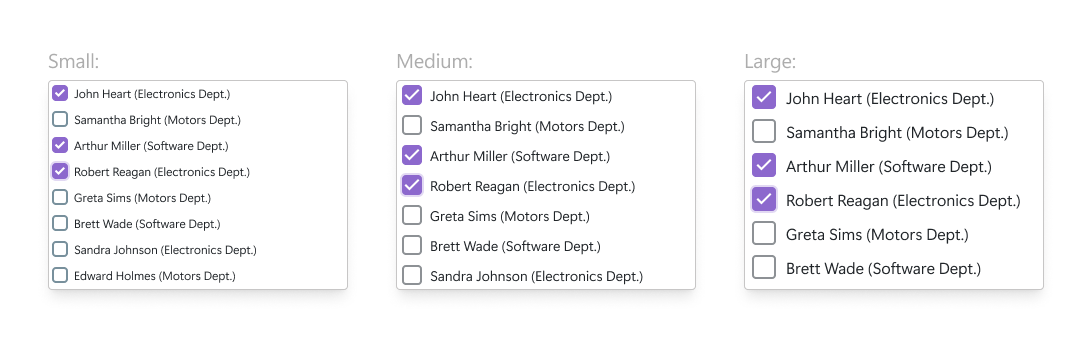
The following image shows the same List Box component in different size modes:
For additional information, refer to Size Modes.
See Also