Register DevExpress Documentation MCP Server
- 2 minutes to read
The DevExpress Documentation MCP Server connects Visual Studio Code Copilot Chat to our latest help topics and allows the chat to access API reference, best practices, troubleshooting, and code snippets.
Register MCP Server: Use the Template Kit
To configure the DevExpress Documentation MCP Server at the solution level, select the Use DevExpress MCP option when creating a Blazor App.
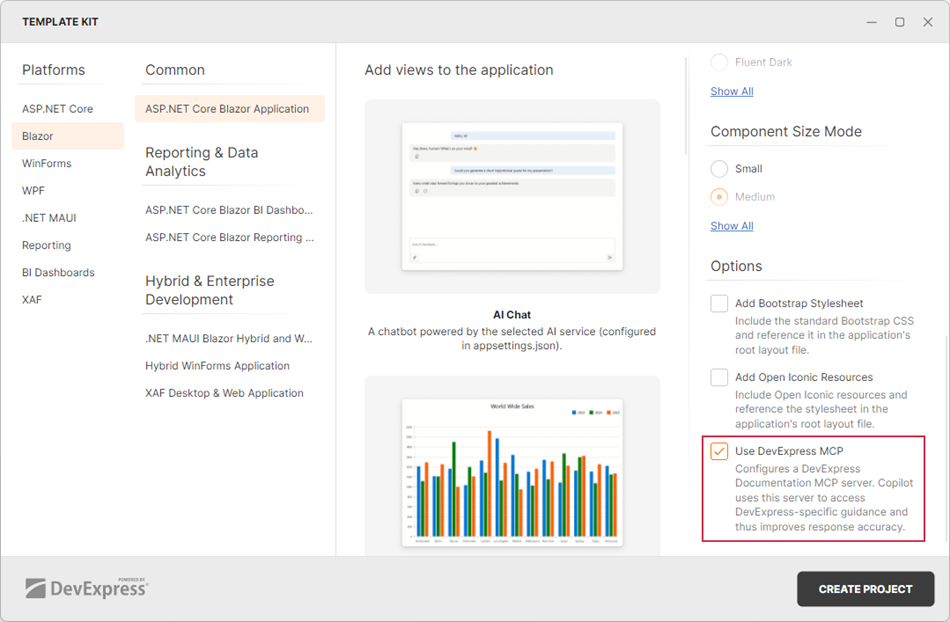
The Template Kit adds the dxdocs MCP server with the following resources:
- devexpress_docs_search: Searches across the DevExpress documentation for relevant help topics.
- devexpress_docs_get_content: Retrieves the full content of a specific help topic, including API syntax and code examples.
To use the DevExpress Documentation MCP Server in chat:
- Switch the chat to Agent mode.
When prompted, allow the chat to access the DevExpress MCP server resources.
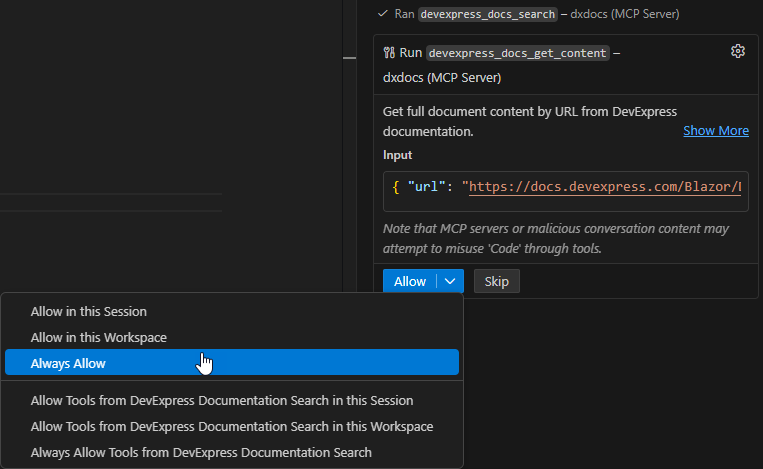
Register MCP Server: Manual Configuration
Follow these steps to add the DevExpress Documentation MCP Server in Visual Studio Code:
- Open the Chat pane in VS Code.
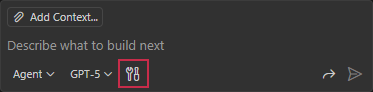
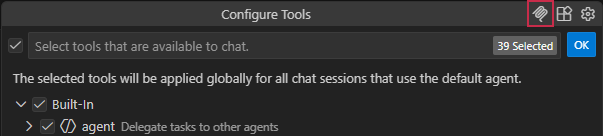
In the chat pane, click Configure Tools…
Click the Add MCP Server… button.
Select HTTP (HTTP or Server-Sent Events) from the dropdown.
- Enter
https://api.devexpress.com/mcp/docsand press Enter. - Enter a descriptive server name and press Enter. This name appears in Copilot Tools, logs, and tool output.
- Switch the chat to Agent mode.
When prompted, approve and trust the DevExpress MCP server integration.