Filter Data in Blazor TreeList
- 2 minutes to read
The DevExpress Blazor TreeList allows you to filter data in UI and in code.
You can use the FilterTreeMode property to specify how the component displays nodes that meet filter criteria with all available filter options:
EntireBranchThe TreeList component displays a node that meets the filter criteria and all its parent and child nodes, even if they do not meet that criteria.

NodesThe TreeList component ignores parent-child relationships and displays all nodes that meet the filter criteria at one level. This mode improves overall performance when the TreeList is bound to a large remote data source.

ParentBranchThe TreeList component displays a node that meets the filter criteria and all its parent nodes, even if they do not meet that criteria.

Column Filter Menu
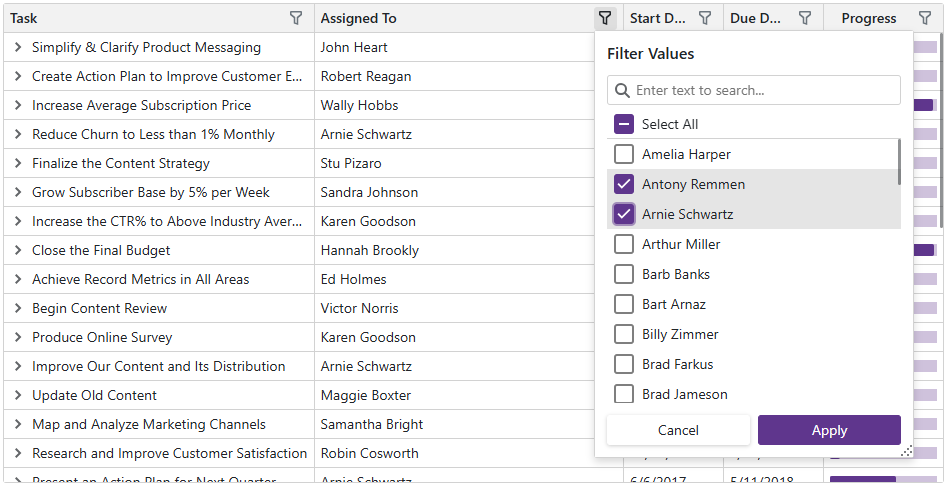
An Excel-inspired drop-down filter displays unique column values as a list or hierarchy, includes a search box, and the Select All option.
Filter Row UI
The filter row displays in-place editors for all data columns. When a user types into an editor, the TreeList creates a filter condition based on the editor value and applies this condition to the column.

Filter Panel and Filter Builder
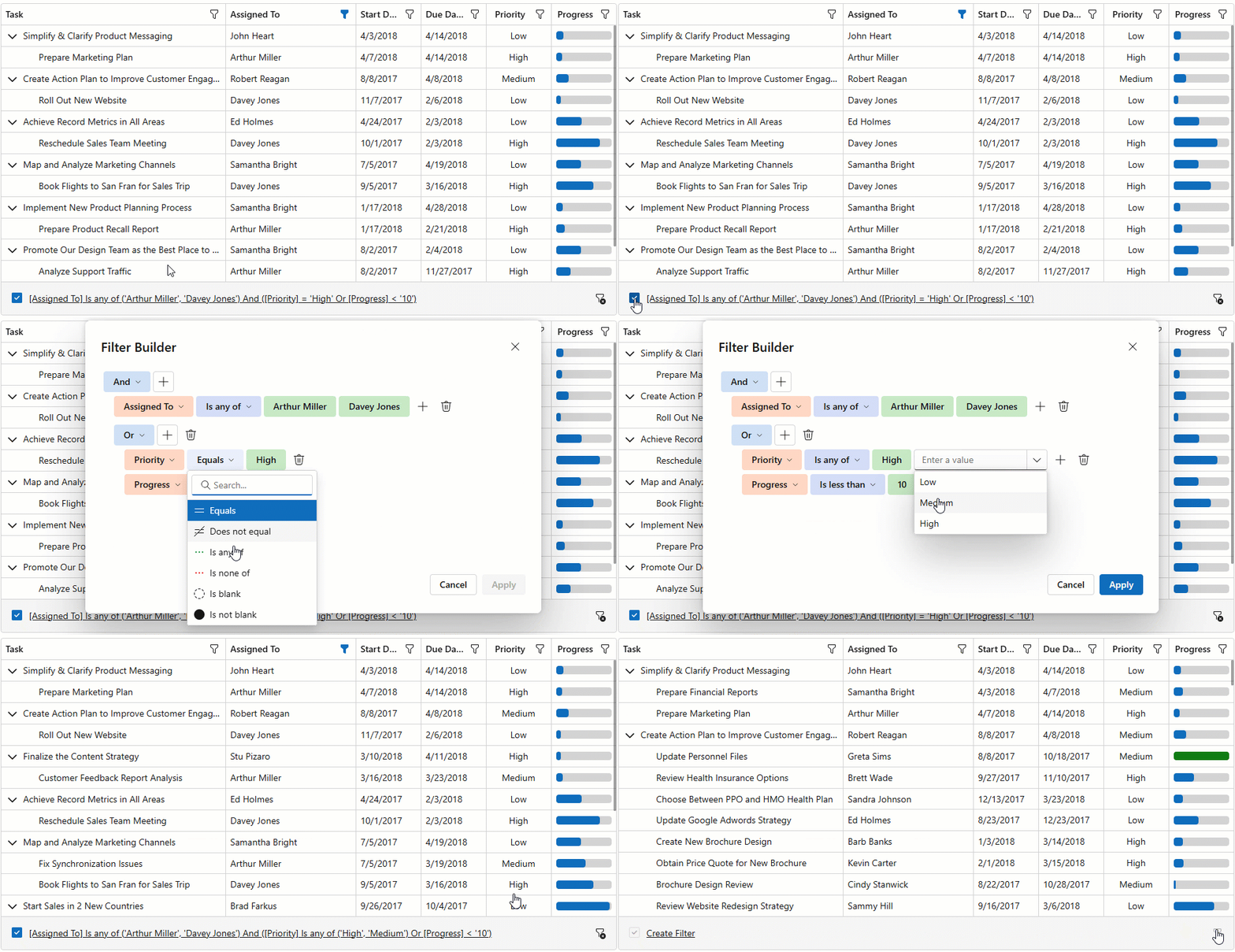
The filter panel displays the current filter condition and allows users to deactivate/clear it. Users can click this filter condition to open the filter builder dialog. In the dialog, they can edit and combine filter criteria applied to TreeList columns.
Search Box UI
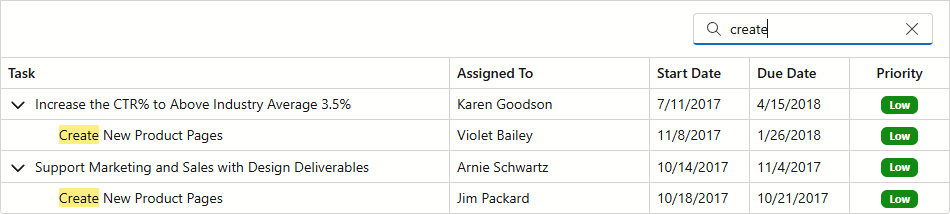
The TreeList includes a built-in search box. It searches all visible columns, filters rows, and highlights matches. Searches are case-insensitive.
Filter API
The TreeList implements methods to filter data in code.