Add DevExtreme Components to a Blazor Application
- 2 minutes to read
This article describes how to embed DevExtreme widgets into your Blazor application. Note that DevExtreme widgets ship with the same DevExpress subscription as our Blazor UI Controls.
DevExtreme widgets require the use of DevExtreme scripts and stylesheets. We recommend that you use npm to incorporate DevExtreme into the application.
The DevExpress Blazor Resource Manager automatically registers DevExtreme scripts if your project includes the DevExpress.Blazor package. To apply a DevExtreme theme, add the corresponding file to the wwwroot/css folder and reference this stylesheet in the Components/App.razor file:
<head>
    <link href=@AppendVersion("css/dx.fluent.blue.light.css") rel="stylesheet" />
    @DxResourceManager.RegisterScripts()
    @* ... *@
</head>

@code {
    private string AppendVersion(string path) => FileVersionProvider.AddFileVersionToPath("/", path);
}
Then you need to implement Blazor components - wrappers for JavaScript widgets. Each wrapper consists of two files:
- A
*.razorfile that renders a DevExtreme component and processes input parameters. This file implements JavaScript-based API on the Blazor side. - A
*.razor.jsfile that configures settings for a DevExtreme component.
To enable JavaScript interoperability in Blazor, inject the IJSRuntime abstraction into your .razor components. IJSRuntime allows you to execute JavaScript functions from C# and enables JavaScript to call .NET methods.
@inject IJSRuntime JS
During the wrapper’s first render, call the LoadDxResources method to force the DevExpress Resource Manager to load all client scripts:
protected override async Task OnAfterRenderAsync(bool firstRender) {
    if(firstRender) {
        await JS.LoadDxResources();
        // ...
    }
    await base.OnAfterRenderAsync(firstRender);
}
You can use wrappers as standard Blazor components. The following code adds a DevExtremeGauge wrapper component:
<DevExtremeGauge />
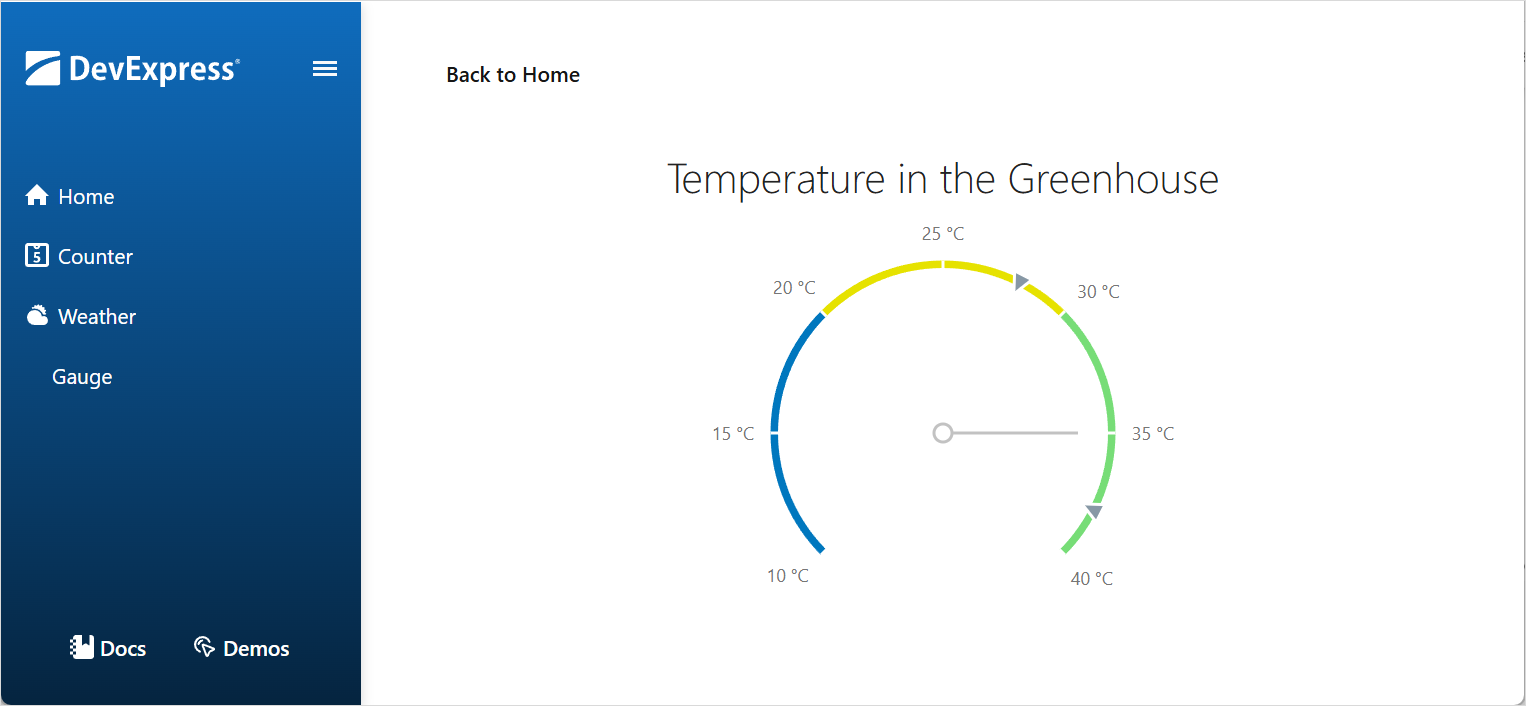
Refer to the following repository for example code: Use DevExtreme Circular Gauge in a Blazor Application.
You can integrate other components in the same manner:
- Use DevExtreme Diagram in Blazor Applications
- Use DevExtreme FileManager in Blazor Applications
- Use DevExtreme Slider in Blazor Applications
This integration method works best when you need to implement only a few members in your wrapper.
For additional information on how to work with JavaScript in Blazor applications, refer to the following Microsoft article: ASP.NET Core Blazor JavaScript interoperability (JS interop).