Template Gallery (.NET Framework)
- 2 minutes to read
The DevExpress Template Gallery includes popular application layouts for DevExpress Controls that target .NET Framework 4.6.2+. The Template Gallery option appears in Visual Studio after you install the DevExpress controls suite.
Note
We added a .NET CLI–based Project Wizard that supports multiple IDEs on Windows. Use it to create WPF projects that target .NET, with additional templates and project presets. For details, see Cross-IDE Template Kit.
Create a New Project
To create a new project, follow the steps below:
- In Visual Studio, select File → New → Project.
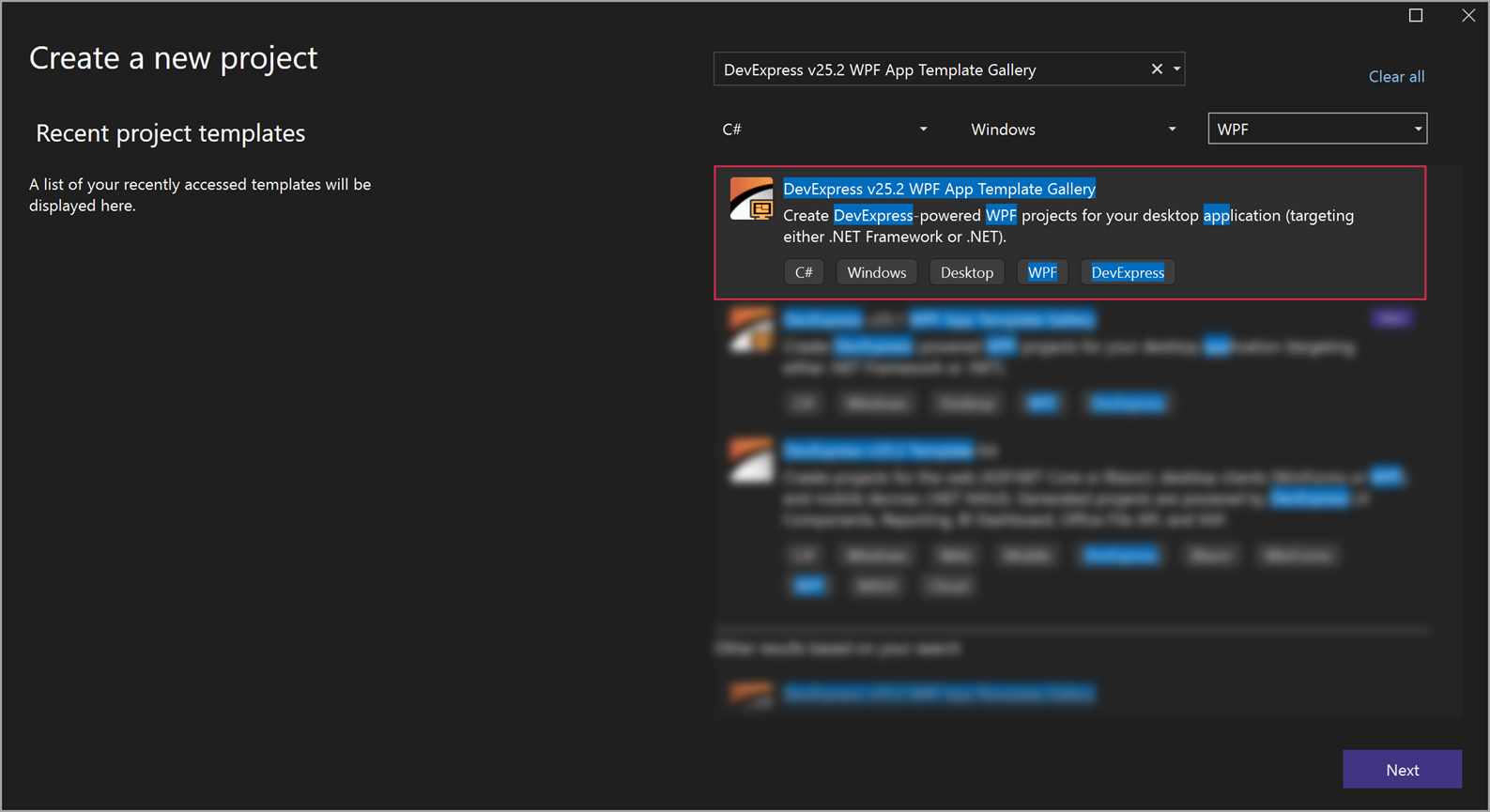
In the Create a new project window, select DevExpress v26.1 Template Gallery and click Next.
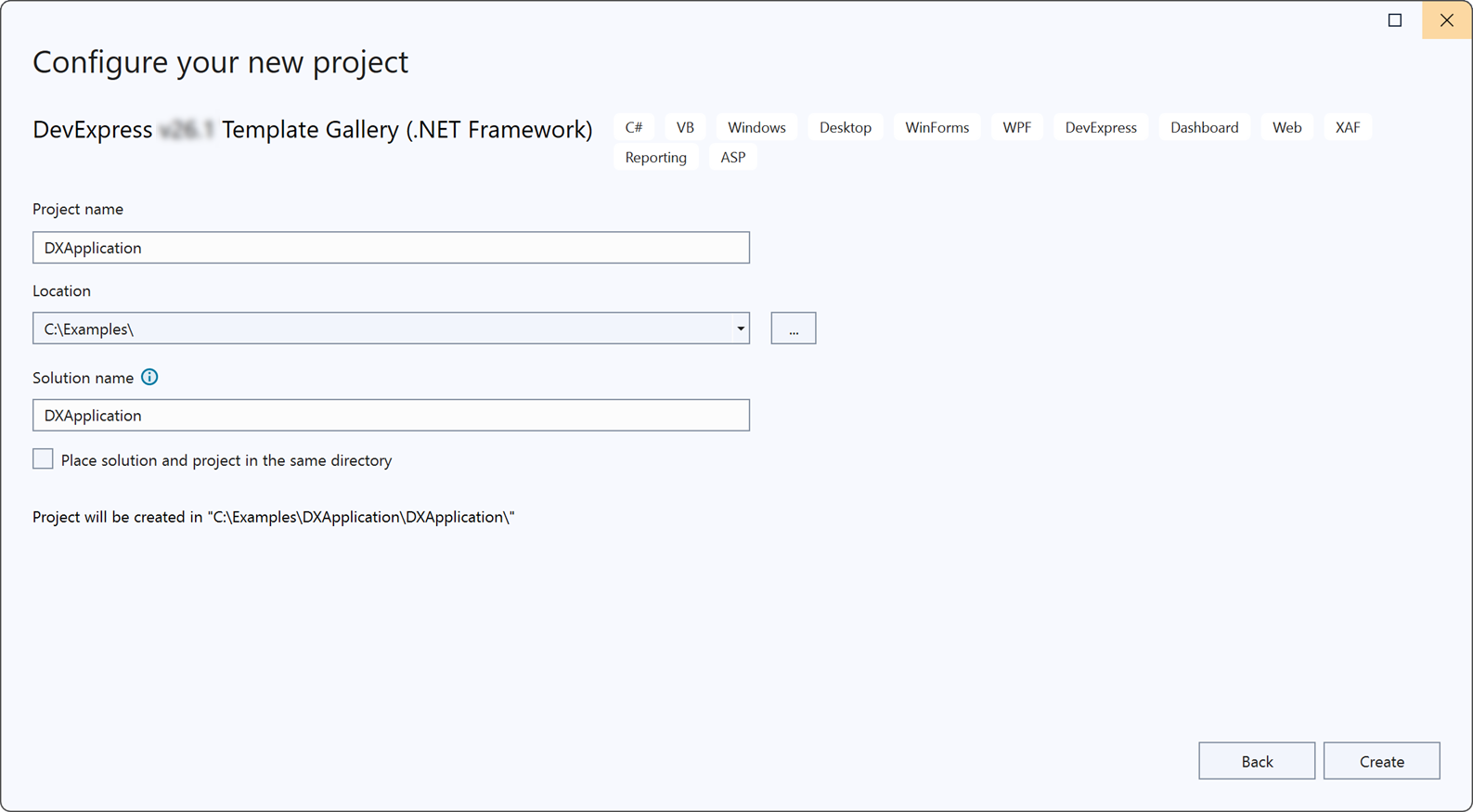
In the Configure your new project window, specify the project name and location, and click Create.
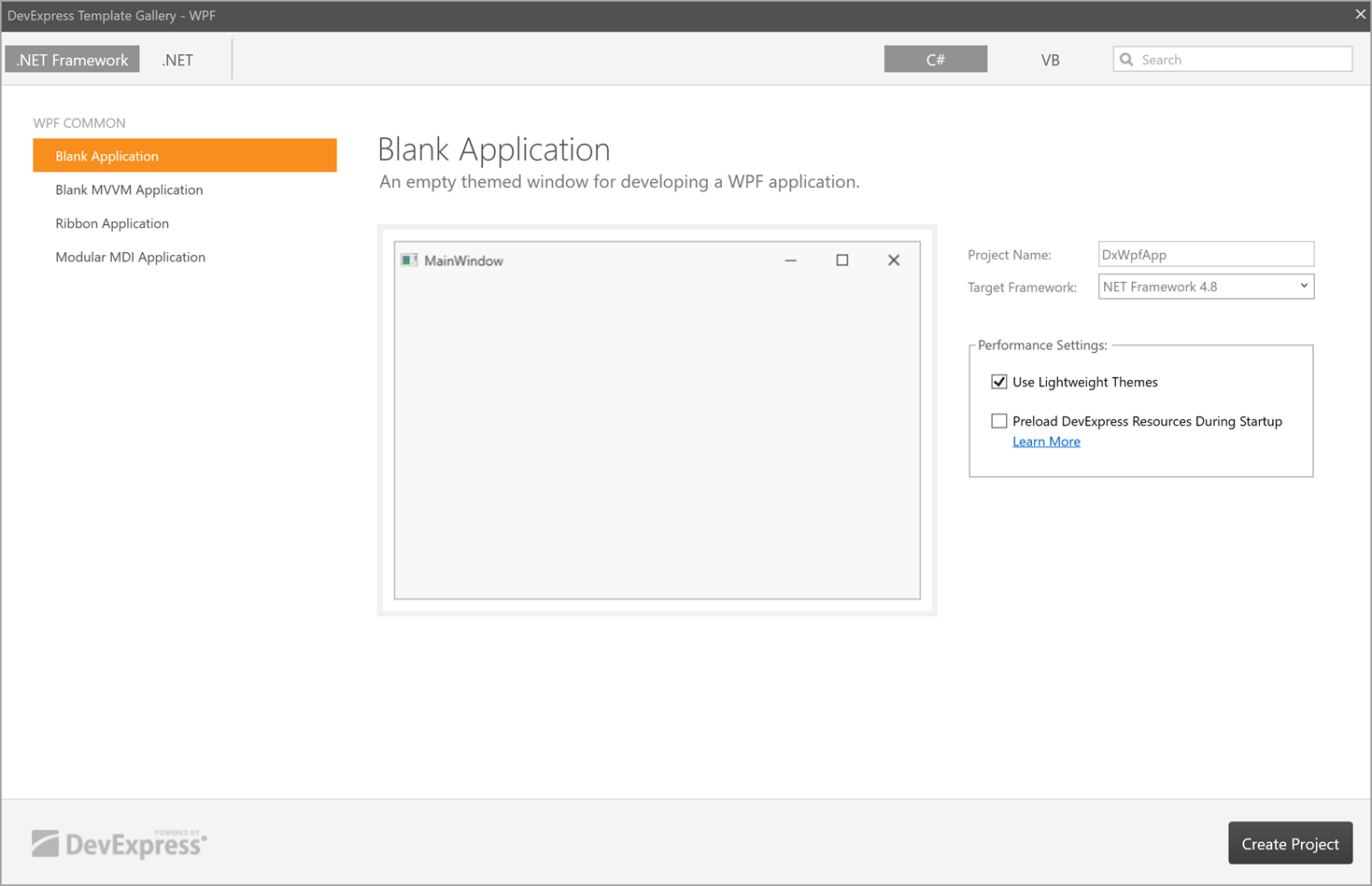
In the DevExpress Template Gallery window, select the WPF platform, configure project parameters, and click Create Project.
WPF Project Templates
WPF COMMON group
| Template Name | Description | Components in Use |
|---|---|---|
| Blank Application | An empty application with DevExpress themes and components. | ThemedWindow |
| Blank MVVM Application | An empty application with the DevExpress MVVM Framework, themes, and components. | ThemedWindow, MVVM Framework |
| Ribbon Application | An application with Ribbon-based toolbars. | RibbonControl, RibbonStatusBarControl, ThemedWindow |
| Modular MDI Application | An empty modular application based on the Module Injection Framework. | MIF |
WPF BUSINESS SOLUTION group
| Template Name | Description | Components in Use |
|---|---|---|
| Dashboard Viewer Application | A dashboard viewer application that shows a dashboard created at design time. | DashboardControl, ThemedWindow |
Add a New Item to an Existing Project
To add a new item to an existing project, follow the steps below:
In the Solution Explorer, open the context menu and select Add → New Item.
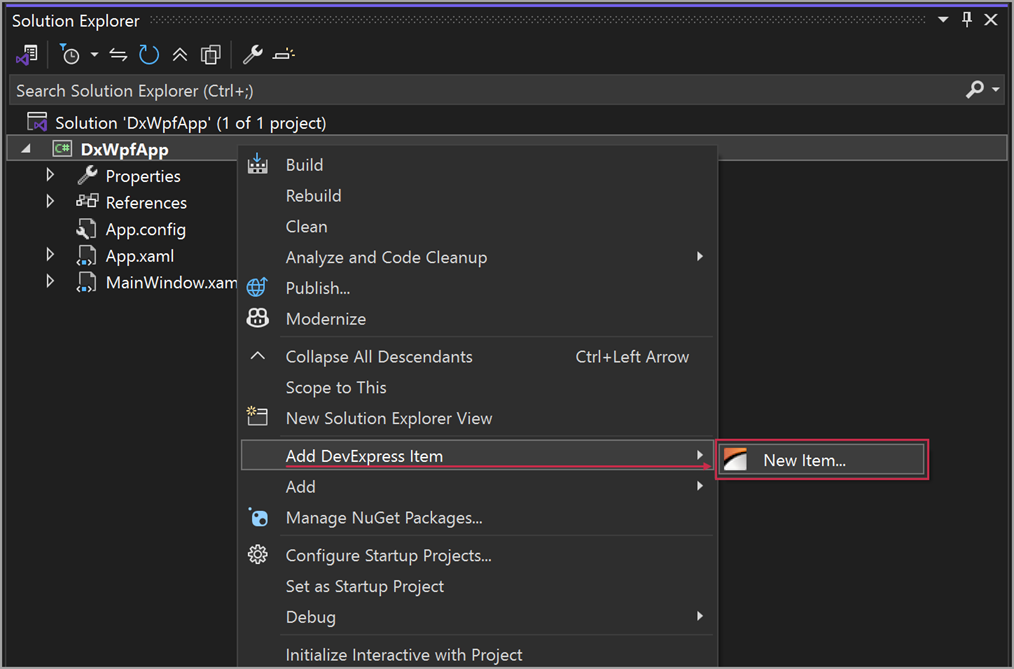
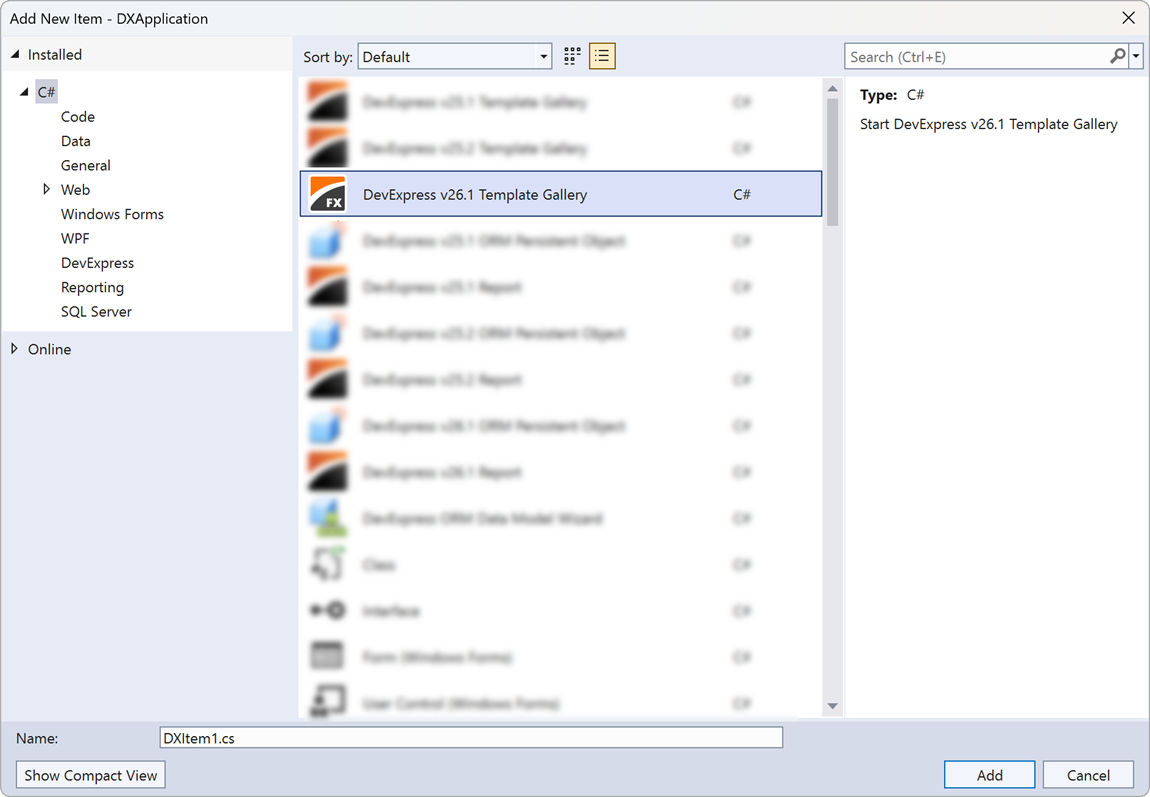
In the Add New Item dialog, select DevExpress v26.1 Template Gallery, specify the item name, and click Add.
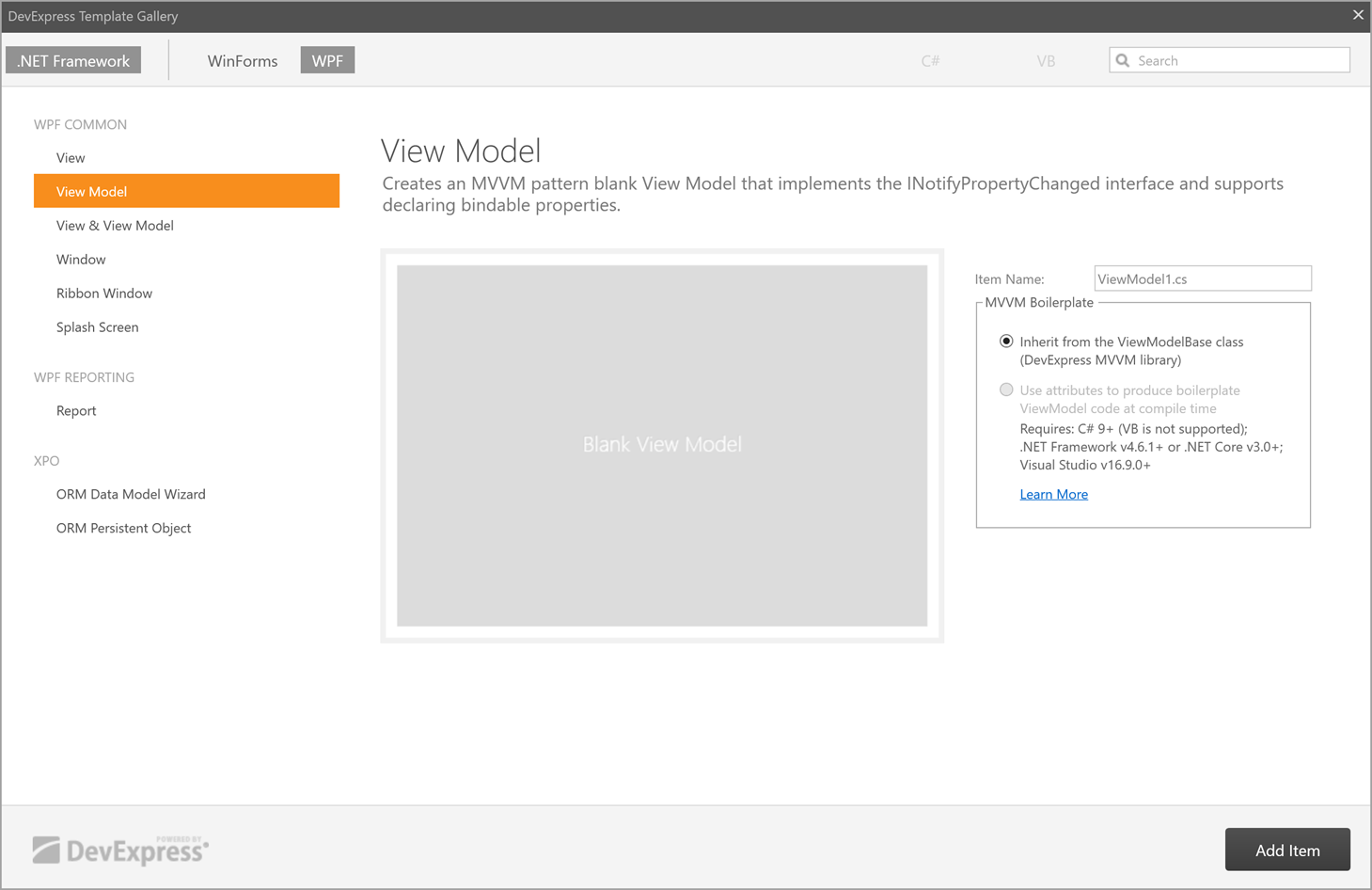
In the DevExpress Template Gallery window, select the WPF platform, choose an item template, and click Add Item.