MHT Export Options
Before you export a document to MHT, you can specify MHT-specific options in the Export Options panel.
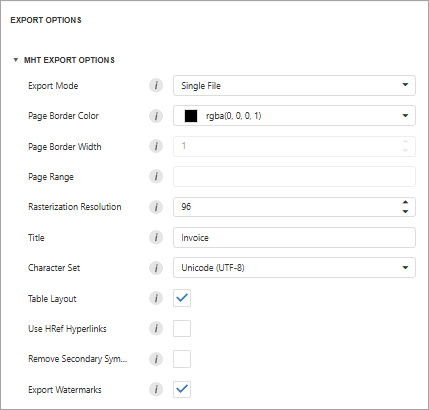
Export Mode
Specifies how a document is exported to MHT. The following modes are available.
- The Single File mode allows you to export a document to a single file, without preserving the page-by-page breakdown.
- The Single File PageByPage mode allows you to export a document to a single file, while preserving the page-by-page breakdown. In this mode, the Page Border Color, Page Border Width, and Page Range options are available.
Page Border Color
Specifies page border color.
Page Border Width
Specifies page border width (in pixels).
Page Range
Specifies a range of pages that will be included in the resulting file. To separate page numbers, use commas. To set page ranges, use hyphens.
Title
Specifies the title of the created MHT file.
Character Set
Specifies the encoding name used in the exported document.
Table Layout
Specifies whether to use a table or non-table layout in the resulting document.
Remove Secondary Symbols
Specifies whether to remove all secondary symbols (such as Space and Carriage Return) in the resulting document to reduce its size.
Export Watermarks
Specifies whether to include watermarks in the exported document.