TableScope Enum
Lists table scopes in a PDF document.
Declaration
public enum TableScope extends Enum<TableScope> implements IIntEnumMembers
| Name | Description |
|---|---|
BOTH
|
The table scope includes both rows and columns. |
COLUMN
|
The table scope is a column. |
ROW
|
The table scope is a row. |
fromValue(int value)
|
Returns the enum item with the specified integer value. |
getName()
|
Returns the enum item name. |
getValue()
|
Returns the integer value. |
toString()
|
Returns the string representation. |
valueOf(String name)
|
Returns the enum constant with the specified name. |
values()
|
Returns available constants. |
Remarks
Refer to the following help topic for additional information: Generate and Edit Tagged PDF Documents.
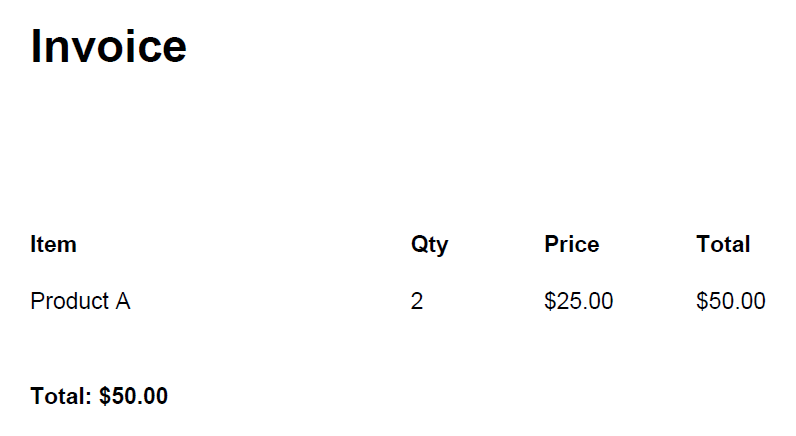
The following code snippet creates a tagged PDF document that contains an accessible invoice. It builds a logical structure tree with a document, section, heading, table, and paragraph elements.
The example assigns layout and table attributes, adds text fragments to the corresponding structure elements, and saves the document as a tagged PDF.
package pdf;

import com.devexpress.docs.pdf.*;
import com.devexpress.system.drawing.*;
import com.devexpress.drawing.printing.*;

import java.nio.file.*;
import java.nio.channels.*;

public class Main {
    public static void main(String[] args) throws Exception {
        try (PdfDocument document = new PdfDocument()) {

            Page page = document.getPages().add(DXPaperKind.A4);

            // Create the root Document element.
            StructureElement doc = document.getStructureTree()
                    .addChildElement(Pdf17StructureType.DOCUMENT);

            // Add a section to the document.
            StructureElement section =
                    doc.addChildElement(Pdf17StructureType.SECT);

            // Add a heading.
            StructureElement heading =
                    section.addChildElement(Pdf17StructureType.H1);
            heading.addFragment(page, new TextFragment(){{
                    setText("Invoice");
                    setLocation(new PointF(50, 800));
                    setFont(new TextFont("Arial", TextFontStyle.BOLD));
                    setFontSize(24);}});

            // Create a table with layout attributes.
            StructureElement table =
                    section.addChildElement(Pdf17StructureType.TABLE);

            table.getAttributes().add(new LayoutAttribute() {{
                    setPlacement(LayoutPlacement.BLOCK);
                    setWritingMode(WritingMode.LEFT_TO_RIGHT);
                }});

            table.getAttributes().add(
                    new TableAttribute() {{
                        setSummary("Invoice items");
                    }});

            StructureElement header =
                    table.addChildElement(Pdf17StructureType.T_HEAD);
            StructureElement headerRow =
                    header.addChildElement(Pdf17StructureType.TR);

            // Add table header cells.
            StructureElement th1 =
                    headerRow.addChildElement(Pdf17StructureType.TH);
            th1.getAttributes().add(
                    new TableAttribute(){{
                        setScope(TableScope.COLUMN);
                    }});
            th1.addFragment(page, new TextFragment() {
                {
                    setText("Item");
                    setLocation(new PointF(50, 700));
                    setFont(new TextFont("Arial", TextFontStyle.BOLD));
                    setFontSize(12);
                }});

            StructureElement th2 =
                    headerRow.addChildElement(Pdf17StructureType.TH);
            th2.getAttributes().add(
                    new TableAttribute() {{
                        setScope(TableScope.COLUMN);
                    }});
            th2.addFragment(page, new TextFragment() {{
                    setText("Qty");
                    setLocation(new PointF(250, 700));
                    setFont(new TextFont("Arial", TextFontStyle.BOLD));
                }});

            StructureElement th3 =
                    headerRow.addChildElement(Pdf17StructureType.TH);
            th3.getAttributes().add(
                    new TableAttribute() {{
                        setScope(TableScope.COLUMN);
                    }});
            th3.addFragment(page, new TextFragment() {{
                    setText("Price");
                    setLocation(new PointF(320, 700));
                    setFont(new TextFont("Arial", TextFontStyle.BOLD));
                }});

            StructureElement th4 =
                    headerRow.addChildElement(Pdf17StructureType.TH);
            th4.getAttributes().add(
                    new TableAttribute() {{
                        setScope(TableScope.COLUMN);
                    }});
            th4.addFragment(page, new TextFragment() {{
                    setText("Total");
                    setLocation(new PointF(400, 700));
                    setFont(new TextFont("Arial", TextFontStyle.BOLD));
                }});

            // Add table body with a data row.
            StructureElement body =
                    table.addChildElement(Pdf17StructureType.T_BODY);
            StructureElement dataRow =
                    body.addChildElement(Pdf17StructureType.TR);

            StructureElement td1 =
                    dataRow.addChildElement(Pdf17StructureType.TD);
            td1.addFragment(page, new TextFragment() {{
                    setText("Product A");
                    setLocation(new PointF(50, 670));
                }});

            StructureElement td2 =
                    dataRow.addChildElement(Pdf17StructureType.TD);
            td2.addFragment(page, new TextFragment() {{
                    setText("2");
                    setLocation(new PointF(250, 670));
                }});

            StructureElement td3 =
                    dataRow.addChildElement(Pdf17StructureType.TD);
            td3.addFragment(page, new TextFragment() {{
                    setText("$25.00");
                    setLocation(new PointF(320, 670));
                }});

            StructureElement td4 =
                    dataRow.addChildElement(Pdf17StructureType.TD);
            td4.addFragment(page, new TextFragment() {{
                    setText("$50.00");
                    setLocation(new PointF(400, 670));
                }});

            // Add a paragraph with the total amount.
            StructureElement total =
                    section.addChildElement(Pdf17StructureType.P);
            total.addFragment(page, new TextFragment() {{
                    setText("Total: $50.00");
                    setLocation(new PointF(50, 620));
                    setFont(new TextFont("Arial", TextFontStyle.BOLD));
                }});

            try(WritableByteChannel writableByteChannel =
                    FileChannel.open(
                        Path.of("TaggedInvoice.pdf"),
                        StandardOpenOption.CREATE,
                        StandardOpenOption.WRITE,
                        StandardOpenOption.TRUNCATE_EXISTING)) {
                document.save(writableByteChannel);
            }
        }
    }
}
The following screenshot illustrates the result: