Manage Redaction Annotations with New DevExpress PDF Document API
- 5 minutes to read
Redaction annotations remove sensitive or confidential information from a document. These annotations allow users to hide text, images, or other content.
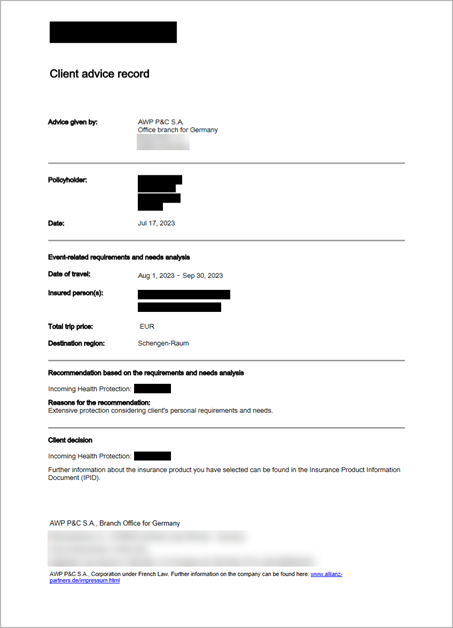
The new PDF Document API allows you to create, delete, and apply annotations. You can also edit annotation content and add related comments and reviews. The following scenarios are supported:
- Create redaction annotations and save the document
- You can send the result for review. The recipient can approve or comment on the redaction annotations before applying them.
- Load a document with redaction annotations and inspect redacted areas
- Get annotations, review or change the required parameters, and apply or remove redaction annotations if necessary.
- Create and apply all redaction annotations in your PDF document
- Load a document with redaction annotations, or create annotations in code, and apply them. Once applied, the redacted content is removed and cannot be recovered or viewed by unauthorized users.
Create Redaction Annotations and Save the Document
The Page.Annotations property retrieves all page annotation properties. Use the PdfDocument.Pages property to obtain the Page instance.
Create a new RedactionAnnotation object and pass it as a parameter to the AnnotationCollection.Add() method. When adding a redaction, you can specify multiple areas on the page (redact information from multiple places simultaneously).
Note
A redaction annotation only marks content for redaction when you add it to a page; it does not remove the underlying content. Call the PdfDocument.ApplyRedaction method to permanently remove the redacted content, as described in the Apply Redaction Annotations section.
The following code snippet creates redaction annotations over the search results and saves the document to a new file:
using DevExpress.Docs.Pdf;
using System.Collections.Generic;
using System.IO;
using System.Linq;

using (PdfDocument pdfDocument =
    new PdfDocument(File.OpenRead(@"C:\Documents\document_001.pdf"))) {
    string[] search = {
        "Maria Anders", "030-0074321",
        "alfredsfutterkiste@mail.com"
    };
    foreach (string word in search) {
        IEnumerable<TextSearchInfo> results =
            pdfDocument.FindText(word, new TextSearchOptions(true, true));
        foreach (TextSearchInfo searchResult in results) {
            var page = pdfDocument.Pages[searchResult.PageIndex];
            var rects = searchResult.Matches
                .SelectMany(x => x.MatchFragments)
                .Select(x => x.Rectangle);
            // Create a redaction annotation.
            var redactionAnnotation =
                new RedactionAnnotation(rects);

            redactionAnnotation.Color = PdfColor.Black;
            redactionAnnotation.FillColor = PdfColor.Red;

            redactionAnnotation.OverlayText = "Classified";
            redactionAnnotation.TextJustification =
                TextJustification.Centered;
            redactionAnnotation.RepeatText = false;
            page.Annotations.Add(redactionAnnotation);
        }
    }

    // Save the document with the redaction annotation.
    using (FileStream stream =
        File.Create("UpdatedDocument.pdf"))
    {
        pdfDocument.Save(stream);
    }
}
Load a Document with Redaction Annotations and Inspect Redacted Areas
The Page.Annotations property returns all page annotations. You can filter the list, cast elements to the RedactionAnnotation type, and change annotation properties.
The following code snippet scans all redaction annotations on a page and adds a “Rejected” review to annotations from a specific author:
using DevExpress.Docs.Pdf;
using System.Collections.Generic;
using System.IO;

using (PdfDocument pdfDocument =
    new PdfDocument(File.OpenRead(
        @"C:\Documents\document_001.pdf")))
{
    var page = pdfDocument.Pages[0];

    List<RedactionAnnotation> redactionAnnotations =
        new List<RedactionAnnotation>();

    foreach (var annotation in page.Annotations)
    {
        if (annotation is RedactionAnnotation
            redactionAnnotation &&
            redactionAnnotation.Title != "Brian Smith")
        {
            redactionAnnotations.Add(redactionAnnotation);
        }
    }

    // Add a "Rejected" review to filtered annotations.
    foreach (var redaction in redactionAnnotations)
    {
        redaction.AddReview(page, "Reviewer Name",
            ReviewStatus.Rejected);
    }

    using (FileStream stream =
        File.Create("UpdatedDocument.pdf"))
    {
        pdfDocument.Save(stream);
    }
}
Remove Redaction Annotations
Call one of the following methods to remove redaction annotations:
Annotations.Clear- removes all annotations from the page.AnnotationCollection.Remove- removes a specific annotation from the page.AnnotationCollection.RemoveAt- removes a specific annotation from the page by its index.
The following code snippet removes all redaction annotations on the first page:
using DevExpress.Docs.Pdf;
using System.IO;

using (PdfDocument pdfDocument =
    new PdfDocument(File.OpenRead(
        @"C:\Documents\document_001.pdf")))
{
    var page = pdfDocument.Pages[0];
    // Remove all annotations from the page.
    page.Annotations.Clear();

    using (FileStream stream =
        File.Create("UpdatedDocument.pdf"))
    {
        pdfDocument.Save(stream);
    }
}
Apply Redaction Annotations
Call the PdfDocument.ApplyRedaction(Int32, RedactionAnnotation[]) method to apply redaction annotations. Once applied, the redacted content is removed and cannot be recovered or viewed by unauthorized users.
The following code snippet applies all redaction annotations on the first page:
using DevExpress.Docs.Pdf;
using System.IO;
using System.Linq;

using (PdfDocument pdfDocument =
    new PdfDocument(File.OpenRead(
        @"C:\Documents\document_001.pdf")))
{
    var page = pdfDocument.Pages[0];
    // Get all redaction annotations on the page.
    RedactionAnnotation[] redactions = page.Annotations
        .OfType<RedactionAnnotation>()
        .ToArray();

    // Apply redaction annotations.
    pdfDocument.ApplyRedaction(
        0, redactions);

    using (FileStream stream =
        File.Create("UpdatedDocument.pdf"))
    {
        pdfDocument.Save(stream);
    }
}