Link Annotations
- 5 minutes to read
A LinkAnnotation defines a clickable region on a PDF page. When a user activates the link, the annotation executes the action assigned to its Action property. The Action property accepts the following InteractiveAction descendants:
| Action class | Description |
|---|---|
| UriAction | Opens a URL in a browser. |
| GoToAction | Navigates to a destination in the current PDF document. |
| RemoteGoToAction | Navigates to a destination in another PDF file. |
| JavaScriptAction | Runs JavaScript code. |
| NamedAction | Executes a named viewer action (for instance, print or find). |
Create a Link Annotation
Create a LinkAnnotation object, specify its bounds and action, and add it to the page annotation collection.
The following code snippet adds a text fragment to the page and wraps it in a link that opens a URL:
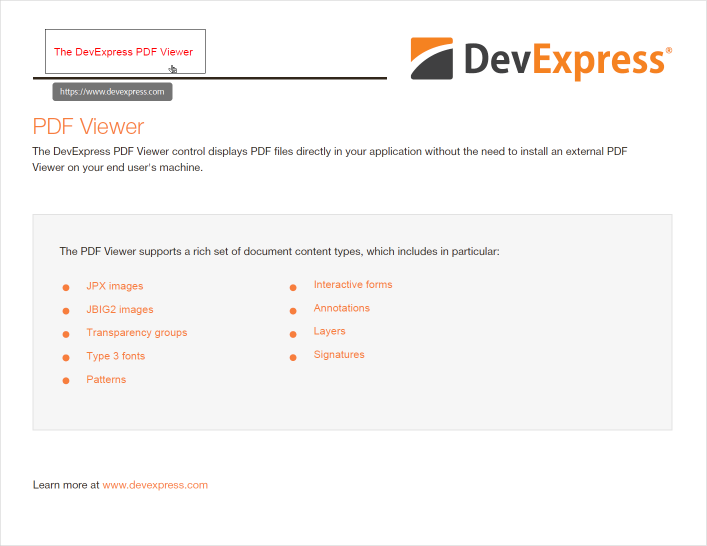
FileStream fs = File.OpenRead("Demo.pdf");
var options = new LoadOptions();
PdfDocument document = new PdfDocument(fs, options);
Page page = document.Pages[0];

RectangleF textRect = new RectangleF(50,530,180,50);
page.Fragments.Add(new TextFragment {
    Text = "The DevExpress PDF Viewer",
    Location = new PointF(60, 550),
    Font = new TextFont("Arial", TextFontStyle.Regular),
    ForegroundFill = new SolidFill(PdfColor.Red)
});

LinkAnnotation linkAnnotation = new(textRect) {
    Action = new UriAction { Uri = "https://www.devexpress.com" },
    HighlightingMode = AnnotationHighlightingMode.Invert
};

page.Annotations.Add(linkAnnotation);

document.Save(new FileStream("Demo2.pdf", FileMode.Create, FileAccess.Write));
Attach a Link Annotation to Existing Text
To attach a link annotation to existing text, call the PdfDocument.FindText method, retrieve the bounding rectangle, and pass it to the LinkAnnotation constructor.
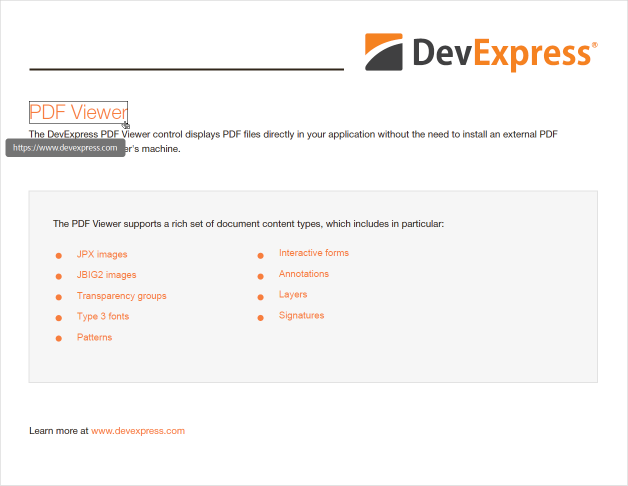
using System.Drawing;
using System.IO;
using System.Linq;
using DevExpress.Docs.Pdf;

using FileStream inputStream = File.OpenRead("Document.pdf");
using PdfDocument document = new PdfDocument(inputStream);
Page page = document.Pages[0];

var searchResults = document.FindText("PDF Viewer", 0, 0).ToArray();
RectangleF textRect = searchResults[0].Groups[0].Matches[0].MatchFragment.Rectangle.BoundingBox;

LinkAnnotation linkAnnotation = new LinkAnnotation(textRect) {
    ActionTarget = new ActionTarget(new UriAction { Uri = "https://www.devexpress.com" }),
    HighlightingMode = AnnotationHighlightingMode.Invert
};
page.Annotations.Add(linkAnnotation);

Directory.CreateDirectory("output");
using FileStream outputStream = File.Create(Path.Combine("output", "Document.pdf"));
document.Save(outputStream);
Create a Link to the Specific Page
Assign a GoToAction to the Action property. Use a FitDestination instance to specify the target page in the same document.
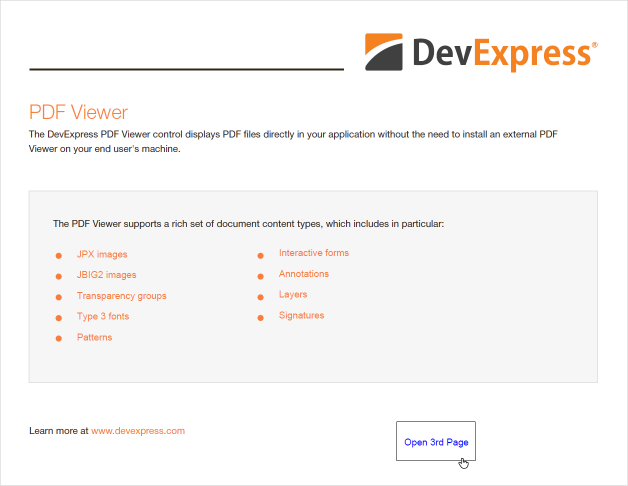
using System.Drawing;
using System.IO;
using DevExpress.Docs.Pdf;

using FileStream inputStream = File.OpenRead("Document.pdf");
using PdfDocument document = new PdfDocument(inputStream);
Page page = document.Pages[0];

RectangleF textRect = new RectangleF(500, 30, 100, 50);
page.Fragments.Add(new TextFragment {
    Text = "Open 3rd Page",
    Location = new PointF(510, 50),
    Font = new TextFont("Arial", TextFontStyle.Regular),
    ForegroundFill = new SolidFill(PdfColor.Blue)
});

LinkAnnotation linkAnnotation = new LinkAnnotation(textRect) {
    ActionTarget = new ActionTarget(new GoToAction {
        Destination = new FitDestination(),
        Page = document.Pages[2]
    }),
    HighlightingMode = AnnotationHighlightingMode.Push
};
page.Annotations.Add(linkAnnotation);

Directory.CreateDirectory("output");
using FileStream outputStream = File.Create(Path.Combine("output", "Document.pdf"));
document.Save(outputStream);
Create a Link to Another PDF Document
Assign a RemoteGoToAction to the Action property to navigate to a page in a different PDF file. Set FileSpecification.FileName to the target file and OpenInNewWindow to true to display the file in a new window.
using System.Drawing;
using System.IO;
using DevExpress.Docs.Pdf;

using FileStream inputStream = File.OpenRead("Document.pdf");
using PdfDocument document = new PdfDocument(inputStream);
Page page = document.Pages[0];

RectangleF textRect = new RectangleF(500, 30, 100, 50);
page.Fragments.Add(new TextFragment {
    Text = "Open Invoice",
    Location = new PointF(510, 50),
    Font = new TextFont("Arial", TextFontStyle.Regular),
    ForegroundFill = new SolidFill(PdfColor.Blue)
});

LinkAnnotation linkAnnotation = new LinkAnnotation(textRect) {
    ActionTarget = new ActionTarget(new RemoteGoToAction {
        Destination = new FitDestination(),
        PageIndex = 1,
        FileSpecification = new FileSpecification { FileName = "Invoice.pdf" },
        OpenInNewWindow = true
    }),
    HighlightingMode = AnnotationHighlightingMode.Push
};
page.Annotations.Add(linkAnnotation);

Directory.CreateDirectory("output");
using FileStream outputStream = File.Create(Path.Combine("output", "Document.pdf"));
document.Save(outputStream);