File Attachment Properties
- 3 minutes to read
XAF can display the File Data or PDF Viewer property editor for properties that hold file data. These properties must use a type that implements the IFileData interface. For instance, XAF’s built-in FileData type.
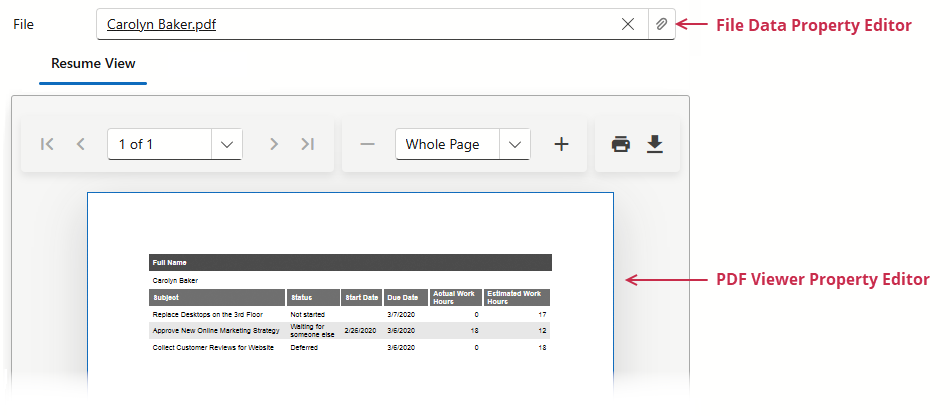
- File Data Property Editor (ASP.NET Core Blazor, WinForms)
- Enable the File Attachments module to display objects that implement the
IFileDatainterface in the File Data Property Editor. The following lessons contain a detailed explanation on how to use the File Attachments module: Attach files to objects. - PDF Viewer Property Editor (ASP.NET Core Blazor, WinForms)
- Enable the Office Module and assign
PdfViewerPropertyEditorto a file data property to display PDF files in the PDF Viewer. Refer to the following topic for additional details: Use PDF Documents in Business Objects.
using DevExpress.ExpressApp.Editors;
using DevExpress.Persistent.Base;
using DevExpress.Persistent.BaseImpl.EF;

namespace MainDemo.Module.BusinessObjects;

[DefaultClassOptions]
public class Resume : BaseObject {
    // ...
    [FileTypeFilter("pdf-only", "PDF file", "*.pdf")]
    public virtual FileData File { get; set; }
    [EditorAlias(EditorAliases.PdfViewerPropertyEditor)]
    public FileData ResumeView => File;
}
Tip
Try out File Data editor and PDF Viewer in the MainDemo.NET.EFCore demo application installed as part of the XAF package (see Resume objects). The default application location is %PUBLIC%\Documents\DevExpress Demos 25.1\Components\XAF\MainDemo.NET.EFCore.
ASP.NET Core Blazor
DxFileDataPropertyEditor
DxFileDataPropertyEditor displays the property’s value as a hyperlinked file name. A user can click the link to download the file. The Detail View displays the Select File and Clear buttons. A user should save changes after a file upload to display a link instead of a plain text file name. The editor displays upload progress.
Customize Maximum File Size and Allowed File Types
The following code snippet changes the uploaded file’s maximum size and specifies the allowed file types.
File: MySolution.Blazor.Server\Controllers\CustomizeFileSizeController.cs
using DevExpress.ExpressApp.FileAttachments.Blazor.Editors;
using DevExpress.ExpressApp;
using MySolution.Module.BusinessObjects;

namespace MySolution.Blazor.Server.Controllers;
public class CustomizeFileSizeController : ObjectViewController<DetailView, Resume> {
    protected override void OnActivated() {
        View.CustomizeViewItemControl<DxFileDataPropertyEditor>(this, editor => {
            editor.ComponentModel.AcceptedFileTypes = [".jpg", ".gif"];
            editor.ComponentModel.MaxFileSize = 1024 * 512;
        });
    }
}
PdfViewerPropertyEditor
DevExpress.ExpressApp.Office.Blazor.Editors.PdfViewerPropertyEditor displays PDF documents in a PDF Viewer property editor.
WinForms
Each WinForms Property Editor has a control that displays the corresponding property in a Detail View, and a repository item that displays the property in a List Editor that supports in-place editing.
FileDataPropertyEditor
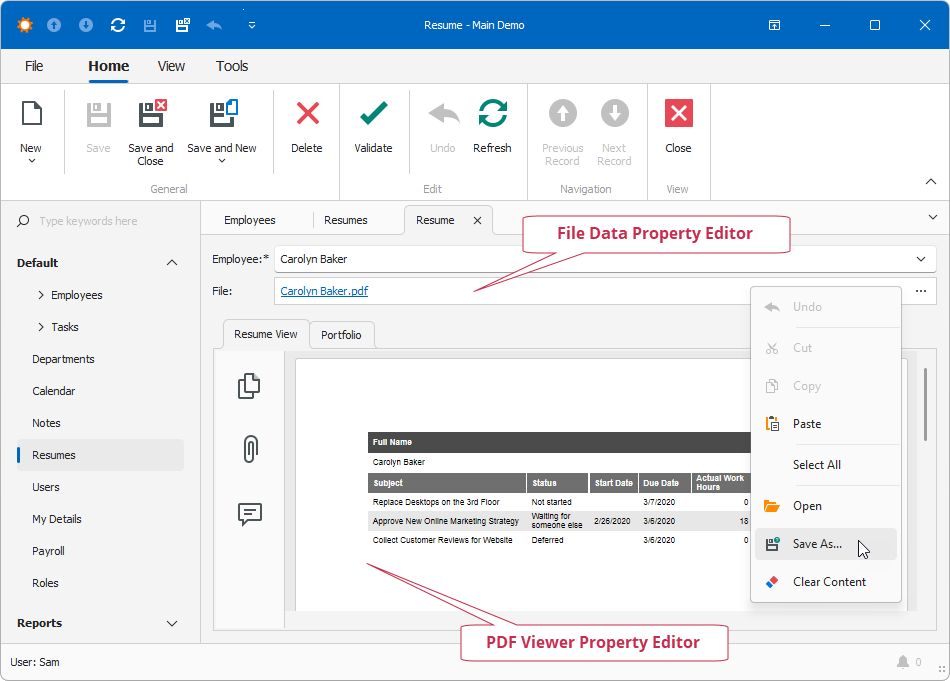
The editor allows a user to perform the Open, SaveTo, and ClearContent Actions that FileAttachmentController contains. Use the editor’s context menu to execute these Actions. You can also click the editor’s ellipsis button or press Enter to execute the Open Action.
- Control
- FileDataEdit - a ButtonEdit descendant. The editor uses OpenFileDialog to attach a file.
- Repository Item
- RepositoryItemFileDataEdit - a RepositoryItemButtonEdit descendant.
PdfViewerPropertyEditor
DevExpress.ExpressApp.Office.Win.PdfViewerPropertyEditor displays PDF documents in a PDF Viewer property editor.