Use PDF Documents in Business Objects
- 2 minutes to read
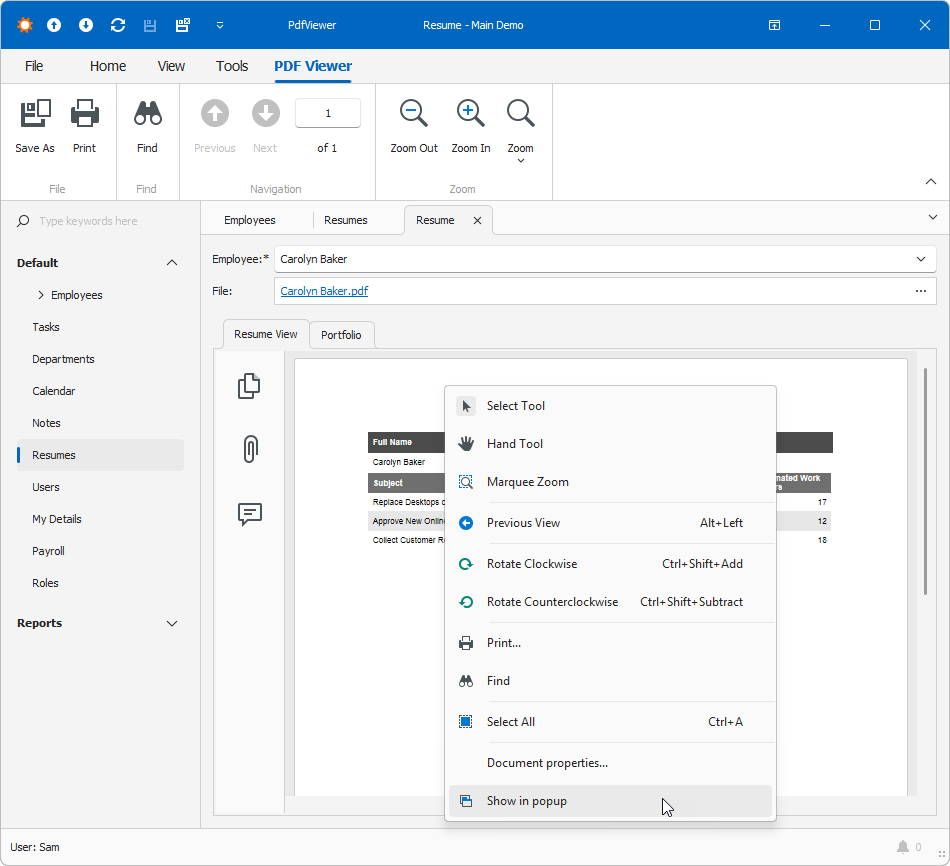
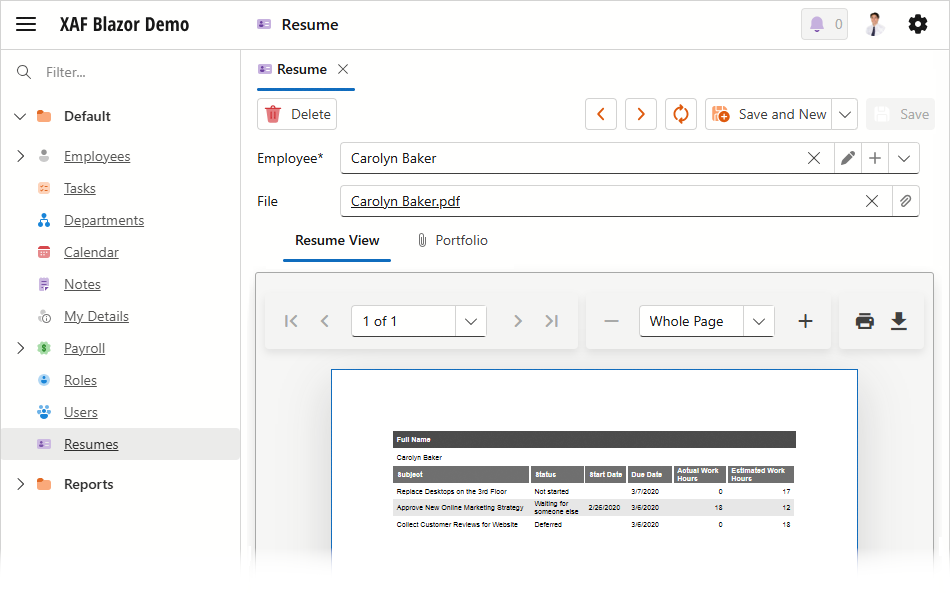
Blazor and WinForms XAF applications allow you to display PDF documents in a PDF Viewer property editor. The editor can display PDF documents stored in properties of the following types:
- Byte array
- Types that implement the IFileData interface
Note
WinForms PDF Viewer saves documents in database as IFileData or byte[].
Tip
Try out the PDF Viewer in the MainDemo.NET.EFCore demo application installed as part of the XAF package. The default application location is %PUBLIC%\Documents\DevExpress Demos 26.1\Components\XAF\MainDemo.NET.EFCore.
Tip
Enable AI Module in your XAF application to support AI Assistant extension in PDF Viewer in you XAF WinForms application. For more information, refer to the following help topic: AI Assistant Extensions in Memo and Rich Text Editors.
You can add the PDF Viewer to your application as follows:
- Enable the Office Module.
- Assign
PdfViewerPropertyEditorto a file data property in code or in the Model Editor (MySolution.Blazor.Server\Model.xafml (for Blazor) or MySolution.Win\Model.xafml (for WinForms)).
Assign the PDF Viewer Property Editor to a Property in Code
Decorate a business class property with the EditorAliasAttribute and pass the PdfViewerPropertyEditor value as the attribute parameter:
using DevExpress.ExpressApp.Editors;
using DevExpress.Persistent.Base;
using DevExpress.Persistent.BaseImpl.EF;
// ...
[EditorAlias(EditorAliases.PdfViewerPropertyEditor)]
public virtual byte[] Data { get; set; }
Assign the PDF Viewer Property Editor to a Property in the Model Editor
- Double-click the corresponding Model.xafml file to start the Model Editor:
- MySolution.Blazor.Server\Model.xafml (for Blazor)
- MySolution.Win\Model.xafml (for WinForms)
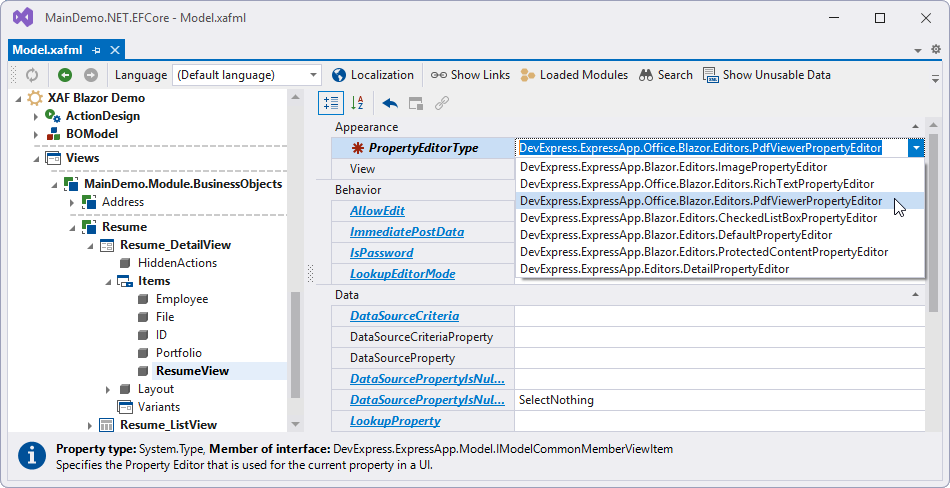
- Navigate to the following node: Views | {AppName}.Module.BusinessObjects | {ObjectType} | {ObjectType}_DetailView | Items | {Property Name}.
Set the PropertyEditorType property to one of the following values:
DevExpress.ExpressApp.Office.Blazor.Editors.PdfViewerPropertyEditor(for Blazor)DevExpress.ExpressApp.Office.Win.PdfViewerPropertyEditor(for WinForms)
Display the Document in a Separate Window (WinForms)
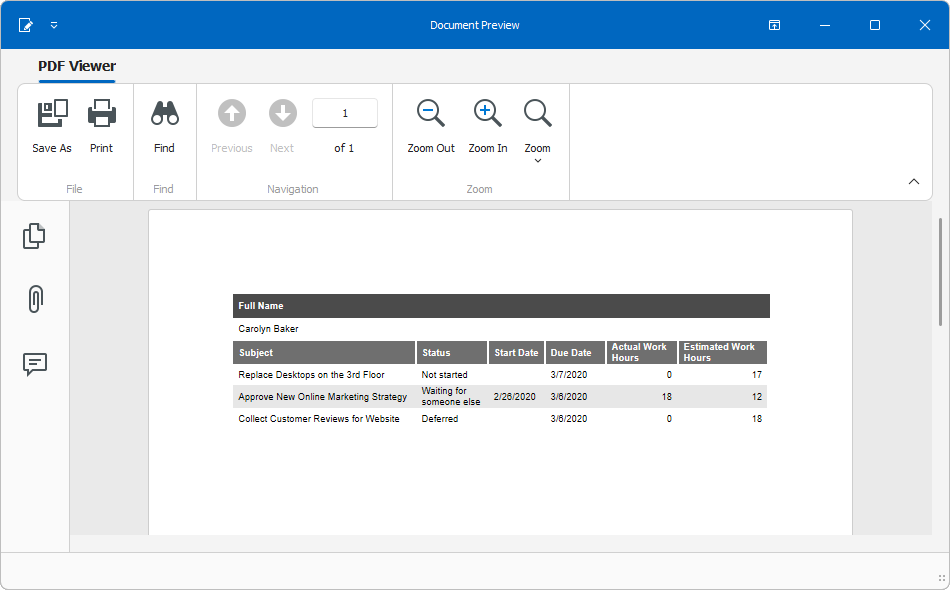
In WinForms applications, you select the Show in popup context menu command to open the document in a new popup window.