AIReportPromptCollection Class
A collection of predefined prompts displayed in the Report Wizard.
Namespace: DevExpress.AIIntegration.Reporting
Assembly: DevExpress.AIIntegration.Reporting.Common.v26.1.dll
NuGet Package: DevExpress.AIIntegration.Reporting.Common
Declaration
Remarks
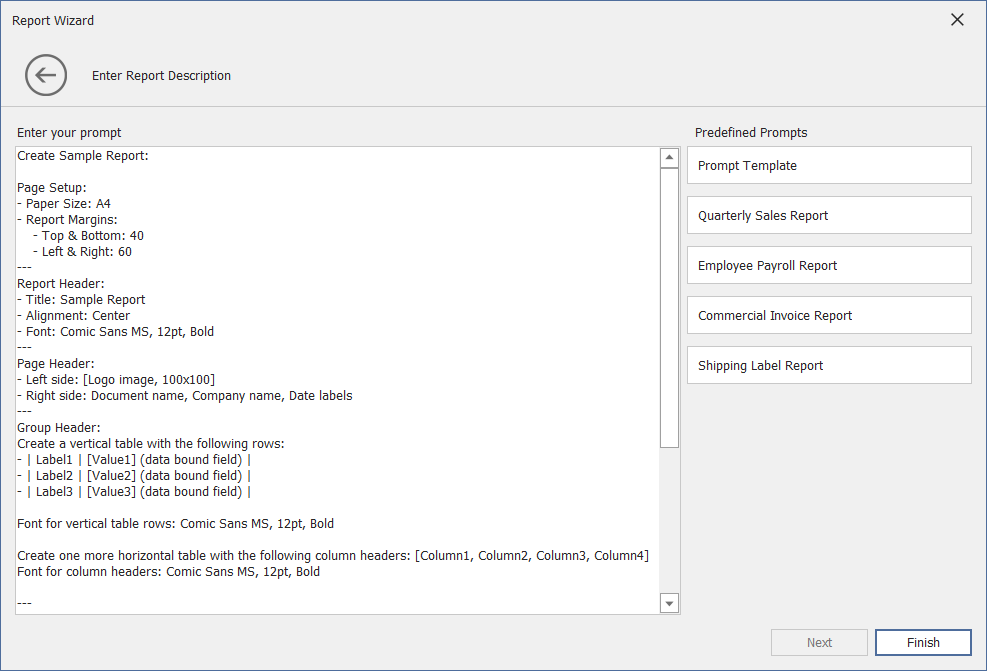
Built-in DevExpress prompt suggestions are included with Prompt-to-Report. You can also create your own predefined prompts. Predefined prompts are stored in AIReportPromptCollection and automatically appear in the Report Wizard after you register WinForms.Reporting.ReportPromptToReportBehavior or Wpf.Reporting.ReportPromptToReportBehavior.
Modify Existing Prompts
To change built-in DevExpress prompts, call the AIReportPromptCollection.GetDefaultReportPrompts() method and access the prompt. Modify prompt Text and Title.
WinForms
using DevExpress.AIIntegration.WinForms.Reporting;
// ...
public partial class Form1 : Form {
    public Form1() {
        InitializeComponent();
        behaviorManager1.Attach<ReportPromptToReportBehavior>(reportDesigner1, behavior => {
          var collection = AIReportPromptCollection.GetDefaultReportPrompts();
          collection[0].Title = "My Changed Prompt";
          behavior.Properties.PredefinedPrompts = collection;
        });
    }
}
WPF
Code-Behind:
using DevExpress.AIIntegration.Wpf.Reporting;
using DevExpress.Mvvm.UI.Interactivity;

public partial class MainWindow : Window {
    public MainWindow() {
        InitializeComponent();
        ReportPromptToReportBehavior reportBehavior = new ReportPromptToReportBehavior();
        var collection = AIReportPromptCollection.GetDefaultReportPrompts();
        collection[0].Title = "My Changed Prompt";
        reportBehavior.PredefinedPrompts = collection;
        Interaction.GetBehaviors(designer).Add(reportBehavior);
    }
}
Add a New Prompt
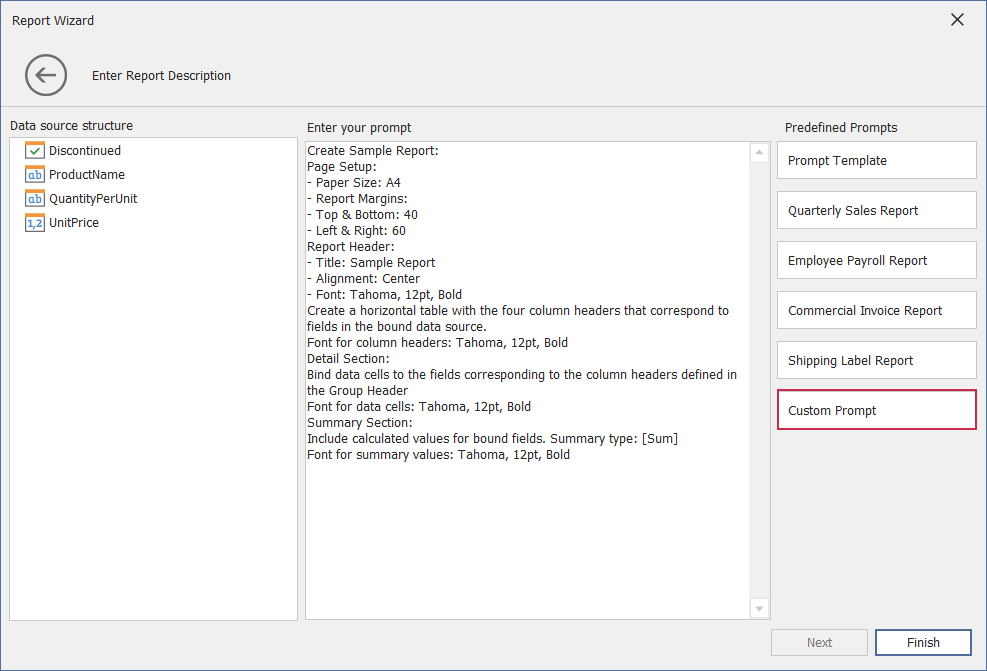
The following code snippet obtains built-in DevExpress prompts from AIReportPromptCollection, creates a custom prompt (an AIReportPrompt object), and adds this prompt to the collection. The collection is assigned to the ReportPromptToReportBehaviorProperties.PredefinedPrompts or ReportPromptToReportBehavior.PredefinedPrompts property.
WinForms
using DevExpress.AIIntegration.WinForms.Reporting;
// ...
public partial class Form1 : Form {
    public Form1() {
        behaviorManager1.Attach<ReportPromptToReportBehavior>(reportDesigner1, behavior => {
            // Obtain built-in DevExpress prompts from the collection.
            var collection = AIReportPromptCollection.GetDefaultReportPrompts();
            // Create a custom prompt.
            AIReportPrompt customPrompt = new AIReportPrompt();
            customPrompt.Title = "Custom Prompt";
            customPrompt.Text = "Custom Prompt Text";
            // Add this prompt to the collection.
            collection.Add(customPrompt);
            // Display Prompts in the Report Wizard.
            behavior.Properties.PredefinedPrompts = collection;
        });
    }
}
The following image illustrates the result:
WPF
Markup:
xmlns:dxrud="http://schemas.devexpress.com/winfx/2008/xaml/reports/userdesigner"
xmlns:dxai="http://schemas.devexpress.com/winfx/2008/xaml/ai"
xmlns:dxmvvm="http://schemas.devexpress.com/winfx/2008/xaml/mvvm"
xmlns:reporting="clr-namespace:DevExpress.AIIntegration.Reporting;assembly=DevExpress.AIIntegration.Reporting.Common.v26.1"
...
<dxrud:ReportDesigner x:Name="designer">
    <dxmvvm:Interaction.Behaviors>
        <dxai:ReportPromptToReportBehavior FixLayoutErrors="true">
        <dxai:ReportPromptToReportBehavior.PredefinedPrompts>
            <reporting:AIReportPrompt Title="Custom Prompt" Text="Custom Prompt Text" />
        </dxai:ReportPromptToReportBehavior.PredefinedPrompts>
        </dxai:ReportPromptToReportBehavior>
    </dxmvvm:Interaction.Behaviors>
</dxrud:ReportDesigner>
Code-Behind:
using DevExpress.AIIntegration.Wpf.Reporting;
using DevExpress.Mvvm.UI.Interactivity;
using DevExpress.AIIntegration.Reporting;

public partial class MainWindow : Window {
    public MainWindow() {
        InitializeComponent();
        ReportPromptToReportBehavior reportBehavior = new ReportPromptToReportBehavior();
        reportBehavior.FixLayoutErrors = true;
        // Obtain built-in DevExpress prompts from the collection.
        var collection = AIReportPromptCollection.GetDefaultReportPrompts();
        // Create a custom prompt.
        AIReportPrompt customPrompt = new AIReportPrompt();
        customPrompt.Title = "Custom Prompt";
        customPrompt.Text = "Custom Prompt Text";
        // Add this prompt to the collection.
        collection.Add(customPrompt);
        // Display Prompts in the Report Wizard.
        reportBehavior.PredefinedPrompts = collection;
        Interaction.GetBehaviors(designer).Add(reportBehavior);
    }
}
After you add a custom prompt to the collection, it appears in the Report Wizard:
