v26.1 Release Notes
- 7 minutes to read
Tip
Visit our website to explore new features/capabilities available across the entire DevExpress product line: What’s New in our Latest Update.
Security Enhancements
We expanded internal security diagnostics (including custom analyzers) across engineering workflows.
WinForms Localization
Simplified Resource Setup
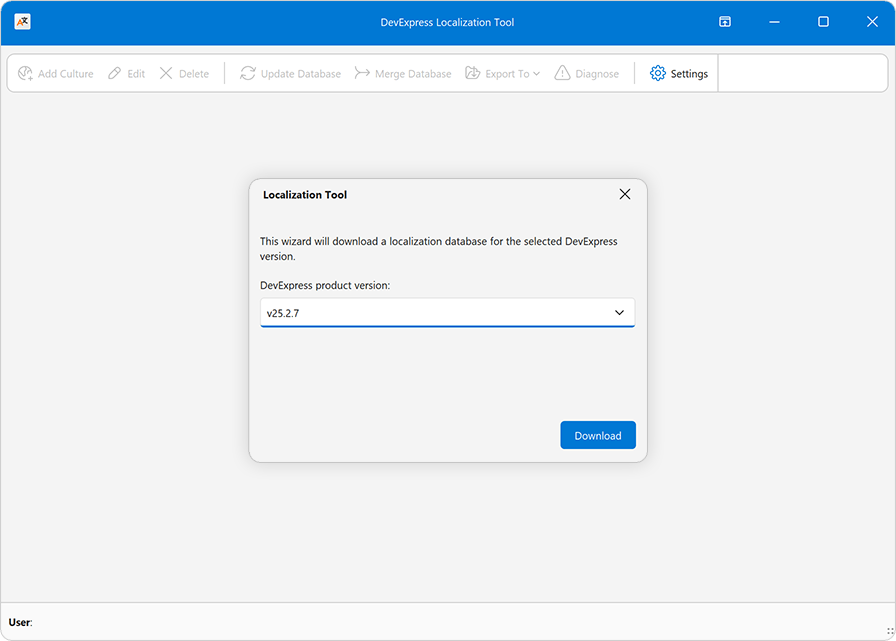
We simplified initial setup for the DevExpress Localization Tool.
When you launch the tool for the first time, our Localization Tool downloads required localization resources from our GitHub repo and configures source, import, and export paths automatically.
Simplified Resource Filter
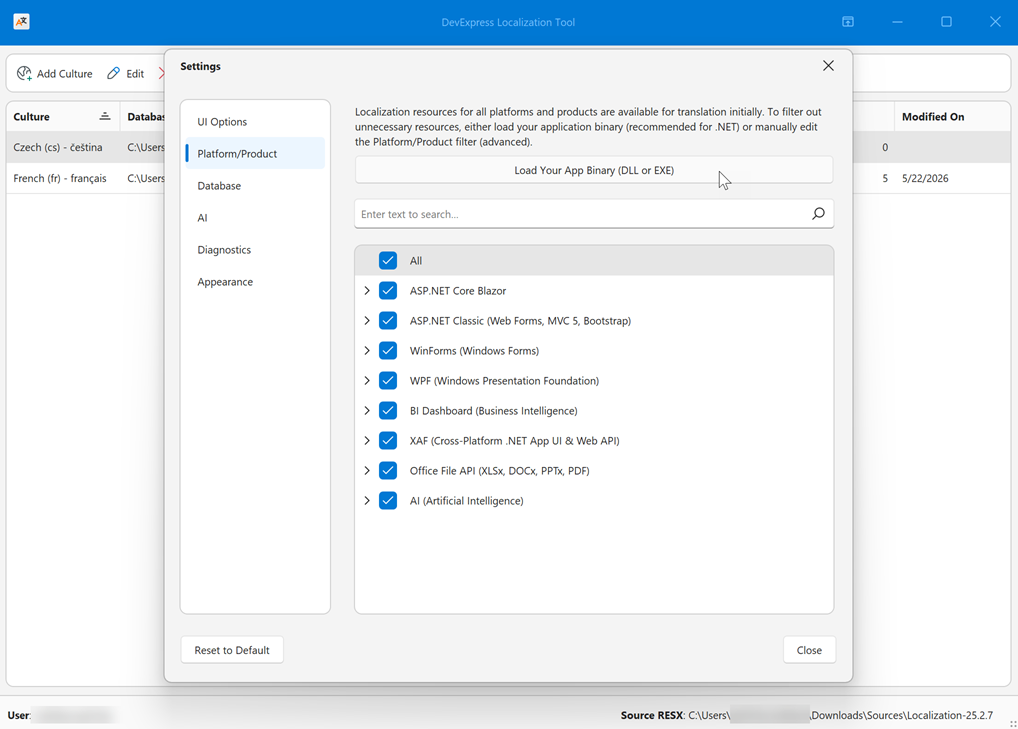
We also simplified localization resource selection - required resources are now auto-selected based on your application DLL or EXE.
Localization resources for all supported platforms/products are available for translation. To filter unnecessary resources, either load your application binary (recommended for .NET) or manually edit the Platform/Product filter (advanced). You can fine tune this filter later via Settings > Platform/Product, Edit Culture, and Export To > Merged RESX menu options.
This automatic filter configuration saves you time and translation resources (no unnecessary strings and no low-level product knowledge).
WinForms AI Chat
AI Agent Integration
The DevExpress WinForms AI Chat Control ships with a new IChatResponseProvider abstraction layer. This layer decouples the UI from AI services and allows you to bind the AI Chat Control to different AI backends, including:
IChatClient,AIAgentimplementations- OpenAI Responses API
- Azure AI Projects
- Microsoft Agent Framework (including agents and workflows)
- Custom
IChatResponseProviderimplementations
Prerequisites
Install the following NuGet packages to begin:
DevExpress.AIIntegration.AgentsDevExpress.AIIntegration.WinFormsDevExpress.AIIntegration.WinForms.ChatMicrosoft.Agents.AI.OpenAI (1.0.0-rc1)Microsoft.Extensions.AI.OpenAI (10.4.0)
Agent API Demos
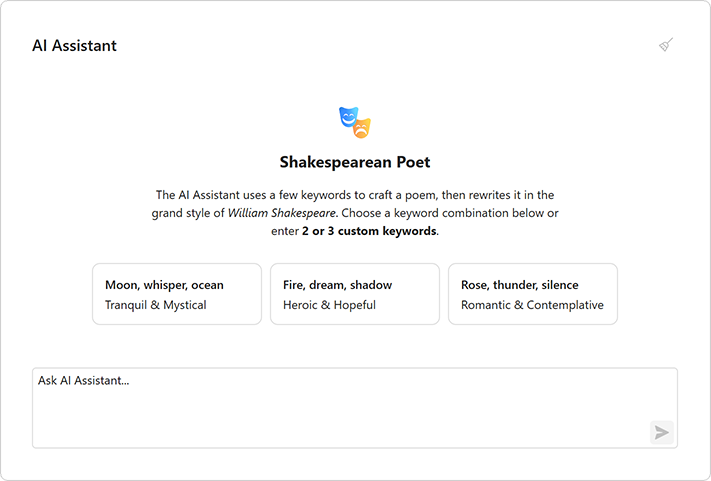
Our Demo Center includes new examples that demonstrate real-world AI agent usage scenarios and integration patterns with the DevExpress WinForms AI Chat Control.
- AI Agent with Tool Calling
Creates a simple AI agent with a set of built-in utility tools.
- Workflow as Agent
Wraps a multi-step workflow behind the
IChatResponseProviderabstraction and exposes it as a chat client.- <!– Group Chat Workflow with Tool Calling Approval
Implements a multi-agent workflow with “Content Reviewer” and “Publisher” agents. Demonstrates human-in-the-loop control.
- <!– Responses API with Reasoning
Connects the AI Chat Control to a reasoning-capable model that processes tasks step by step.
- Workflow with Execution Steps
Implements a deterministic workflow without AI model calls.
- Stream Workflow Responses
Streams intermediate results from a multi-step workflow.
- AG-UI Integration
Connects the AI Chat Control to an external agent server via the AG-UI protocol.
Chat Fluent UI
Our updated Chat UI aligns with modern Fluent design standards.
Enhancements include:
- Simplified layout
- Updated typography
- Refined spacing

Customize Chat Input Placeholder
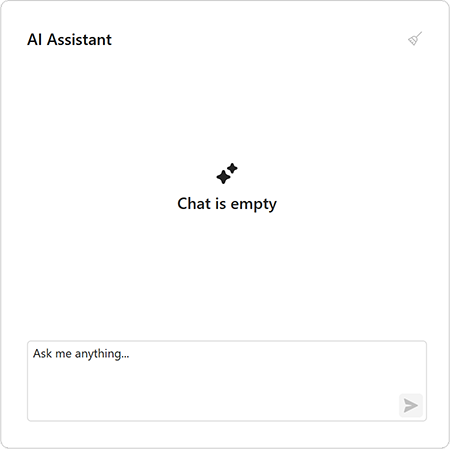
Use the AIChatControl.InputBoxNullText property to specify placeholder text in the input box:
aiChatControl1.InputBoxNullText = "Ask me anything...";
API Enhancements
We updated message processing APIs and refined naming for consistency.
The MessageSending event replaces MessageSent and includes an e.Cancel parameter. Handle this event to process input before it is added to chat history and sent to the AI service. Set e.Cancel to true to prevent automatic send operations.
async void AiChatControl1_MessageSending(object sender, AIChatControlMessageSendingEventArgs e) {
    // Add a message to chat history without sending it to the AI service.
    await e.Chat.AppendMessageAsync("Translate text to Spanish", ChatRole.System);
}
Accessibility Enhancements
Spreadsheet Control — Screen Reader Support
Spreadsheet documents are now accessible to screen readers (Narrator, NVDA). You can navigate through document sheets, rows, columns, and cells. Readers can pronounce all worksheet headings, cell text, comments, text boxes, and alt text for images, charts, and other drawing objects.
PDF/UA-2 Format Support
Our PDF export engine now supports the PDF/UA-2 format (for enhanced accessibility compliance). You can specify PDF/UA-2 conformance for exported documents to meet the latest accessibility standards. The new PDF/UA-2 option is available for the following products:
- WinForms Rich Text Editor
- WinForms Spreadsheet Control
Set the PdfExportOptions.PdfUACompatibility property to PdfUA2 to specify PDF/UA-2 conformance for exported documents.
WinForms Template Kit
Visual Basic Support
The DevExpress Template Kit now supports Visual Basic. You can create DevExpress-powered WinForms applications in VB.NET alongside C# templates.
Updated Template Appearance
We updated our WinForms project templates. Most templates now use the WXI skin and include Rounded Skin Panels.
Updated templates include:
- Application Builder
- Grid-based Application
- Ribbon-Based Application
- Report Viewer Application
- Outlook-Inspired Application
- Spreadsheet Application
- Word Processing Application
- Scheduling Application
- Blazor Hybrid WinForms Application
- HTML Hybrid WinForms Application
- Modular Application
DateTimeOffset Support
Criteria Operators
DateTimeOffset support is part of our 2026 roadmap. v26.1 adds support to the core criteria engine and date/time CriteriaOperator functions. v26.2 will add support to DevExpress data-aware controls.
New function groups include:
- Current date/time functions (
LocalDateTimeToday,LocalDateTimeNow,LocalDateTimeThisMonth, etc.) - Outlook-style interval functions (
IsOutlookIntervalToday,IsOutlookIntervalTomorrow, etc.) - Time-frame functions (
IsThisYear,IsYearToDate, etc.) - Comparison functions (
IsSameDay,IsSameHour, etc.) - Date difference functions (
DateDiffDay,DateDiffMonth, etc.) - Date component functions (
GetDate,GetMonth,GetOffset, etc.) - Intraday functions (
BeforeMidday,AfterMidday, etc.) - Date arithmetic functions (
AddDays,AddMonths, etc.) - Range functions (
InRange,InDateRange, etc.)
These functions can evaluate values in a client-specified time zone — you do not need to manually convert DateTimeOffset values to local DateTime values.
EF Core Server Mode Support
DateTimeOffset functions are now compatible with EF Core Server Mode (MS SQL Server). The WinForms Data Grid translates filtering and grouping operations to SQL and supports direct binding to DateTimeOffset fields.
DateOnly & TimeOnly Support
WinForms Pivot Grid
The DevExpress WinForms Pivot Grid now supports DateOnly and TimeOnly data types for filtering, grouping, and summary operations within DevExpress-powered .NET applications.
WinForms MemoEdit & MemoExEdit
Auto Hide Scrollbars
DevExpress WinForms MemoEdit and MemoExEdit controls automatically toggle scrollbar visibility based on content size.
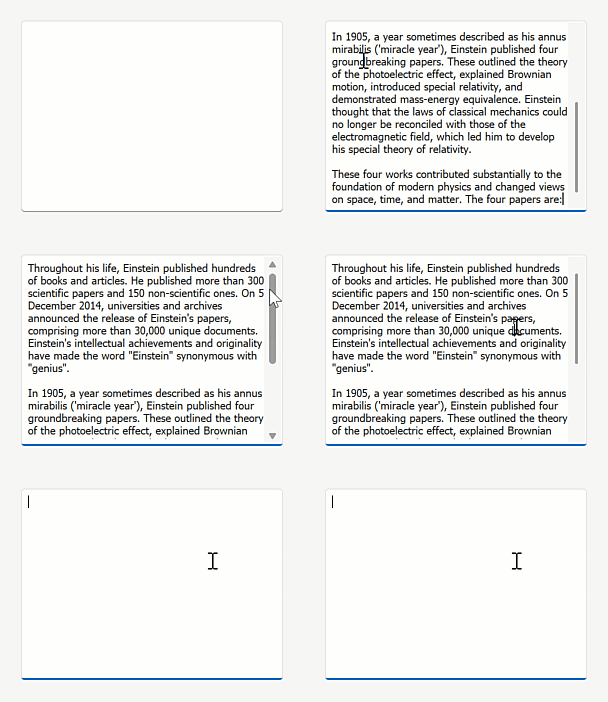
Enable the AutoHideScrollBars option to display scrollbars only when content exceeds the visible area.
memoEdit.Properties.AutoHideScrollBars = DevExpress.Utils.DefaultBoolean.True;
memoEdit.Properties.ScrollBars = ScrollBars.Vertical;
memoEdit.Properties.WordWrap = true;
WXI Skin Enhancements
We updated our WXI skin with the following enhancements:
- Improved control sizing
- Consistent layout across UI elements
- Customizable placeholder text color
- Enhanced text contrast
WinForms Spreadsheet
New Excel Functions
The DevExpress Spreadsheet Control v26.1 supports 6 new dynamic array-based Excel functions:
- XLOOKUP
- XMATCH
- SORT
- SORTBY
- FILTER
- UNIQUE
These functions simplify common data analysis tasks, reduce the need for complex formulas, and align calculation behaviors more closely with Microsoft Excel. To insert and evaluate new functions, assign a formula to the CellRange.DynamicArrayFormula property and call the Workbook.Evaluate method.
using DevExpress.Spreadsheet;

// Use XLOOKUP to find product "P1003" by ID and return associated row data.
Worksheet worksheet = spreadsheet.Document.Worksheets.ActiveWorksheet;
worksheet.Import(new object[,] {
    {"Product ID", "Product Name", "Category", "Price" },
    {"P1001", "Wireless Mouse", "Accessories", 25.99 },
    {"P1002", "USB-C Hub", "Accessories", 45.00 },
    {"P1003", "27'' Monitor", "Displays", 299.99 },
}, 0, 0);

worksheet["A7"].Value = "Product P1003";
worksheet["A8"].DynamicArrayFormula = @"XLOOKUP(""P1003"", A2:A5, A2:D5)";

workbook.Calculate();
workbook.SaveDocument(new FileStream("result.xlsx", FileMode.Create), DocumentFormat.Xlsx);
Rounded Skin Panel
Runtime Resizing
Our new AllowResize option activates runtime panel resizing.
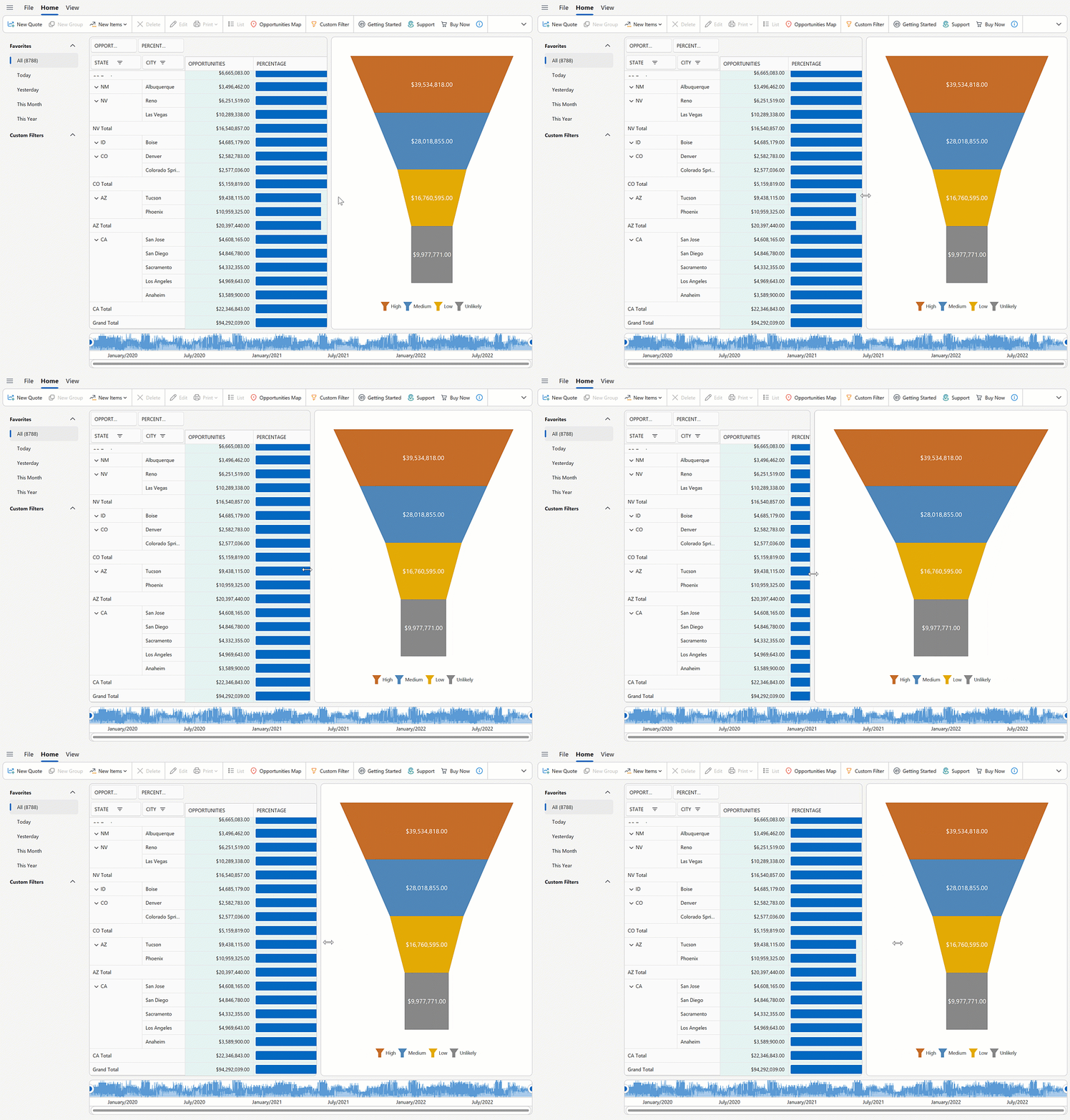
roundedSkinPanel1.Dock = DockStyle.Left;
roundedSkinPanel1.AllowResize = DevExpress.Utils.DefaultBoolean.True;
Monaco-Based Code Editor (Demo)
We created an example that wraps the open source Monaco Editor (v0.55.1). The editor is hosted inside Microsoft WebView2 and exposed through a custom, reusable SyntaxEditor WinForms control.
Note
The WinForms SyntaxEditor control is available as part of the example. It is not included in the DevExpress WinForms UI Control library.
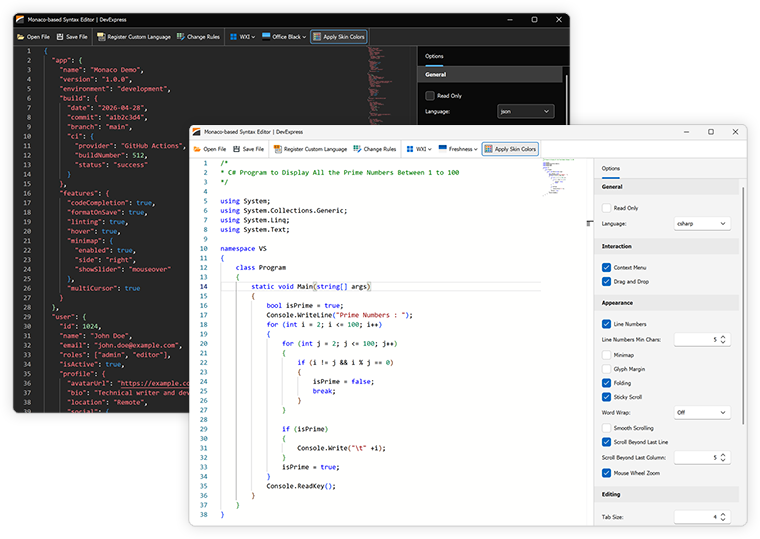
Features include:
- Monaco Editor engine
- WebView2-based hosting with seamless WinForms integration
- 50+ built-in languages (C#, JavaScript, Python, SQL, XML, JSON, and more)
- DevExpress skin integration
- Theme token rule editor
- Configurable editor options (line numbers, minimap, folding, word wrap, sticky scroll, tab size, IntelliSense, scrolling, indentation, and more)
- Read-only mode
- Track changes
- Load/save files
Download 30-Day Trial
With numerous new products and dozens of high-impact features, DevExpress UI components allow you to build your best, without limits or compromise. Download our fully-functional 30-day trial today and experience the DevExpress difference today.
Tip
Your Feedback Matters! Take part in the survey on our website: WinForms Survey.