Hyperlink Column
- 3 minutes to read
A hyperlink column allows you to display hyperlinks in the Grid dashboard item. In code, a hyperlink column is a GridHyperlinkColumn class instance.
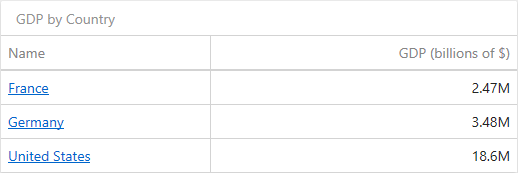
You can display hyperlinks in a separate data column or they can automatically be created at runtime from any column using the specified URI pattern.
In this document, the sample data source contains four fields: country name, official country name, Wikipedia country page’s URI, and the GDP value.

The following sections describe how to create hyperlink columns in greater detail:
Data Field Containing Uri Values
The Grid dashboard item is initially bound to the Name and GDP fields (the dimension and measure columns, respectively).
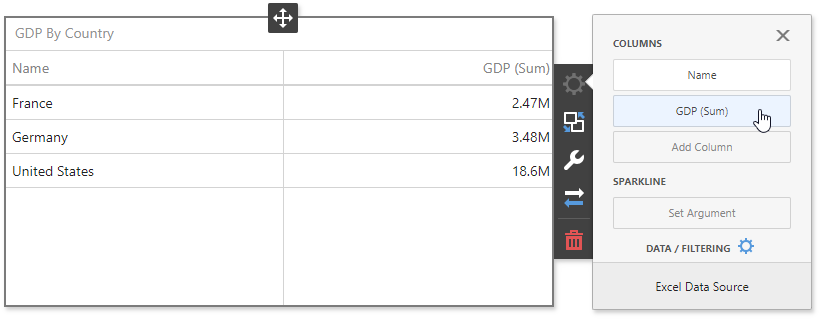
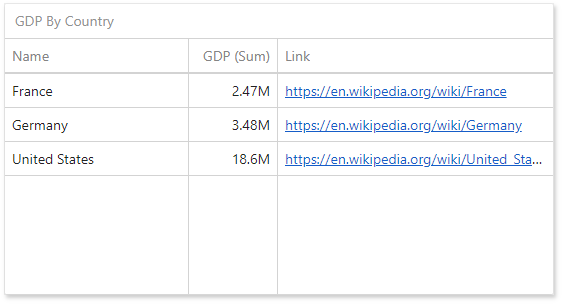
Click the Add Column data item placeholder and bind it to the Link field. The Grid automatically processes this column as the dimension column and displays links as plain text.
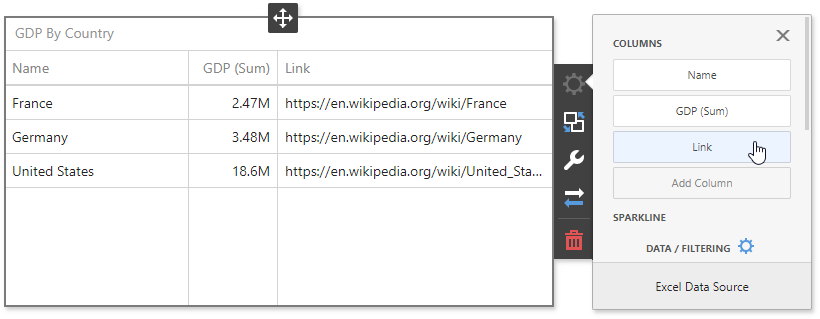
Invoke the column’s menu and change its type to Hyperlink. The Grid displays column values as clickable hyperlinks allowing you to navigate to the Wiki’s pages.
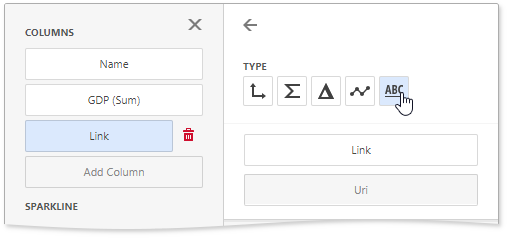
You can bind the Display value and URI value to different data fields. Click the Add Column data item placeholder and change its type to Hyperlink.
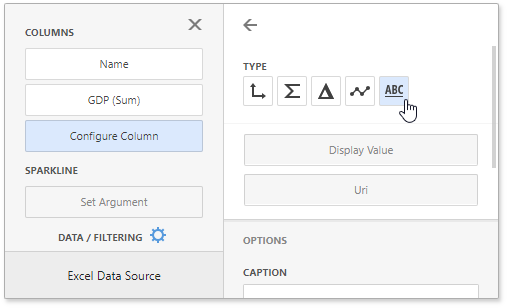
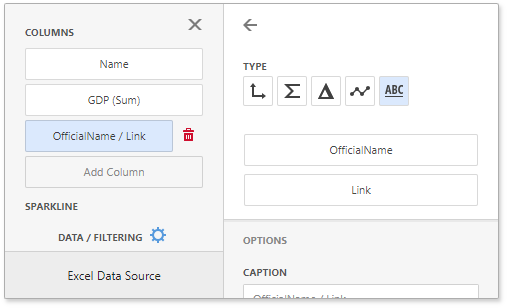
Click the Display Value placeholder and select the OfficialName field to display official names. Click the Uri placeholder and select the Link field to specify URIs.
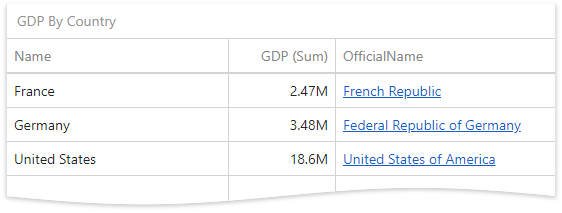
The grid displays official country names with links obtained from the Link data source field.
URI Pattern
In this case, a specified URI pattern is used to generate links. The Grid is bound to the Name and GDP fields in the initial state:
Click the first column (Name) to invoke its menu and change its type to Hyperlink. Specify the URI Pattern option as follows:
https://en.wikipedia.org/wiki/{0}
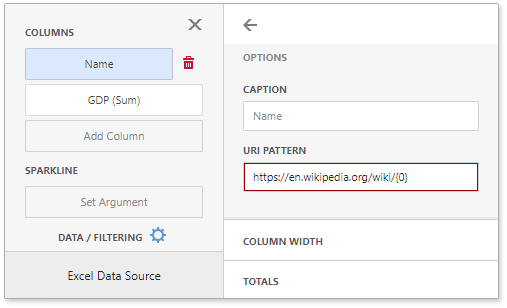
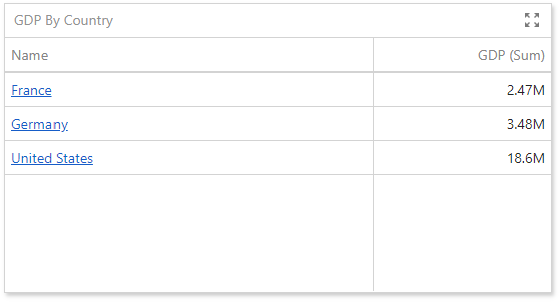
The {0} placeholder is replaced with the Name data item value. The links are generated for country names and displayed in the grid as illustrated in the following image:
The hyperlink column supports relative and absolute URI patterns:
URI Pattern | Description | Example | Link Result |
|---|---|---|---|
Absolute pattern | Generates absolute links to the specified site. |
|
|
Relative pattern | Generates relative links to the current site (server name + URI pattern). |
|
|
URL Validation
DevExpress BI Dashboard automatically validates all URLs in hyperlink columns to protect against security threats such as XSS, SSRF, and phishing attacks.
Only the following URI schemes are allowed by default:
httphttpsmailto
Unsafe schemes such as javascript:, file:, data:, and others are blocked and rendered as plain text.
For additional information on URL validation rules and how to customize validation logic, refer to the following topic: Safe URL Validation.
Custom Property for a Grid HyperLink Column
The following example implements a custom Target property that specifies whether the link is opened in a new window or tab: