DxPivotTableField.AllowedAreas Property
Specifies areas where the field can be displayed.
Namespace: DevExpress.Blazor.PivotTable
Assembly: DevExpress.Blazor.PivotTable.v26.1.dll
NuGet Package: DevExpress.Blazor.PivotTable
Declaration
[DefaultValue(PivotTableAllowedAreas.All)]
[Parameter]
public PivotTableAllowedAreas AllowedAreas { get; set; }
Property Value
| Type | Default | Description |
|---|---|---|
| PivotTableAllowedAreas | All | A PivotTableAllowedAreas enumeration value. |
Available values:
| Name | Description |
|---|---|
| Row | The Row area. |
| Column | The Column area. |
| Filter | The Filter Area. |
| Data | The Data area. |
| All | All areas: Row, Column, Data, Filter. |
Remarks
The Blazor Pivot Table allows users to customize data layout by dragging field headers between areas: Rows, Columns, Data, Filter. This capability helps users view data from different perspectives without the need for code modifications.
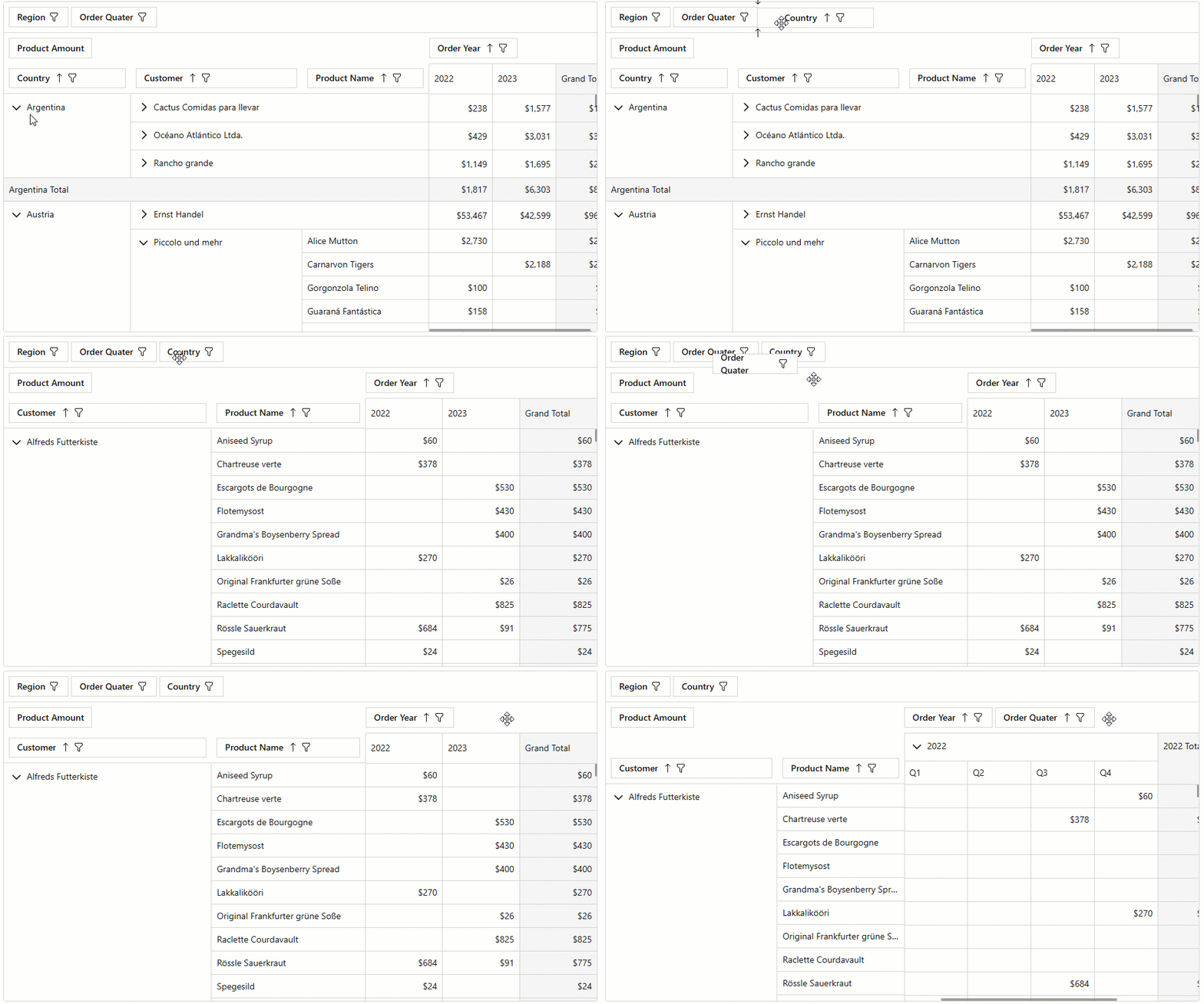
Use the AllowedAreas property to specify areas where a field can be placed if a user drags it.
<DxPivotTable Data="SalesData">
    <Fields>
        <DxPivotTableField Field="@nameof(Sales.SaleInfo.Region)"
                           Area="@PivotTableArea.Row"
                           AreaIndex="0"
                           AllowedAreas="PivotTableAllowedAreas.Row|
                                         PivotTableAllowedAreas.Column|
                                         PivotTableAllowedAreas.Filter" />
        @*...*@
    </Fields>
</DxPivotTable>
Implements
See Also