ReportModifyBehavior Class
Adds a chat with an AI Assistant to make adjustments to a report layout.
Namespace: DevExpress.AIIntegration.WinForms.Reporting
Assembly: DevExpress.AIIntegration.WinForms.Reporting.v26.1.dll
NuGet Package: DevExpress.AIIntegration.WinForms.Reporting
Declaration
Remarks
Important
This functionality is available for .NET 8+.
Use the following code to register a ReportModifyBehavior and attach it to the reportDesigner1 UI component created at design time from the Toolbox:
using DevExpress.AIIntegration.WinForms.Reporting;

public partial class Form1 : Form {
    public Form1() {
        InitializeComponent();
        behaviorManager1.Attach<ReportModifyBehavior>(reportDesigner1, behavior => {
           behavior.Properties.FixLayoutErrors = true;
           behavior.Properties.Temperature = 0.5f;
           behavior.Properties.RetryAttemptCount = 2;
        });
    }
}
The following code registers a ReportModifyBehavior and attaches it to the WinForms Report Designer control (XRDesignMdiController):
using DevExpress.XtraReports.UI;
using DevExpress.AIIntegration.WinForms.Reporting;

public partial class Form1 : Form {
    public Form1() {
        InitializeComponent();
        // Create a new blank report instance or use your report.
        XtraReport report = new XtraReport();

        // Create a ReportDesignTool to configure and display the report in the Report Designer.
        ReportDesignTool designTool = new ReportDesignTool(report);

        // Attach AI-powered behavior to the Report Designer's MDI controller.
        behaviorManager1.Attach<ReportModifyBehavior>(designTool.DesignRibbonForm.DesignMdiController, behavior => {
            // Enable automatic layout error correction in the report.
            behavior.Properties.FixLayoutErrors = true;

            // Set the creativity level of AI suggestions (range: 0 = deterministic, 1 = creative).
            behavior.Properties.Temperature = 0.5f;

            // Define the number of retry attempts for AI operations in case of failure.
            behavior.Properties.RetryAttemptCount = 2;
        });

        // Display the Report Designer with a ribbon UI.
        designTool.ShowRibbonDesigner();
    }
}
Use ReportPromptToReportBehavior.Properties to access the behavior’s settings. The following settings are available:
- ReportModifyBehaviorProperties.FixLayoutErrors
- Specifies whether the designer attempts to fix the report layout when report controls overlap.
- ReportModifyBehaviorProperties.RetryAttemptCount
- Specifies the maximum number of attempts to fix report layout errors in the LLM response. The default value is 3.
- ReportModifyBehaviorProperties.Temperature
- Specifies the balance between creativity and consistency in AI responses.
Once the behavior is registered, the Report Designer interface displays the AI Assistant panel.
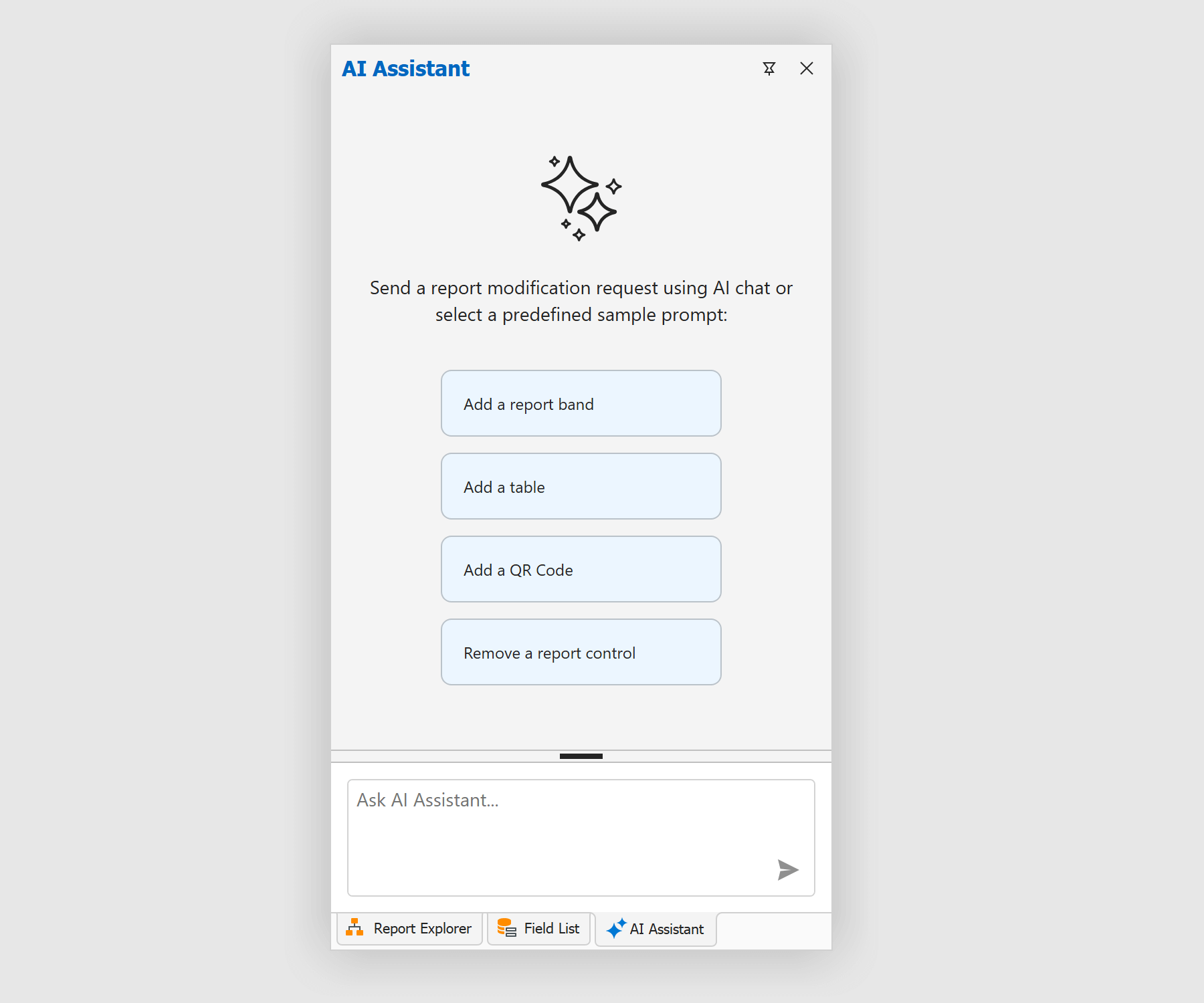
The chat in the AI assistant window allows you to add and modify report elements using natural language.
See the following help topic for additional information: Modify Report Behavior in the WinForms Report Designer (CTP).