Validate User Input
DevExpress Blazor UI components support Blazor form validation. Once a user attempts to submit changes, an edit form can validate user input and mark data editor borders with a colored outline. Red indicates invalid values, while green indicates values that were posted successfully.
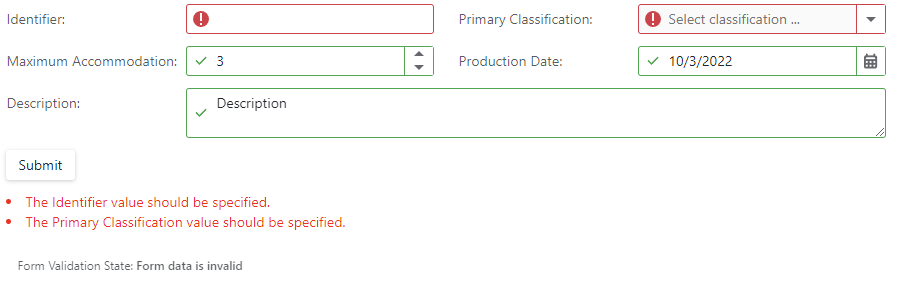
Refer to one of the following help topics for additional information on input validation when using DevExpress Blazor components:
Important
You should not rely on form validation alone to secure your Blazor-powered app. Form validation is designed to improve usability. A threat actor can bypass validation and send malicious data to the server. To minimize security related threats/risks, you must validate user input using multiple strategies.
To minimize risk and security related threats, you should take the following actions (in addition to form validation) in your Blazor app:
Validate data before you save it to a database or use it in any other manner.
Validate inputs and results from JS interop calls.
Specify data integrity conditions at the database level.
To mitigate threats for a Blazor-powered app, refer to the following Microsoft document: Threat mitigation guidance for ASP.NET Core Blazor interactive server-side rendering.