ActionId Variable
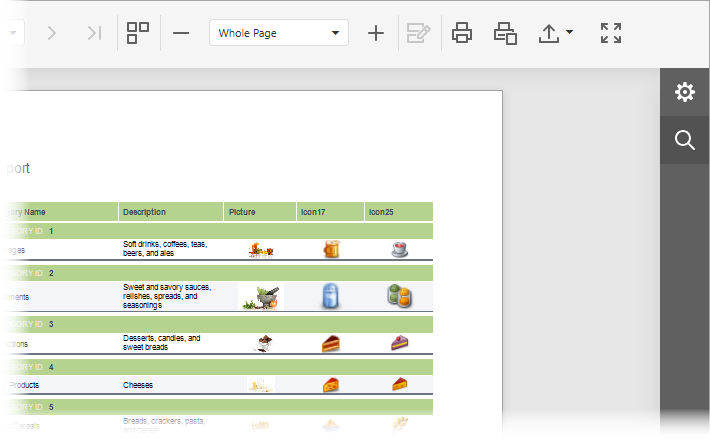
Lists values that identify the Document Viewer toolbar actions.
Declaration
export const ActionId: {
    Design: string;
    FirstPage: string;
    PrevPage: string;
    Pagination: string;
    NextPage: string;
    LastPage: string;
    MultipageToggle: string;
    HighlightEditingFields: string;
    ZoomOut: string;
    ZoomSelector: string;
    ZoomIn: string;
    Print: string;
    PrintPage: string;
    ExportTo: string;
    Search: string;
    ParametersPanel: string;
    DocumentMapPanel: string;
    ExportOptionsPanel: string;
    FullScreen: string;
};
Members
| Name | Type | Description |
|---|---|---|
| Design | string | The Design toolbar button. The button is displayed in the Report Designer Preview and switches the view to the Report Designer. |
| DocumentMapPanel | string | The action that opens and closes the Document Map panel in the Tab Panel. |
| ExportOptionsPanel | string | The action that opens and closes the Export Options panel in the Tab Panel. |
| ExportTo | string | The Export To toolbar button. |
| FirstPage | string | The First Page toolbar button. |
| FullScreen | string | The Full Screen toolbar button. |
| HighlightEditingFields | string | The Highlight Editing Fields toolbar button. |
| LastPage | string | The Last Page toolbar button. |
| MultipageToggle | string | The Toggle Multipage Mode toolbar button. |
| NextPage | string | The Next Page toolbar button. |
| Pagination | string | The drop-down list that navigates to the selected page. |
| ParametersPanel | string | The action that opens and closes the Parameters panel in the Tab Panel. |
| PrevPage | string | The Previous Page toolbar button. |
| string | The Print toolbar button. |
|
| PrintPage | string | The Print Page toolbar button. |
| Search | string | The Search toolbar button and action that opens and closes the Search panel. |
| ZoomIn | string | The Zoom In toolbar button. |
| ZoomOut | string | The Zoom Out toolbar button. |
| ZoomSelector | string | The drop-down list with available zoom factors. |
Remarks
The ActionId members that open panels are used to customize keyboard shortcuts for those actions. Setting the IAction.visible property to false does not hide the corresponding panels from the UI.
The following code snippet hides the Search toolbar button but has no effect on the Search panel:
function onCustomizeMenuActions(s, e) {
    const searchAction = e.GetById(DevExpress.Reporting.Viewer.ActionId.Search);
    if (searchAction)
        searchAction.visible = false;
}
For more information on how to customize the Tab Panel, refer to the following topics: