AIReportingConfigurationBuilder.AddTranslation(Action<AITranslationConfigurationBuilder>) Method
Activates AI-powered content translation functionality in Web Document Viewer and Report Designer Preview.
Namespace: DevExpress.AspNetCore.Reporting
Assembly: DevExpress.AIIntegration.AspNetCore.Reporting.v26.1.dll
NuGet Package: DevExpress.AIIntegration.AspNetCore.Reporting
Declaration
public AIReportingConfigurationBuilder AddTranslation(
    Action<AITranslationConfigurationBuilder> configure
)Parameters
| Name | Type | Description |
|---|---|---|
| configure | Action<AITranslationConfigurationBuilder> | An Action<T> delegate method that allows you to configure AI-powered content translation functionality in Web Document Viewer and Report Designer Preview. |
Returns
| Type | Description |
|---|---|
| AIReportingConfigurationBuilder | An AIReportingConfigurationBuilder object that can be used to further configure the AI-powered functionality in Web Document Viewer and Web Report Designer. |
Remarks
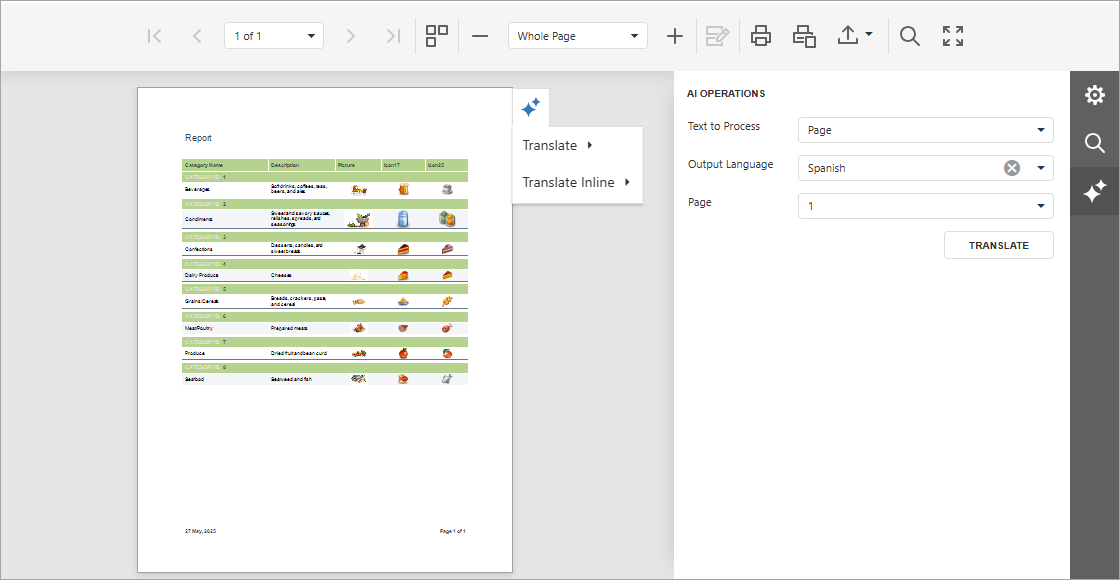
The following code activates the Translate action in the AI Operations tab and Translate and Translate Inline quick actions in an ASP.NET Core application:
// ...
builder.Services.AddDevExpressAI((config) => {
  config.AddWebReportingAIIntegration(cfg =>
      cfg.AddTranslation(translateOptions =>
          translateOptions.SetLanguages(new List<LanguageInfo> {
              new LanguageInfo { Text = "German", Id = "de-DE" },
              new LanguageInfo { Text = "Spanish", Id = "en-ES" }
          })
            .EnableTranslation()
            .EnableInlineTranslation())
      );
});
The following image shows Web Document Viewer with activated AI-powered translation functionality:
Related GitHub Examples
The following code snippet (auto-collected from DevExpress Examples) contains a reference to the AddTranslation(Action<AITranslationConfigurationBuilder>) method.
Note
The algorithm used to collect these code examples remains a work in progress. Accordingly, the links and snippets below may produce inaccurate results. If you encounter an issue with code examples below, please use the feedback form on this page to report the issue.