Get Started with DevExpress Reporting
- 3 minutes to read
If you need to add DevExpress Reporting functionality to an application, you usually need to complete the following basic tasks:
- Design a Report in Visual Studio, Rider or Visual Studio Code
- Integrate a Report into Your Application’s User Interface
- Add a Report to Your Application and Print/Export this Report without Displaying It in the UI
The sections below guide you to the documents that help you get started with these tasks.
Select an IDE to Design a Report
DevExpress Report Designer is available in the following environments:
| IDE | Operating Systems | Supported Project Types | Supported Report Types | Prerequisites |
|---|---|---|---|---|
| Visual Studio Report Designer | Windows | .NET Framework 4.6.2+ .NET 8+ |
CS/VB | Visual Studio 2019 or 2022 DevExpress Visual Studio integration (Unified Component Installer) |
| Visual Studio Code Report Designer (CTP) | Windows macOS Linux |
.NET 8+ | REPX | VS Code DevExpress Reporting VS Code Extension |
| JetBrains Rider Report Designer (CTP) | Windows | .NET Framework 4.7.2+ | CS/VB | JetBrains Rider 2025.3+ DevExpress Report Designer for Rider plugin DevExpress Unified Component Installer |
Note
Reports created in Report Designers across different IDEs are fully compatible. You can load and edit any report in Visual Studio, Rider, or VS Code.
Design a Report in Visual Studio
You can add a DevExpress Report to your application in the same way you add Forms, Pages, Windows, or User Controls. When you add a new item to your project, it appears in the project tree. Open the new item to access the integrated Report Designer.
The designer allows you to create platform-independent reports, preview them, and export to PDF, XLSX, and other formats.
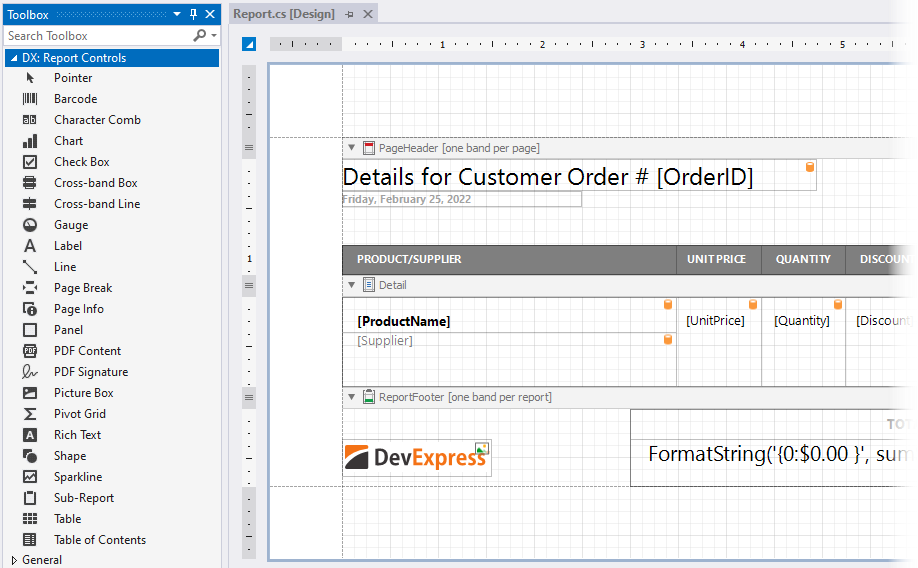
Refer to the following help topic: Create a Report in Visual Studio.
Design a Report in VS Code
Install the IDE extension from Visual Studio Marketplace to create and edit report documents for apps that target any supported operating system (Linux, macOS, or Windows) and any .NET-based platform.
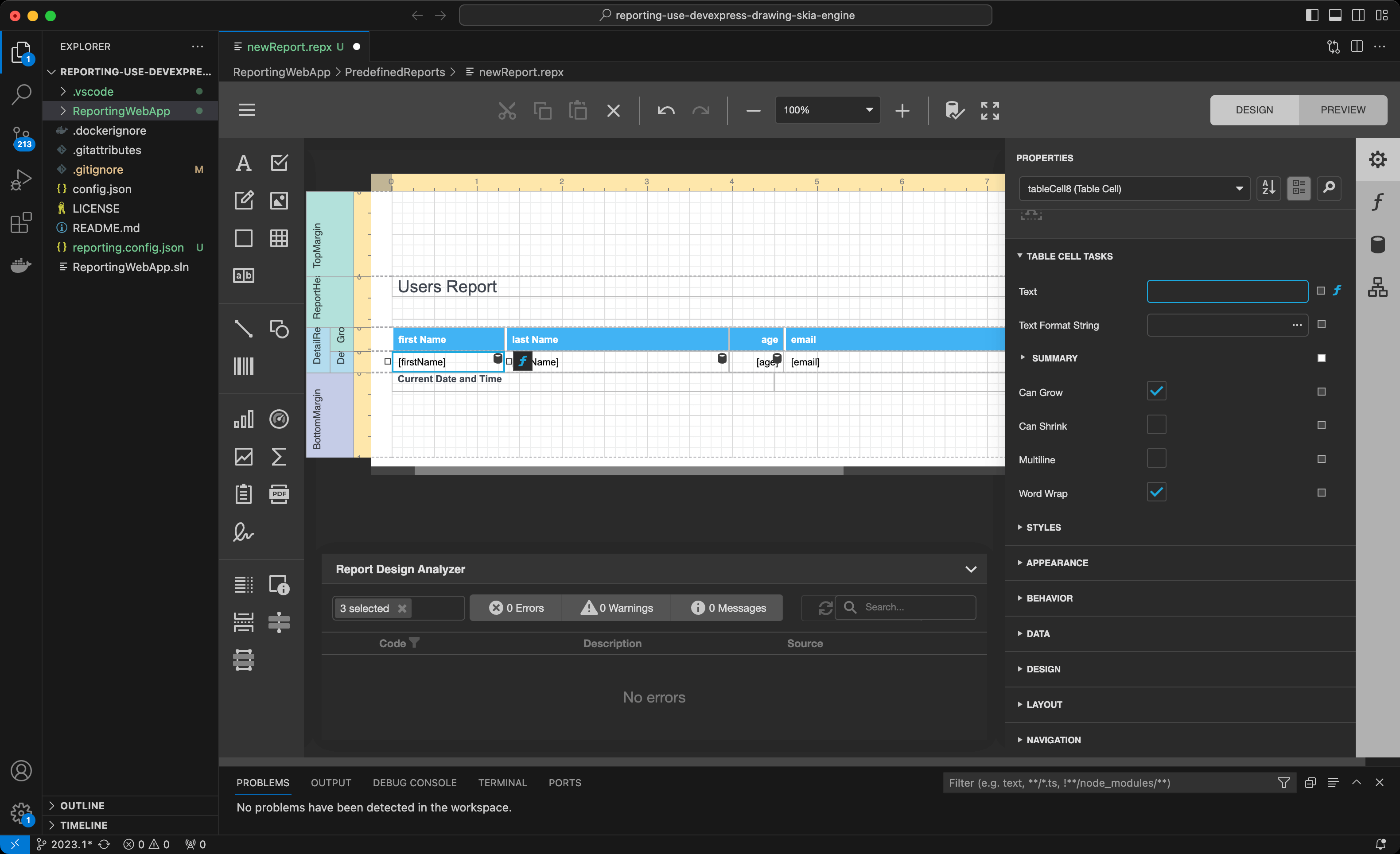
Design a Report in JetBrains Rider
Install the DevExpress Report Designer extension from the JetBrains Marketplace to use the DevExpress Report Designer in JetBrains IDEs. Configure data bindings, build and customize reports on the designer surface, and preview results without leaving the IDE.

Refer to the following help topic: Create a Report in JetBrains Rider (CTP).
Integrate a Report into Your Application’s User Interface
DevExpress Reporting ships with the Document Viewer and the End-User Report Designer components for the following Microsoft platforms:
- WinForms
- WPF
- ASP.NET Web Forms
- ASP.NET MVC
- ASP.NET Core
- Blazor Server – includes a native viewer and a JavaScript-based viewer and designer.
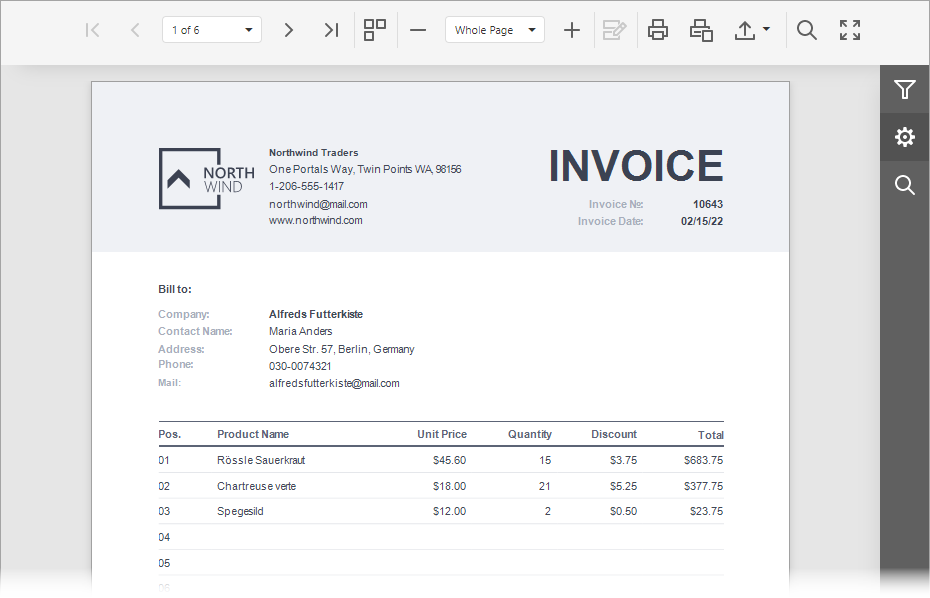
The Document Viewer component displays an interactive document preview and allows you and your end users to print and export reports.
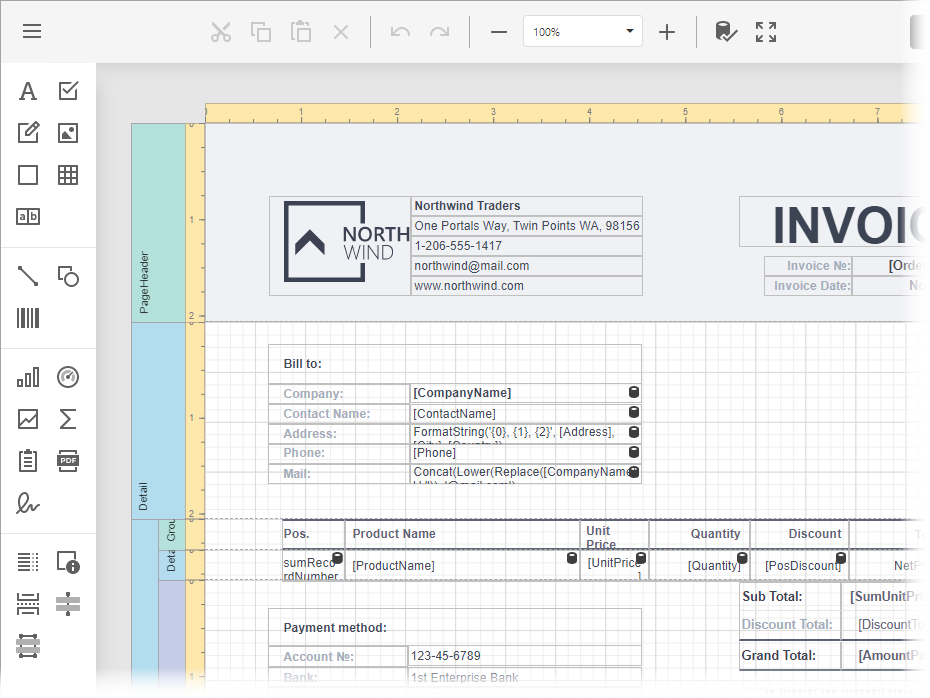
The End-User Report Designer is a fully functional reporting tool that allows you and your end users to create, preview, print, export, and save reports.
Refer to the topics below for more information:
Desktop Platforms
Web Platforms
You can also integrate the Document Viewer and the End-User Report Designer components to JavaScript applications based on Angular, Vue, React, and Knockout frameworks.
- Reporting for Angular
- Reporting for Vue
- Reporting for React
- Reporting for Knockout-based Applications
Add a Report to Your Application and Print/Export this Report without Displaying It in the UI
Refer to the following topic for instructions: Print and Export Reports without a Preview.