Header Filter
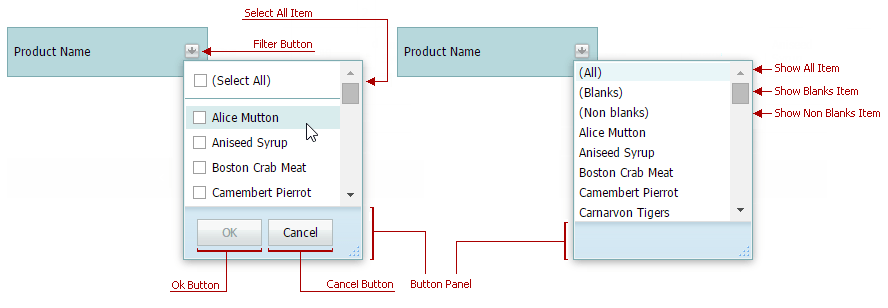
Row headers can display Excel-style filter buttons. Clicking a filter button invokes the header filter popup window that enables you to apply filter criteria against this row.
The header filter can operate in one of four modes: List and CheckedList modes are available for all grid columns; DateRangeCalendar and DateRangePicker modes are available for date columns only, NumericRangePicker mode is available for numeric columns only.
The mode is specified at the row level using the SettingsHeaderFilter.Mode property.