ASPxDashboard.CustomPalette Event
Allows you to substitute a dashboard palette used to paint dashboard item elements.
Namespace: DevExpress.DashboardWeb
Assembly: DevExpress.Dashboard.v26.1.Web.WebForms.dll
NuGet Package: DevExpress.Web.Dashboard
Declaration
Event Data
The CustomPalette event's data class is CustomPaletteWebEventArgs. The following properties provide information specific to this event:
| Property | Description |
|---|---|
| DashboardId | Gets a dashboard identifier. |
| Palette | Gets or sets a palette used to color dashboard item elements. |
| PaletteName | Gets the name of the selected palette. |
Remarks
DevExpress Dashboard uses a set of colors from predefined palettes. Use the DashboardPalette static read-only fields to get predefined dashboard palettes.
Handle the CustomPalette event to substitute a palette. Assign a DashboardPalette (built from DashboardPaletteItem objects that define a color, fill style, and line style) to CustomPaletteWebEventArgs.Palette.
You can create your own palette with custom colors with the following events:
ASPxDashboard.CustomPalette- DashboardConfigurator.CustomPalette
Custom Palette for a Specific Dashboard
Use e.DashboardId to target a specific dashboard. Create a DashboardPalette and assign it to e.Palette:
using DevExpress.DashboardCommon;
using DevExpress.DashboardWeb;
using System.Collections.Generic;
using System.Drawing;

protected void ASPxDashboard1_CustomPalette(object sender, CustomPaletteWebEventArgs e) {
    if (e.DashboardId == "SalesByCategory") {

        // Create a new custom palette.
        List<DashboardPaletteItem> paletteItems = new List<DashboardPaletteItem>();
        paletteItems.Add(new DashboardPaletteItem(Color.LightBlue));
        paletteItems.Add(new DashboardPaletteItem(Color.Aquamarine));
        paletteItems.Add(new DashboardPaletteItem(Color.SkyBlue, DevExpress.Drawing.DXHatchStyle.DiagonalCross));
        paletteItems.Add(new DashboardPaletteItem(Color.LightCoral));
        paletteItems.Add(new DashboardPaletteItem(Color.Tomato));
        paletteItems.Add(new DashboardPaletteItem(Color.IndianRed));
        paletteItems.Add(new DashboardPaletteItem(Color.Violet, DevExpress.Drawing.DXHatchStyle.Sphere, DevExpress.Drawing.DXDashStyle.DashDotDot));
        paletteItems.Add(new DashboardPaletteItem(Color.Plum));
        paletteItems.Add(new DashboardPaletteItem(Color.MediumOrchid));
        // Assign a newly created custom palette to the Web Dashboard.
        e.Palette = new DashboardPalette(paletteItems);
    }
}
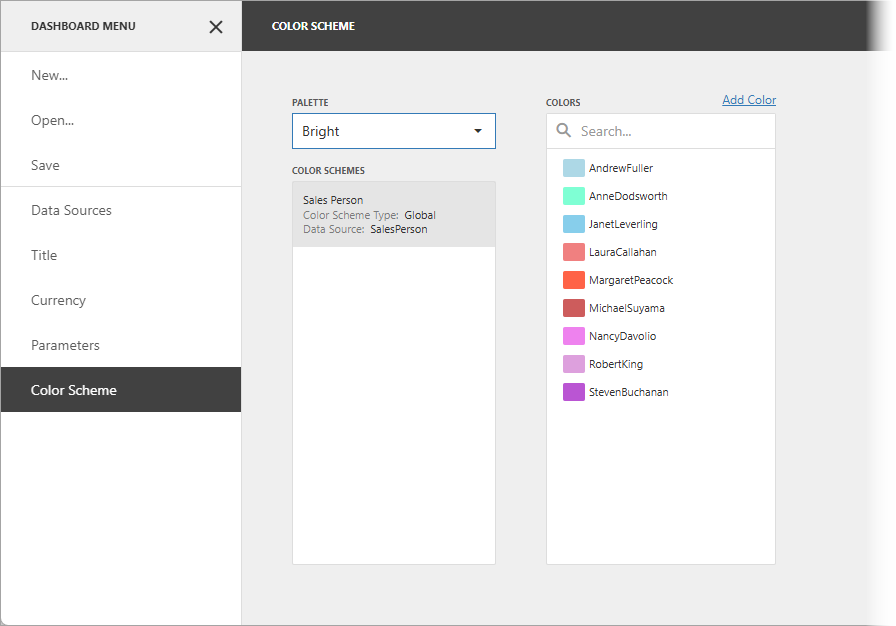
The image below displays the resulting palette:
Custom Colors for a Predefined Dashboard Palette
Use the e.PaletteName property to replace the colors of a specific built-in palette. The example below substitutes the colors of the Bright palette:
using DevExpress.DashboardCommon;
using DevExpress.DashboardWeb;
using System.Collections.Generic;
using System.Drawing;

protected void ASPxDashboard1_CustomPalette(object sender, CustomPaletteWebEventArgs e) {
    if (e.PaletteName == nameof(DashboardPalette.Bright)) {

        // Create a new custom palette.
        List<DashboardPaletteItem> paletteItems = new List<DashboardPaletteItem>();
        paletteItems.Add(new DashboardPaletteItem(Color.LightBlue));
        paletteItems.Add(new DashboardPaletteItem(Color.Aquamarine));
        paletteItems.Add(new DashboardPaletteItem(Color.SkyBlue));
        paletteItems.Add(new DashboardPaletteItem(Color.LightCoral));
        paletteItems.Add(new DashboardPaletteItem(Color.Tomato));
        paletteItems.Add(new DashboardPaletteItem(Color.IndianRed));
        paletteItems.Add(new DashboardPaletteItem(Color.Violet));
        paletteItems.Add(new DashboardPaletteItem(Color.Plum, DevExpress.Drawing.DXHatchStyle.Sphere));
        paletteItems.Add(new DashboardPaletteItem(Color.MediumOrchid));
        // Assign a newly created custom palette to the Web Dashboard.
        e.Palette = new DashboardPalette(paletteItems);
    }
}
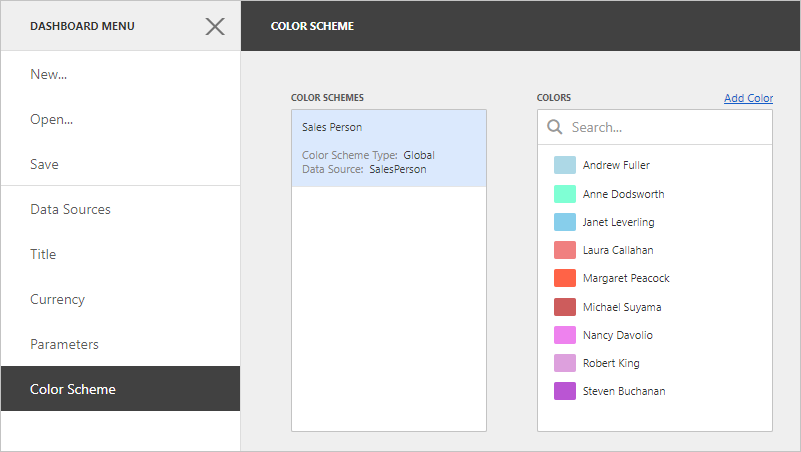
The image below displays the result: