How to: Create a Rule
- 2 minutes to read
Follow the steps below to create a new rule for private enumerators:
Open the Editor | All Languages | Organize Members options page.
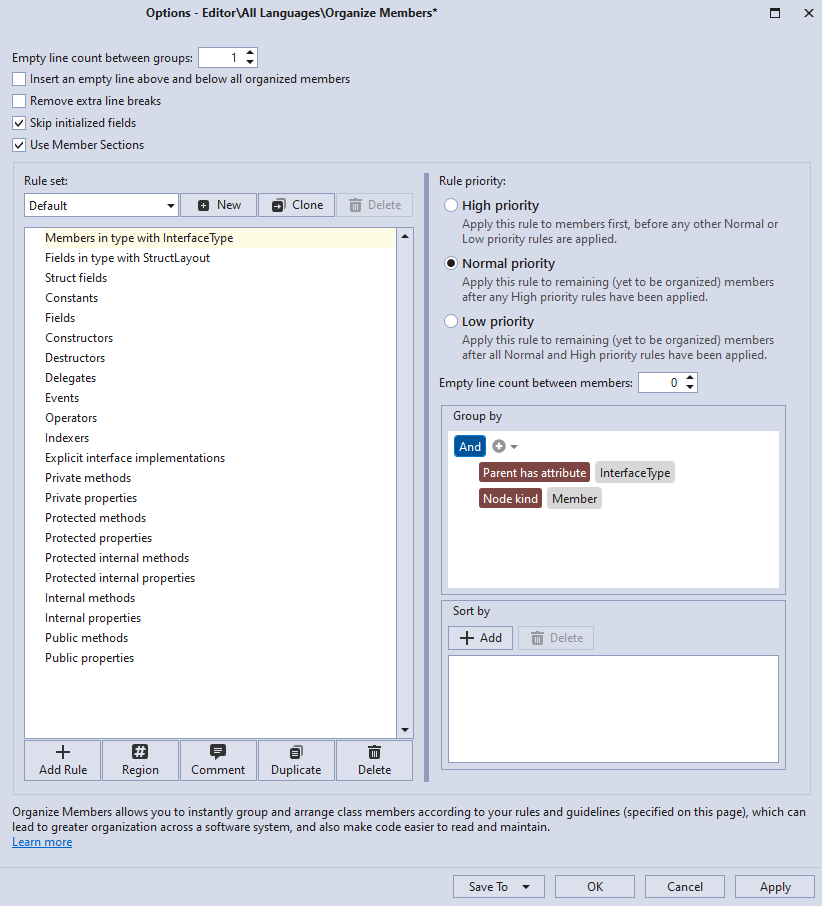
Click Add Rule to create a new rule.

CodeRush adds the new rule to the end of the rule list.
Change the suggested rule name to “Private enumerators” and press Enter to save the change.

Change the “Private enumerators” rule’s position, as shown in the screencast below, so that private enumerators follow events in a type. To change the rule’s position, drag the “Private enumerators” rule in the rule list and drop it when you reach the desired position.
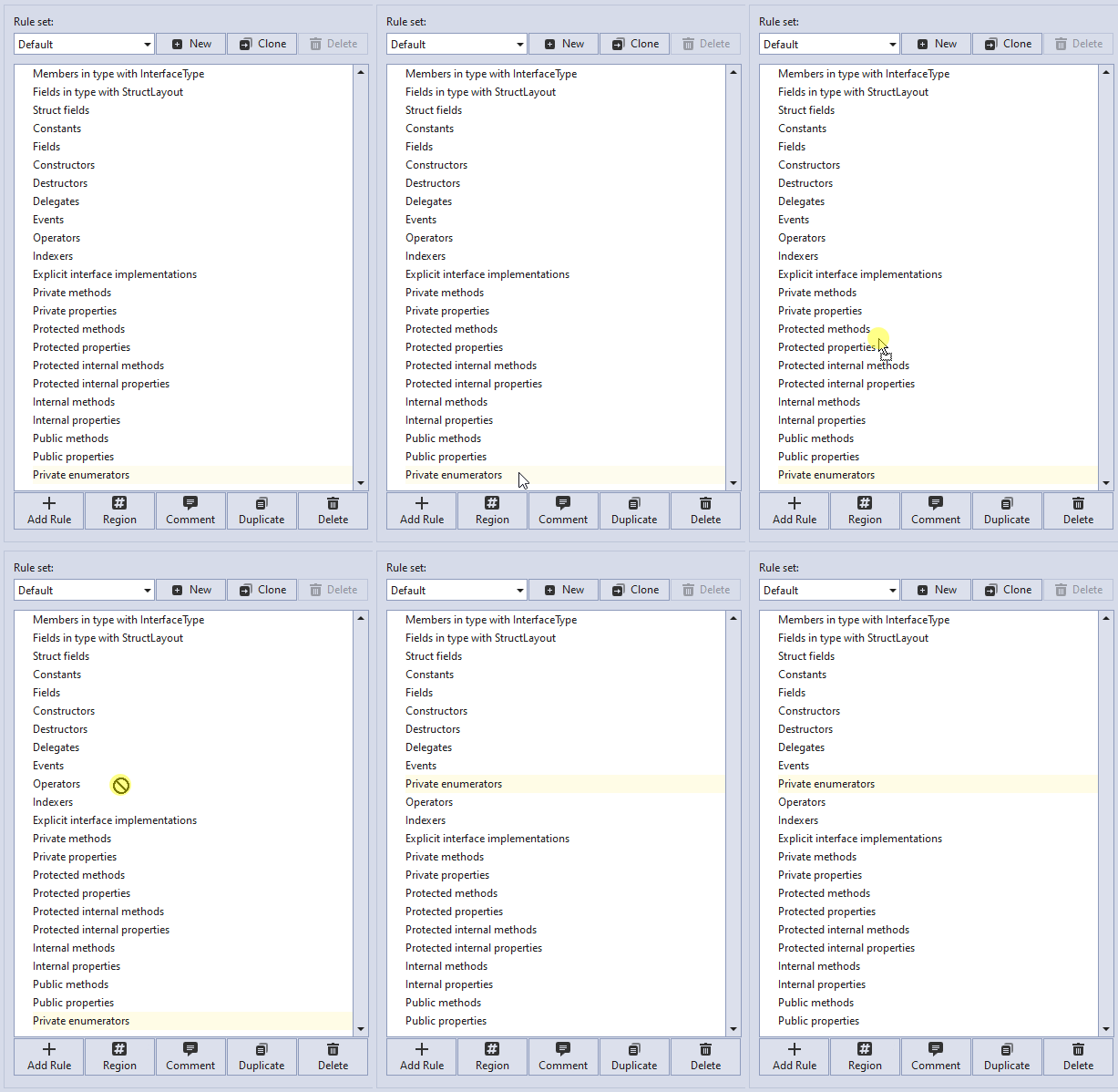
When you run Organize Members, CodeRush changes the type’s member order to correspond to the order of the rules in the rule set.
Configure grouping:
Select the “Private enumerators” rule.
In the “Group by” section, click the “+” button to add a new condition to the “And” group.

CodeRush adds the “Node kind”.

Click the first “Node kind” and choose the Visibility item from the list.

Click the “enter a value” text box and choose Private from the list.

Set the second Node kind to Enum.

Configure sorting (optional) or leave it as is.

Click Apply and OK to save the changes and close the Organize Members options page.

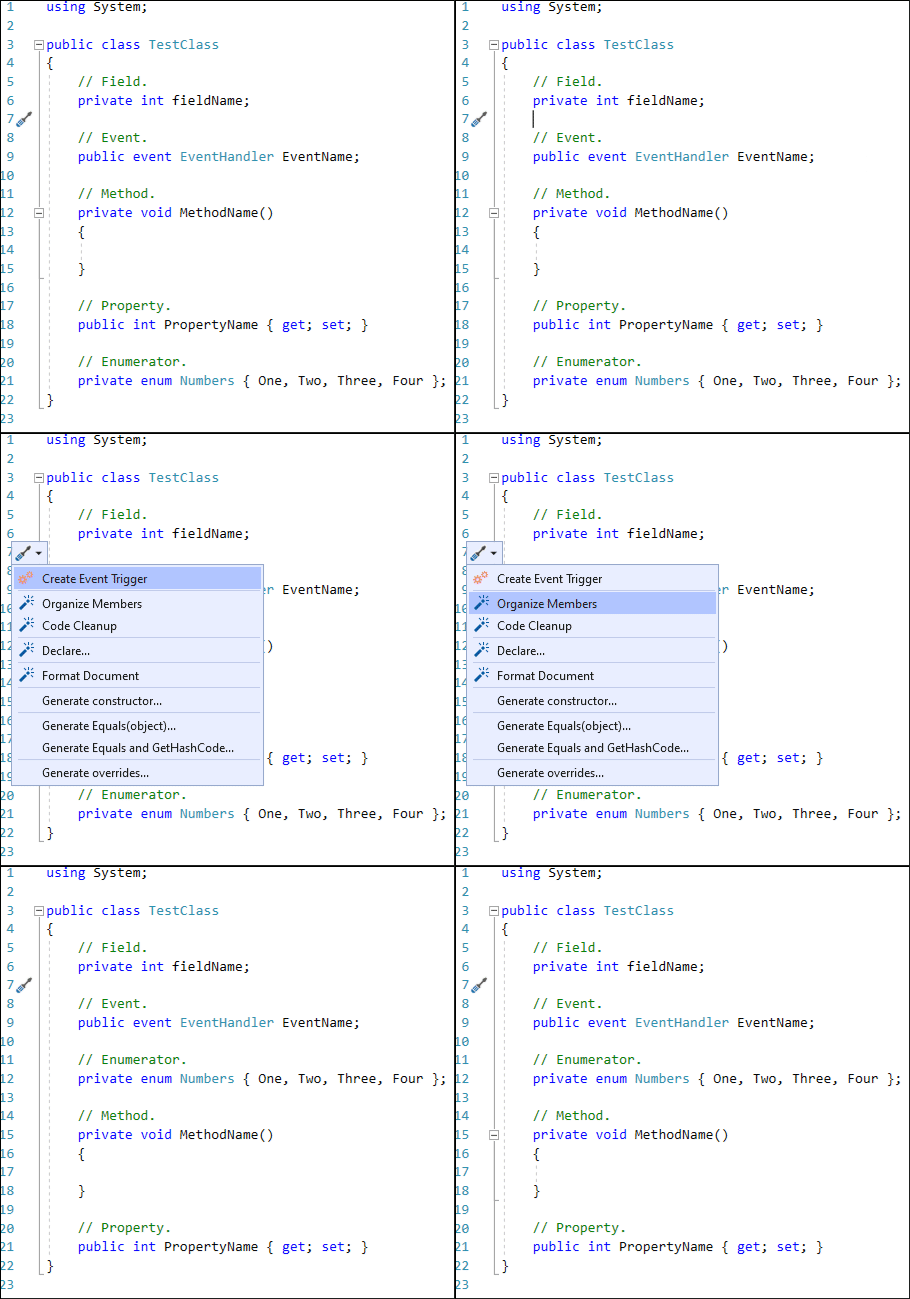
In the following code, place the caret anywhere in the class body.
using System;

public class TestClass
{
    // Field.
    private int fieldName;

    // Event.
    public event EventHandler EventName;

    // Method.
    private void MethodName()
    {

    }

    // Property.
    public int PropertyName { get; set; }

    // Enumerator.
    private enum Numbers { One, Two, Three, Four };
}
Press Ctrl+. or Ctrl+~ to invoke the Code Actions Menu. Select Organize Members and press Enter.