Add a Report to the End/Beginning
Follow the steps below to add a separate report to the end of another report and print it as a single job. The report in this tutorial is bound to the sample Northwind database.
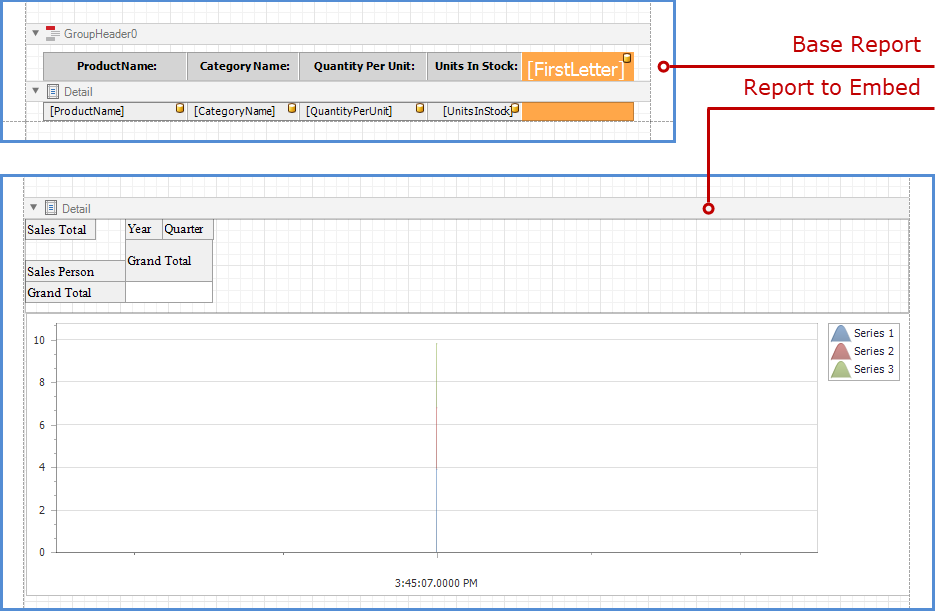
Right-click the base report and select Insert Band | ReportFooter in the context menu.

Drag an XRSubreport item from the Toolbox onto the created Report Footer band.

Tip
To add a report to the beginning of another report (for instance, to add a title page), use the ReportHeader band instead.
Click the subreport’s smart tag. In the invoked Sub-Report Tasks window, set the ReportSource parameter to the report that you want to insert.

Enable the GenerateOwnPages option to print the embedded report on separate pages and use its own page settings.

Switch to Preview mode to see the combined report.

Tip
IF the merged reports contain bookmarks, you can use the SubreportBase.BookmarkParent property to create a parent bookmark for each report in a merged document map.