GanttValidationSettings Class
Accesses validation settings.
Namespace: DevExpress.Web.ASPxGantt
Assembly: DevExpress.Web.ASPxGantt.v20.1.dll
NuGet Package: DevExpress.Web
Declaration
Related API Members
The following members return GanttValidationSettings objects:
Remarks
The ASPxGantt allows you to validate relationships between tasks when they are edited.
Dependency Rules Validation
Set the EnableDependencyValidation property to true to enable dependency rules validation.
<dx:ASPxGantt ID="Gantt" >
    ...
    <SettingsValidation EnableDependencyValidation="true" />
</dx:ASPxGantt>
The Gantt supports the following dependency types:
Dependency Type | Dependency Rule |
|---|---|
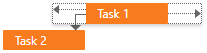
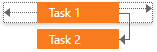
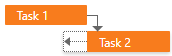
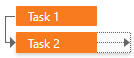
Finish to Start (FS) | A successor task’s start point should equal a predecessor task’s endpoint. |
Start to Start (SS) | A successor and predecessor tasks should start at the same time. |
Finish to Finish (FF) | A successor and predecessor tasks should end at the same time. |
Start to Finish (SF) | A successor task’s end point should equal a predecessor task’s start point. |

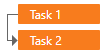
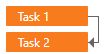
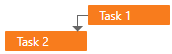
The table below illustrates how the Gantt control handles user actions that violate dependency rules.
User Action | Dependency Type | Gantt’s Reaction |
|---|---|---|
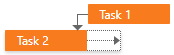
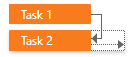
Move a predecessor task (Task 1) to the left or right. | Finish to Start (FS): | The control moves a successor task (Task 2) forward or backward to the same time interval. |
Move a successor task (Task 2) to the left. | Finish to Start (FS): | This change is denied as it violates dependency rules.
|
Move a successor task (Task 2) to the right. | Finish to Start (FS): | The control displays a popup window and suggests the following actions:
|

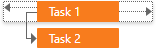




Parent-Child Relationship Validation
Set the AutoUpdateParentTasks property to true to enable validation for parent&child relationships.
<dx:ASPxGantt ID="Gantt" >
    ...
    <SettingsValidation AutoUpdateParentTasks="true" />
</dx:ASPxGantt>
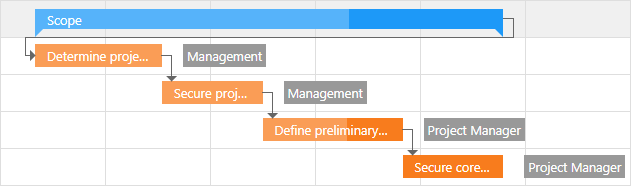
The Gantt control supports the following rules for parent&child relationships validation:
- A parent task’s duration equals a summary duration of its child tasks.
- A parent task and its first child starts at the same time.
- A parent task and its last child ends at the same time.
- A parent task’s progress is a summary progress of its child tasks.