Create a Standalone Web API Application
This topic contains step-by-step instructions on how to create an application with Web API. For more information on Web API, see the following topic: Backend Web API Service.
Create a new project in Visual Studio. Select DevExpress v25.2 Template Kit and click Next.
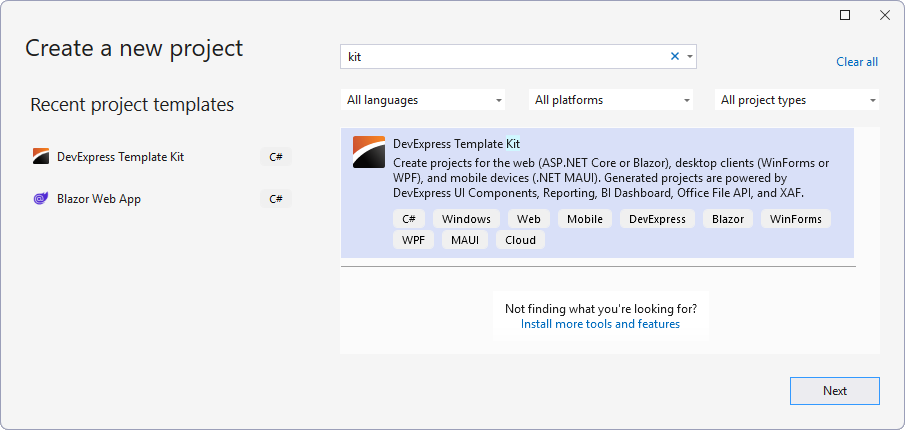
Specify the project name and location and click Create.
In the invoked Template Kit window, select XAF and specify the Web API Service integration style in the Blazor / Web API Service Options section:
- Standalone (Separate Projects) creates a separate Web API Service project.
- Integrated (Single Project) integrates Web API Service to the ASP.NET Core Blazor project.
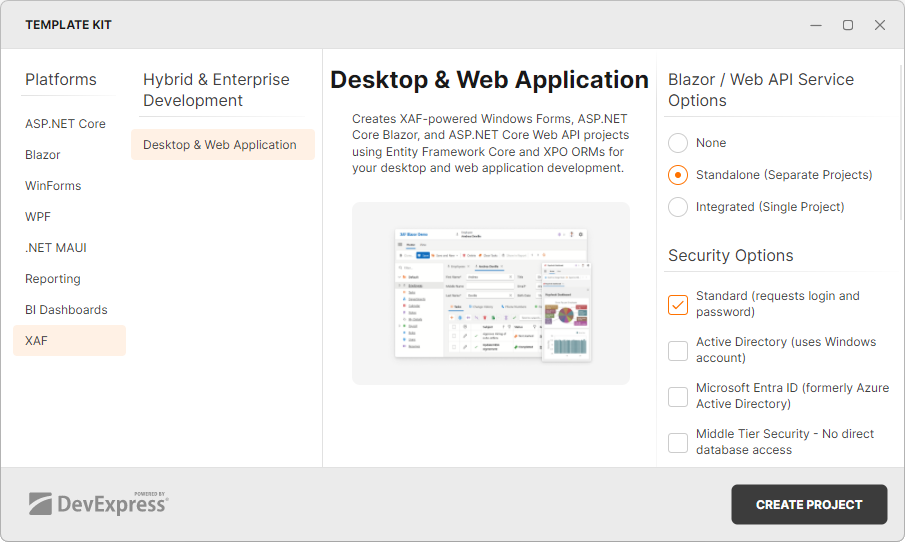
Customize other options, if necessary: choose the security options for your application, select additional modules, and so on.
Click Create Project
See Also